
Unlocking The Power of Whatsapp Groups: A Comprehensive Guide
Are you one of the millions of users who rely on WhatsApp for communication? Do you want to explore the hidden features of this popular messaging app? Look no further! In this article, we’ll delve into the world of WhatsApp groups and reveal the secrets of navigating these clusters.
What Are Whatsapp Groups?
For those new to WhatsApp, groups are essentially chat rooms that allow multiple users to communicate with each other. These clusters can be public or private, depending on the settings chosen by the administrator. With over 2 billion monthly active users, WhatsApp groups have become an essential tool for individuals and businesses alike.
Navigating Whatsapp Groups
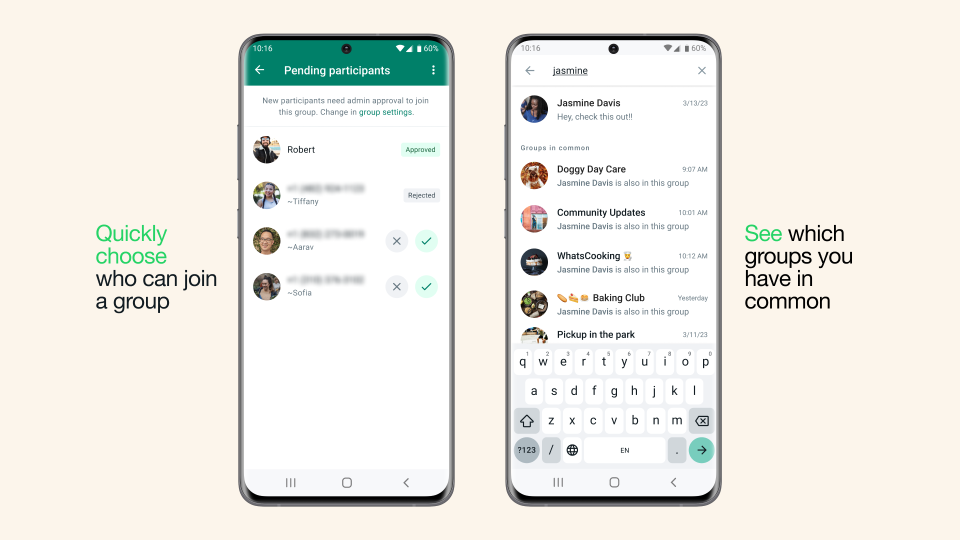
So, how do you navigate these clusters? Unfortunately, WhatsApp doesn’t provide a direct way to access the complete list of groups you’re enrolled in. However, there is a workaround that allows you to see which groups you’ve joined.
- On Android: Access your WhatsApp chat section and tap on the three dots (⋯) next to each contact. Then, scroll down and look for the “Clusters” or “Groups” tab.
- On Iphone: Tap on the “+” button at the top right corner of the screen to access the search bar. Type in the name of a group you’re interested in, and if it exists, you’ll see its name appear.
Seeing Abandoned Whatsapp Groups
Have you ever found yourself wondering what happened to that one group you joined but never participated in? Don’t worry; we’ve all been there! Unfortunately, WhatsApp doesn’t provide an easy way to access abandoned groups. However, you can try searching for the group’s name in your chat section or asking the administrator if they know anything about it.
Recovering Deleted Whatsapp Groups
What happens when a group gets deleted? Well, the short answer is that it’s gone forever unless someone has made a backup before deletion. If you’re interested in recovering a deleted group, check out our guide on how to recover deleted WhatsApp chats.
Searching For New Whatsapp Groups
Want to join new groups and expand your network? You can search for public groups by typing their name or keywords related to the topic of interest. To do this:
- On Android: Open the WhatsApp chat section and tap on the search bar at the top.
- On Iphone: Tap on the “+” button at the top right corner of the screen.
Tips And Tricks
Here are some additional tips to keep in mind when using WhatsApp groups:
- Make sure you have a stable internet connection before joining or participating in a group.
- Use clear and concise language when communicating within a group.
- Be mindful of group rules and follow them to avoid any conflicts.
Conclusion
WhatsApp groups can be incredibly powerful tools for communication, networking, and community-building. By understanding how to navigate these clusters, you’ll be able to make the most out of this feature. Remember to stay patient and explore different options when searching for new groups or recovering deleted ones. Happy chatting!
Frequently Asked Questions (FAQs)
Q: How do I access the complete list of WhatsApp groups I’m enrolled in?
A: Unfortunately, WhatsApp doesn’t provide a direct way to access the complete list of groups you’re enrolled in.
Q: What happens when a WhatsApp group gets deleted?
A: The group is gone forever unless someone has made a backup before deletion.
Q: How do I search for new WhatsApp groups?
A: You can search for public groups by typing their name or keywords related to the topic of interest.
Q: Can I recover deleted WhatsApp chats?
A: Yes, you can try recovering deleted WhatsApp chats by checking out our guide on how to do so.


