
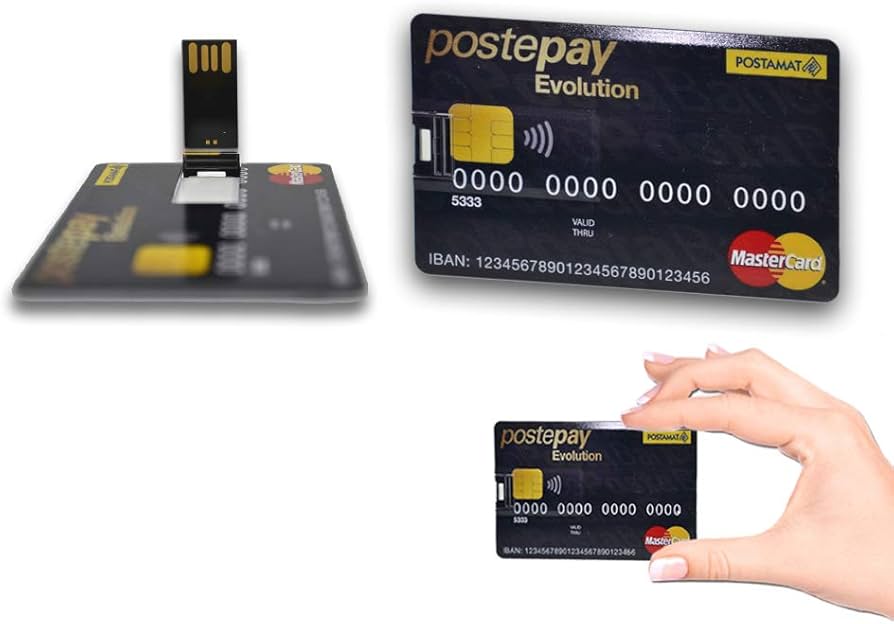
Postepay: How to Check Your Balance Online or Via Sms
Are you wondering how to check your Postepay balance online or via SMS? You’re not alone! Many people are curious about the different ways to monitor their prepaid card balances. In this article, we’ll guide you through the steps to check your Postepay balance using various methods.
Why Check Your Postepay Balance?
Before we dive into the details, let’s quickly discuss why checking your Postepay balance is essential. With a prepaid card, it’s easy to overspend and run out of funds unexpectedly. By regularly checking your balance, you can avoid this situation and ensure that you have sufficient funds for future transactions.
Method 1: Checking Your Postepay Balance Online
To check your Postepay balance online, follow these steps:
Step 1: Access The Postepay Website
- Go to the Postepay website (www.Postepay.It) and click on the “Personal Area” button located at the top right corner of the page.
- If you have already activated a code PosteID, you can use it to access your account directly.
Step 2: Log In to Your Account
- If you don’t have a PosteID, create an account by clicking on the “Register” button and following the instructions.
- Enter your username and password to log in to your account.
Step 3: Access Your Postepay Balance
- Once logged in, navigate to the “My produced” section and click on the “Postepay” tab.
- In this page, you’ll see an overview of your Postepay balance, including the available funds and any pending transactions.
Method 2: Checking Your Postepay Balance Via Sms
To check your Postepay balance via SMS, follow these steps:
Step 1: Enable Sms Notifications
- Go to the Postepay website and log in to your account.
- Navigate to the “Settings” section and click on “Notifications and alerts.”
- Select the option to receive SMS notifications for your Postepay balance.
Step 2: Send an Sms to Request Your Balance
- Compose a message with the text “balance ppay” and send it to the number 4860006.
- You’ll receive an SMS with your current Postepay balance.
Method 3: Checking Your Postepay Balance at an Atm
To check your Postepay balance at an ATM, follow these steps:
Step 1: Find a Postamat Near You
- Visit the Postepay website and use their ATM locator tool to find a Postamat near you.
- Enter your city’s CAP code in the search bar to get a list of nearby ATMs.
Step 2: Insert Your Card And Pin at The Atm
- Go to the selected ATM, insert your Postepay card, and enter your PIN.
- Select the option to check your balance or transaction history.
Conclusion
In conclusion, checking your Postepay balance online, via SMS, or at an ATM is a straightforward process. By following these steps, you can monitor your prepaid card funds and avoid overspending. Remember to always keep track of your transactions and balance to ensure a smooth and stress-free experience with your Postepay card.
Frequently Asked Questions (FAQs)
Here are some frequently asked questions about checking your Postepay balance:
- How Often Should I Check my Postepay Balance?
It’s recommended to check your Postepay balance regularly, especially before making a purchase or payment.
- Can I Check my Postepay Balance Without Registering Online?
Yes, you can check your Postepay balance at an ATM or via SMS without registering online.
- What if I Forget my Posteid Code?
If you forget your PosteID code, you can recover it by following the instructions on the Postepay website.
- Can I Receive Sms Notifications For Multiple Prepaid Cards?
Yes, you can set up SMS notifications for multiple prepaid cards by following the same steps as above.
- How Much Does it Cost to Check my Postepay Balance Via Sms?
The cost of checking your Postepay balance via SMS is 0.16 Euros per message (depending on the operator).
- Can I Cancel my Sms Notifications at Any Time?
Yes, you can disable or cancel your SMS notifications by following the instructions on the Postepay website.
- How do I Report a Lost or Stolen Postepay Card?
If you lose or steal your Postepay card, contact the Postepay customer service immediately to report it and request assistance.
- Can I Use my Postepay Card For International Transactions?
Yes, your Postepay card can be used for international transactions, but you may need to inform the merchant that you’re paying with a prepaid card.


