
Unlocking The Power of Instagram Insights: A Comprehensive Guide
As a social media platform, Instagram has become an essential tool for businesses, influencers, and individuals to showcase their brand, products, or services. With over 1 billion active users, Instagram provides a vast audience to reach and engage with. However, with so many accounts vying for attention, it’s crucial to understand how your content is performing and what steps you can take to improve its visibility.
In this article, we’ll delve into the world of Instagram Insights, a powerful tool that provides in-depth analytics on your account’s performance. We’ll explore how to access Insights, what metrics to look out for, and how to use this data to optimize your content strategy.
What is Instagram Insights?
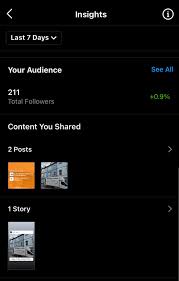
Instagram Insights is a feature that allows you to see detailed statistics about your account’s performance. This includes information on the number of followers, engagement rates, reach, and other metrics. With Insights, you can gain valuable insights into what works for your account and what doesn’t, making it easier to create content that resonates with your audience.
How to Access Instagram Insights
To access Instagram Insights, you’ll need to have a professional account on Instagram. Here’s how to do it:
- Go to the Settings menu in your Instagram app.
- Tap on “Account” and then select “Switch to Business Profile.”
- Follow the prompts to set up your business profile.
Once you’ve switched to a business profile, you’ll be able to access Insights directly from the app.
What Metrics Should You Look Out For?
When using Instagram Insights, there are several key metrics to focus on:
- Reach: This measures how many people saw your content.
- Impressions: This is the number of times your content was displayed.
- Engagement: This includes likes, comments, saves, and shares.
- Follower Growth Rate: This shows how quickly your following is growing.
How to Use Instagram Insights
Now that you know what metrics to look out for, let’s dive into how to use Instagram Insights effectively:
- Monitor Your Content Performance: Keep an eye on which types of content are performing well and which aren’t.
- Adjust Your Strategy: Based on your Insights data, adjust your content strategy to focus on the types of content that work best.
- Experiment With New Formats: Try out new formats like Reels or IGTV to see how they perform.
- Engage With Your Audience: Use Insights to understand what your audience is interested in and engage with them by responding to comments and messages.
Instagram Insights For Posts
When it comes to individual posts, Instagram Insights provides detailed information on their performance. Here’s what you can expect to see:
- Post Reach And Impressions: The number of people who saw and interacted with your post.
- Engagement Metrics: Likes, comments, saves, and shares.
- Follower Growth Rate: How quickly your following grew as a result of the post.
Instagram Insights For Stories
For Instagram stories, Insights provides similar information:
- Story Reach And Impressions: The number of people who saw and interacted with your story.
- Engagement Metrics: Swipe-ups, taps, and other interactions.
- Follower Growth Rate: How quickly your following grew as a result of the story.
Instagram Insights For Profiles
For profile-level insights, you’ll be able to see:
- Account Achievements: Milestones like follower count and engagement rates.
- Accounts That Interacted: A list of accounts that engaged with your content.
- Follower Growth Rate: How quickly your following is growing.
How to Access Instagram Insights on PC
Unfortunately, Instagram Insights isn’t available on PC. However, you can access the data through the Instagram mobile app or via third-party analytics tools.
Conclusion
Instagram Insights is a powerful tool that provides valuable insights into your account’s performance. By monitoring your content metrics and adjusting your strategy accordingly, you can optimize your content for maximum engagement and growth. Remember to focus on reach, impressions, engagement, and follower growth rate when using Insights, and don’t forget to experiment with new formats and engage with your audience.
By following these tips and staying up-to-date with the latest Instagram features, you’ll be well on your way to becoming an Instagram pro and taking your social media game to the next level!
Additional Tips
- Make sure to switch to a business profile to access Insights.
- Focus on reach, impressions, engagement, and follower growth rate when using Insights.
- Adjust your content strategy based on your Insights data.
- Experiment with new formats like Reels or IGTV.
- Engage with your audience by responding to comments and messages.
Sources
- Instagram for Business
- Hootsuite Social Media Blog
- AdEspresso


