
How to See Posts That You Liked on Instagram: A Step-by-step Guide
Are you tired of scrolling through your Instagram feed, trying to find posts that you’ve liked in the past? Look no further! In this article, we’ll show you how to see posts that you’ve liked on Instagram, whether you’re using a smartphone or a PC.
Why Can’t I See Posts That I Liked on Instagram?
Instagram is a social media platform that was born for mobile devices. While it’s possible to access Instagram on your PC using a web browser, some features are not available on the desktop version. This includes the ability to see posts that you’ve liked.
How to See Posts That You Liked on Instagram Using Your Smartphone
To see posts that you’ve liked on Instagram using your smartphone, follow these steps:
- Open the Instagram app on your phone.
- Go to your profile page by tapping on the icon with your photo or name.
- Tap on the three horizontal lines in the top right corner of the screen.
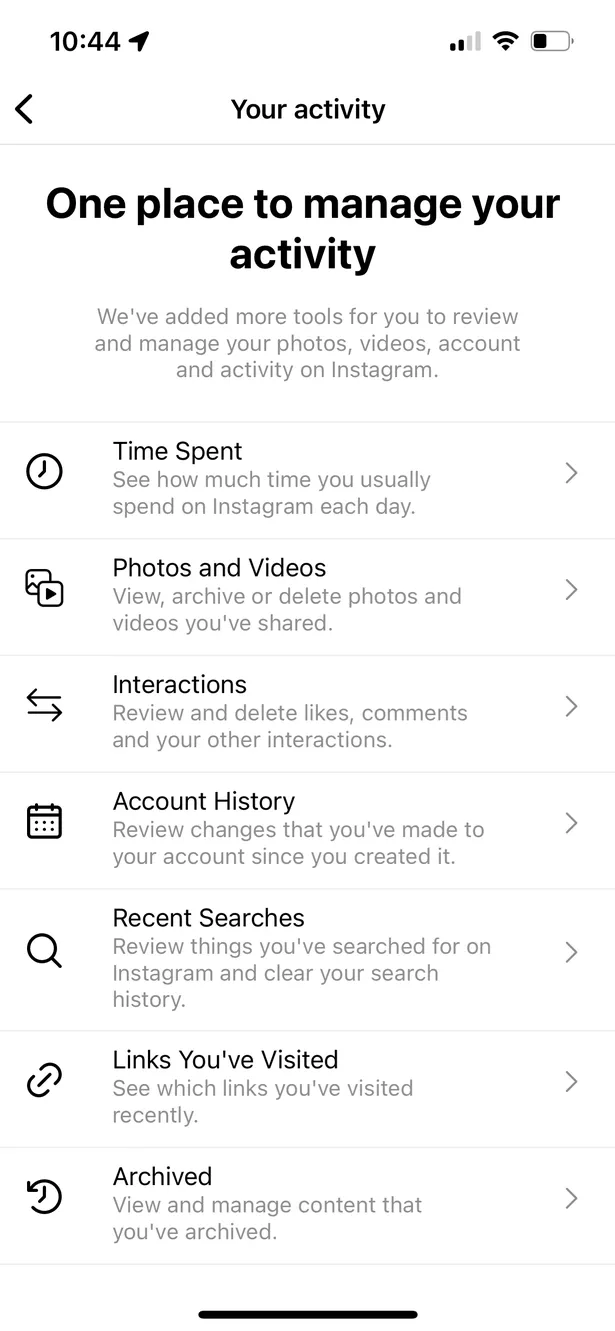
- Select “Your activity” from the menu.
- Scroll down to the section that says “Likes.”
- Here, you’ll see a list of posts that you’ve liked, along with other activities such as comments and reactions.
How to See Posts That You Liked on Instagram Using Your PC
If you’re using a PC, things are a bit more complicated. Instagram’s desktop version doesn’t have the same features as the mobile app. However, there is a way to emulate an Android device on your PC, which will allow you to access Instagram’s full range of features.
How to Emulate an Android Device on Your PC
To emulate an Android device on your PC, follow these steps:
- Download and install an emulator such as BlueStacks or Nox Player.
- Open the emulator and download the Instagram app from the Google Play Store.
- Once you’ve installed the app, you can access it using your mouse and keyboard just like on a mobile device.
How to Remove Posts That You Liked on Instagram
If you want to remove posts that you liked on Instagram, follow these steps:
- Go to the “Interactions” section of the app.
- Tap on the post that you want to remove the like from.
- Tap on the red heart icon under the photo or video.
- This will remove the like and the post will no longer appear in your list of liked posts.
Conclusion
In conclusion, seeing posts that you’ve liked on Instagram is a simple process that can be done using either your smartphone or PC. By following the steps outlined above, you’ll be able to access your liked posts and even remove them if needed.
Frequently Asked Questions
Here are some frequently asked questions about seeing posts that you’ve liked on Instagram:
- Q: How do I See Posts That I Liked on Instagram?
A: To see posts that you liked on Instagram, go to the “Your activity” section of the app and scroll down to the “Likes” section. - Q: Can I See Posts That I Liked on Instagram Using my Pc?
A: Yes, but only by emulating an Android device on your PC using software such as BlueStacks or Nox Player. - Q: How do I Remove Posts That I Liked on Instagram?
A: To remove a post from the list of posts you’ve liked, go to the “Interactions” section and tap on the red heart icon under the photo or video. - Q: Will Removing a Like Affect my Followers or Friends?
A: No, removing a like will not affect your followers or friends in any way.


