
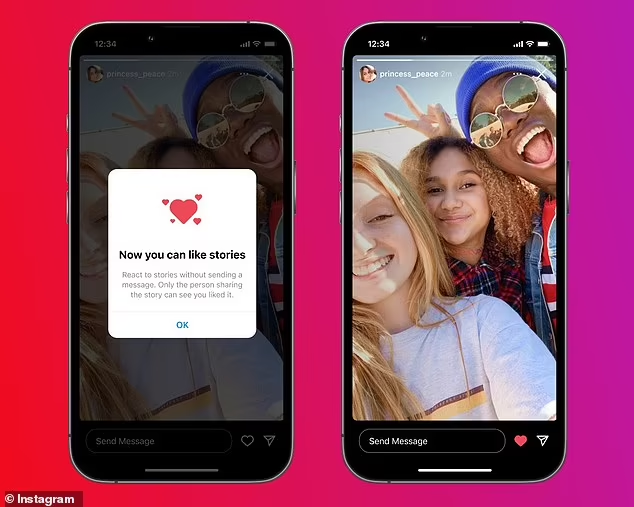
How to See Your Own Histories on Instagram
Are you curious about how to view your own histories on Instagram? You’re not alone! Millions of users, from “common” individuals to famous VIPs and brands, share their creative photos and videos with the world using this popular social network. In this article, we’ll take a closer look at how to see your own histories on Instagram, as well as some additional features and tools that can help you make the most of your account.
What Are Histories on Instagram?
For those who might be new to Instagram or haven’t explored its features in depth, histories refer to a collection of photos and videos shared by users over a 24-hour period. These can include posts, stories, IGTV content, and more. Histories are an essential part of the Instagram experience, allowing users to share their daily lives, thoughts, and experiences with friends and followers.
How to See Your Own Histories on Instagram
Now that we’ve covered what histories are, let’s dive into how to view them on your own account. Here are the steps:
- Accessing Your Account: To see your own histories on Instagram, first access your account using the official app for Android or iOS devices.
- Tap on Your Profile Photo: Once you’re logged in, tap on your profile photo located at the top-left corner of the screen (mobile) or at the bottom-right corner (desktop).
- Select “Your Story”: From the menu that appears, select “Your Story.”
- View Your Histories: Your current histories will be displayed for you to view.
How to See Histories on Instagram Without Visualizing
If you want to see your own histories without visualizing them on-screen, you can do so by accessing your account on a computer or mobile device and following these steps:
- Access your Instagram account using the official app or website.
- Click on your profile photo (located at the top-right corner of the screen).
- Select “Your Story” from the menu.
How to See Histories on Instagram of Other Users
Now that we’ve covered how to see your own histories, let’s explore how to view those of other users. Here are some additional features and tools:
- Viewing Histories of Friends: To view the histories of friends or accounts you follow, go to their profile and tap on “Your Story” from the menu.
- Viewing Histories of Public Accounts: For public accounts, simply search for them using the search bar and click on “Their Story.”
- Viewing Histories in Chronological Order: To view histories in chronological order, access your account settings by tapping on your profile photo > Settings (mobile) or clicking on your profile photo > Settings (desktop).
How to See Histories on Instagram Without Visualizing
If you want to see the histories of other users without visualizing them on-screen, use the following tools:
- Storiesig: A free and easy-to-use tool that allows you to view the histories of any public account anonymously.
- Instaport: A tool that enables you to download your own histories or those of others.
How to See Histories on Instagram of Private Profiles
If you’re interested in viewing the histories of private profiles, here’s what you need to do:
- Follow The Profile: To view the histories of a private profile, simply follow them.
- Request Access: After following the account, send a request for access.
How to See Histories on Instagram of Hidden Profiles
Unfortunately, it is not possible to see the histories of hidden profiles unless you have been granted permission by the account owner. However, if you’re interested in viewing your own histories or those of others, refer to the sections above.
How to See Old Histories on Instagram
To view old histories on Instagram:
- Access Your Account: Access your Instagram account using the official app.
- Select “Your Story”: Select “Your Story” from the menu located at the top-right corner of the screen (mobile) or bottom-left corner (desktop).
- View Old Histories: Your old histories will be displayed in chronological order.
Conclusion
In conclusion, viewing your own histories on Instagram is a simple and straightforward process. By following these steps, you can view your current histories, as well as those of other users. Whether it’s for personal or professional use, knowing how to see the histories on Instagram can enhance your overall experience with this popular social network.
Frequently Asked Questions (FAQs)
- Q: How do I See my Own Histories on Instagram?
A: To view your own histories on Instagram, access your account using the official app or website and tap/click on “Your Story” from the menu. - Q: Can I See The Histories of Private Profiles on Instagram?
A: No, you can only see the histories of private profiles after being granted permission by the account owner. - Q: How do I View Old Histories on Instagram?
A: To view old histories on Instagram, access your account using the official app or website and tap/click on “Your Story” from the menu located at the top-right corner of the screen (mobile) or bottom-left corner (desktop). - Q: Can I See The Histories of Hidden Profiles on Instagram?
A: Unfortunately, it is not possible to see the histories of hidden profiles unless you have been granted permission by the account owner. - Q: How do I View The Histories of Other Users on Instagram?
A: To view the histories of other users on Instagram, access their profile and tap/click on “Their Story” from the menu. - Q: Can I Download my Own Histories or Those of Others Using Instaport?
A: Yes, you can download your own histories or those of others using Instaport.


