
How to See Last Access on Whatsapp (Even if Hidden)
Are you tired of wondering when your friends or contacts last accessed WhatsApp? Do you want to know if they’re online without them knowing? Look no further! In this article, we’ll show you how to see the last access time on WhatsApp, even if it’s been hidden.
Why Can’t I See Last Access on Whatsapp?
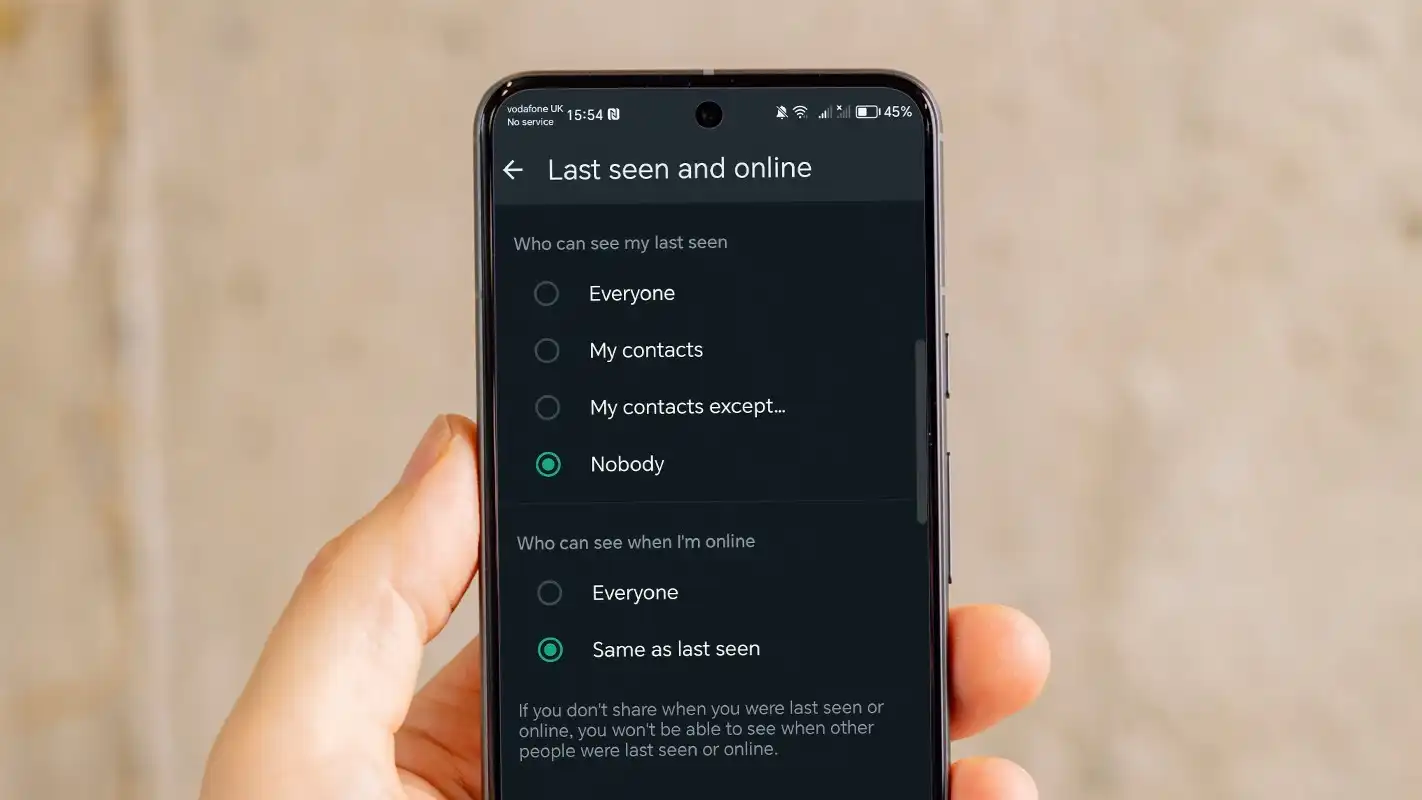
If you’ve noticed that your contacts’ last access times are not visible on WhatsApp, it’s probably because they’ve modified their privacy settings. This means that only they can see when you last accessed the app.
How to Change Privacy Settings on Whatsapp (For Android)
To change the privacy settings on WhatsApp for Android, follow these steps:
- Open WhatsApp and go to the three dots menu
- Select “Settings”
- Tap on “Account”
- Choose “Privacy”
- Tap on “Last seen” and select either “Everyone,” “My contacts,” or “Nobody”
How to Change Privacy Settings on Whatsapp (For Iphone)
To change the privacy settings on WhatsApp for iPhone, follow these steps:
- Open WhatsApp and go to the Settings icon
- Select “Account”
- Tap on “Privacy”
- Choose “Last seen” and select either “Everyone,” “My contacts,” or “Nobody”
How to See Last Access on Whatsapp (Even if Hidden)
If your contact has hidden their last access time, you can still try to see it by:
- Opening the chat with that person
- Waiting patiently for them to respond (even if they don’t)
Can I Use Third-party Apps to See Last Access on Whatsapp?
No! We advise against using third-party apps that promise to show your contacts’ last access times. These apps are often filled with ads and can be a serious threat to your safety and privacy.
How to Protect Your Privacy on Whatsapp
To protect your own privacy on WhatsApp, never insert your personal information (name, surname, phone number, etc.) Into portals that claim to reveal when someone is online. This is a common scam!
Conclusion
We hope this article has helped you understand how to see last access on WhatsApp, even if it’s been hidden. Remember to always be cautious with third-party apps and protect your own privacy by not sharing sensitive information.
Frequently Asked Questions (FAQs)
- Q: Can I See When a Contact is Online on Whatsapp?
A: Yes, you can! If the contact has allowed their last access time to be visible. - Q: What Happens if my Friend Hides Their Last Access Time?
A: You won’t be able to see it, but you can still try to send them a message or call. - Q: Can I Use Third-party Apps to Reveal Someone’s Online Status on Whatsapp?
A: No! These apps are often scams and can harm your safety and privacy. - Q: How do I Protect my Own Privacy on Whatsapp?
A: Never insert personal info into portals that claim to reveal someone’s online status! - Q: Can I See When a Contact is Blocked on Whatsapp?
A: Yes, you can! If the contact has been blocked, their last access time will not be visible. - Q: How do I Change my Own Privacy Settings on Whatsapp?
A: Easy peasy! Go to Settings > Account > Privacy and select your preferred option! - Q: Can I See When a Contact is Online if They’ve Hidden Their Last Access Time?
A: Sorry, nope! You can’t see it unless they choose to share it with you. - Q: How do I Know if Someone is Online on Whatsapp?
A: If the person has allowed their last access time to be visible, or if you’re having a conversation with them and see the “Online” label under their name!


