
How to See The Most Listened Songs on Spotify: A Step-by-step Guide
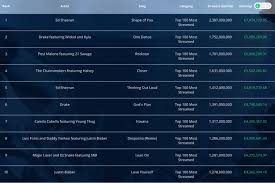
Are you curious to know which songs are currently trending on Spotify? Do you want to discover new artists and playlists that match your musical tastes? Look no further! In this article, we’ll show you how to see the most listened songs on Spotify using various devices and platforms.
What Data Can You Visualize on Spotify?
Before diving into the tutorial, it’s essential to understand what data can be visualized on Spotify. Using the app or website, you can view the following:
- Top 50 Global and Top 50 Italy playlists
- Top songs in a specific country (e.G., Australia)
- Most popular artists and albums
- Playlists dedicated to chart classifications
How to See The Most Listened Songs on Android/ios Devices
If you want to see the most listened songs on Spotify using your smartphone or tablet, follow these steps:
- Open the Spotify app and log in with your account.
- Tap on the “Search” icon in the bottom menu.
- Select the “Browse” section and choose “Charts.”
- Browse through the various playlists, including Top 50 Global and Top 50 Italy.
How to See The Most Listened Songs on PC
If you prefer using your computer to access Spotify, follow these steps:
- Open the Spotify web player or download the desktop client.
- Log in with your account and navigate to the “Charts” section.
- Browse through the various playlists, including Top 50 Global and Top 50 Italy.
How to See The Most Listened Songs on Web
If you want to use the web version of Spotify to see the most listened songs, follow these steps:
- Open the Spotify website and log in with your account.
- Click on the “Charts” section and browse through the various playlists.
- You can also access the Spotify Charts website for more detailed information.
What If I Want to See My Own Most Listened Songs?
If you want to see which songs are most listened to by you, follow these steps:
- Open the Spotify app or web player and log in with your account.
- Navigate to the “Your Library” section and select “Playlists.”
- Look for the “Your Favorites” playlist, which contains your most-listened-to songs.
How to See Your Spotify Wrapped
If you want to see a personalized recap of your listening habits on Spotify, follow these steps:
- Wait until the end of the year (usually between November and December).
- Open the Spotify app or web player and log in with your account.
- Look for the “Wrapped” notification or banner that appears on your home screen.
How to Monitor Your Artist’s Data on Spotify
If you’re an artist, you can use the Spotify for Artists platform to monitor your data and track your performance.
Conclusion
In conclusion, seeing the most listened songs on Spotify is a straightforward process using various devices and platforms. Whether you want to discover new artists or see which songs are trending globally, this guide has provided you with step-by-step instructions to access the desired information.
Faqs
Q: Can I see my own most-listened-to songs on Spotify?
A: Yes, you can see your own most-listened-to songs by navigating to the “Your Library” section and selecting “Playlists.”
Q: How often is the data updated on Spotify Charts?
A: The data on Spotify Charts is updated daily.
Q: Can I access Spotify Charts on my smartphone or tablet?
A: Yes, you can access Spotify Charts using the Spotify app on your mobile device.
Q: What if I missed the notification for Spotify Wrapped?
A: You can search for “Your [year] on Spotify” to see your personalized recap of listening habits.
Q: Can I monitor my artist’s data on Spotify?
A: Yes, you can use the Spotify for Artists platform to track your performance and monitor your data.
Q: How do I download the Spotify desktop client?
A: You can download the Spotify desktop client from the official website or through the app store.
Q: What is Spotify for Artists?
A: Spotify for Artists is a platform that allows artists to access their analytics, track their performance, and engage with fans.


