
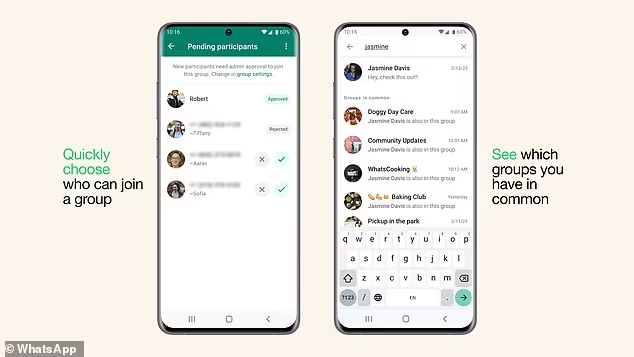
How to See The Name of a Contact on Whatsapp
Are you tired of seeing unfamiliar names on your WhatsApp contacts? Do you want to know how to see the name of a contact on WhatsApp without having to search through your phonebook or online directories? Look no further! In this article, we will guide you on how to see the name of a contact on WhatsApp using the official app for both Android and iPhone devices.
Why See The Name of a Contact on Whatsapp?
Seeing the name of a contact on WhatsApp can be helpful in several ways. Firstly, it allows you to identify unknown numbers and contacts without having to search through your phonebook or online directories. Secondly, it helps you to maintain a clean and organized phonebook by removing any unnecessary or unwanted contacts.
How to See The Name of a Contact on Whatsapp For Android
To see the name of a contact on WhatsApp for Android devices, follow these steps:
- Open The Whatsapp App: First, open the WhatsApp app on your Android device.
- Tap on Chat: Tap on the chat icon at the bottom of the screen to enter the chat section.
- Search For Contact: Use the search bar at the top of the screen to search for the contact you want to see the name of.
- Select Contact: Select the contact from the list of search results.
- View Contact Info: Tap on the contact’s name to view their contact information, including their phone number.
How to See The Name of a Contact on Whatsapp For Iphone
To see the name of a contact on WhatsApp for iPhone devices, follow these steps:
- Open The Whatsapp App: First, open the WhatsApp app on your iPhone device.
- Tap on Chat: Tap on the chat icon at the bottom of the screen to enter the chat section.
- Search For Contact: Use the search bar at the top of the screen to search for the contact you want to see the name of.
- Select Contact: Select the contact from the list of search results.
- View Contact Info: Tap on the contact’s name to view their contact information, including their phone number.
How to See The Name of a Contact on Whatsapp Web/destkop
To see the name of a contact on WhatsApp using the web or desktop client, follow these steps:
- Open Whatsapp Web/desktop: First, open the WhatsApp web or desktop client on your computer.
- Search For Contact: Use the search bar at the top of the screen to search for the contact you want to see the name of.
- Select Contact: Select the contact from the list of search results.
- View Contact Info: Tap on the contact’s name to view their contact information, including their phone number.
Tips And Variations
- If you’re trying to find the name of a contact who has recorded with a nickname or generic description, you can try searching for their phone number online using a people search engine.
- To modify the name of a contact on WhatsApp, tap on the contact’s name in the chat section and select “Edit” to change it.
- If you’re having trouble seeing the name of a contact on WhatsApp, make sure that your device is updated with the latest version of the app.
Conclusion
Seeing the name of a contact on WhatsApp can be helpful in maintaining a clean and organized phonebook. By following these steps, you can easily see the name of a contact on both Android and iPhone devices using the official app or web/desktop client.


