
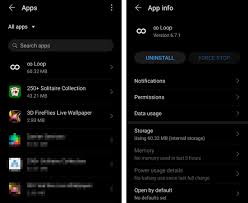
How to See The Apps You’ve Uninstalled on Your Device
Are you struggling to recall the apps you’ve uninstalled from your device? Don’t worry, it’s a common problem! In this article, we’ll guide you through the process of recovering deleted apps on various devices, including Android, iPhone, Windows, and Mac.
Recovering Deleted Apps: A Simple Guide
Uninstalling an app is easy, but sometimes you might need to recover it later. Whether it’s due to a change in preference or a forgotten password, knowing how to retrieve uninstalled apps can be a lifesaver.
Why Recover Uninstalled Apps?
There are several reasons why you might want to recover uninstalled apps:
- You’ve forgotten the name of an app that was helpful for your work.
- You need to access a feature or service from a previously installed app.
- You’ve deleted an app by mistake and want to retrieve it.
How to Recover Deleted Apps on Android
If you’re using an Android device, follow these steps to recover deleted apps:
Recovering Apps From The Google Play Store
- Open the Google Play Store on your device.
- Tap on the menu icon (three horizontal lines) and select “My apps & games.”
- Tap on “Collected” at the top of the screen to view a list of all apps you’ve downloaded, including those that have been uninstalled.
Recovering Apk Files
- Open the Google Play Store or use an app like App Backup & Restore to scan your device’s memory for APK files.
- Tap on the APK file you want to recover and select “Restore” to reinstall the app.
How to Recover Deleted Apps on Iphone/ipad
If you’re using an iOS device, follow these steps to recover deleted apps:
Recovering Apps From The App Store
- Open the App Store on your device.
- Tap on your profile icon at the top right corner and select “Purchases.”
- Tap on “Not on this iPhone/iPad” to view a list of all apps you’ve downloaded, including those that have been uninstalled.
Recovering Apps From Icloud
- Open Settings on your device.
- Tap on “iCloud” and select “iCloud Storage.”
- Tap on “Backups” and select the backup containing the app you want to recover.
How to Recover Deleted Apps on Windows
If you’re using a Windows device, follow these steps to recover deleted apps:
Recovering Apps From The Microsoft Store
- Open the Microsoft Store on your device.
- Tap on the menu icon (three horizontal lines) and select “My Library.”
- Tap on “Installed” at the top of the screen to view a list of all apps you’ve installed, including those that have been uninstalled.
Recovering Apps From Windows File Explorer
- Open Windows File Explorer.
- Navigate to the folder where the app was installed (usually C:\Program Files or C:\Program Files (x86)).
- Look for any remaining files or folders associated with the uninstalled app.
How to Recover Deleted Apps on Mac
If you’re using a Mac, follow these steps to recover deleted apps:
Recovering Apps From The Mac App Store
- Open the Mac App Store.
- Tap on your profile icon at the top right corner and select “Purchases.”
- Tap on “Not on this Mac” to view a list of all apps you’ve downloaded, including those that have been uninstalled.
Recovering Apps From Icloud
- Open System Preferences on your device.
- Click on Apple ID and select “iCloud.”
- Click on “iCloud Storage” and select the backup containing the app you want to recover.
Conclusion
Recovering deleted apps is a straightforward process that can be accomplished using various methods depending on the device you’re using. By following these steps, you’ll be able to retrieve uninstalled apps with ease, whether it’s for work or personal reasons.
Frequently Asked Questions (FAQs)
- Q: Why do I Need to Recover Deleted Apps?
A: You might need to recover deleted apps due to a change in preference, forgotten password, or a mistake in uninstalling an app. - Q: Can I Recover Deleted Apps on Multiple Devices?
A: Yes, you can recover deleted apps on multiple devices using methods like iCloud backups or Microsoft account syncing. - Q: How do I Prevent Deleted Apps From Taking up Space on my Device?
A: Regularly cleaning your device’s memory and deleting unnecessary files can help prevent deleted apps from consuming storage space. - Q: Can I Recover Deleted Apps Without an Internet Connection?
A: Yes, you can recover deleted apps using local backups or by reinstalling the app manually. - Q: What if I Forgot my Password or Username For a Recovered App?
A: You might need to reset your password or contact the app’s developer for assistance in retrieving access to the recovered app. - Q: Can I Recover Deleted Apps on Older Devices With Limited Storage Space?
A: Yes, but be aware that recovering deleted apps might take up additional storage space on your device. - Q: What if The App I Want to Recover is no Longer Available in The App Store or Google Play Store?
A: You can try contacting the app’s developer or searching for alternative versions of the app that might still be compatible with your device. - Q: Can I Recover Deleted Apps on Devices With Custom Operating Systems or Modified Software?
A: It’s uncertain, and you might need to consult a professional or contact the device manufacturer for assistance.
Remember, recovering deleted apps is a straightforward process that can save you time and hassle in the long run.


