
How to See Who Blocked You on Tiktok: A Step-by-step Guide
Are you curious about who has blocked you on TikTok? Well, you’ve come to the right place! In this article, we’ll guide you through a step-by-step process to help you discover who might have blocked you on the popular social media platform.
The Challenge of Discovering Blocked Users
TikTok doesn’t have a specific feature that allows users to see who has blocked them. However, with some clever tricks and techniques, you can deduce whether someone has blocked you or not. Let’s dive in!
Searching For The Blocked User’s Profile
To start, try searching for the user’s profile on TikTok. If they’ve blocked you, their profile won’t show up in search results. Here’s how to do it:
- Access your TikTok account on your smartphone or tablet.
- Open the app and tap on the magnifying glass icon (or the bar at the top of the screen).
- Type in the username of the person you suspect has blocked you.
If they’ve been blocked, their profile won’t appear, or if it does, it will be empty. This is a good indication that they might have blocked you.
Forwarding Private Messages
Another way to verify whether someone has blocked you is by sending them a private message. If they’ve blocked you, the message won’t be delivered, and you’ll receive an error notification instead. Here’s how to do it:
- Access your TikTok account on your smartphone or tablet.
- Open the app and tap on the speech bubble icon (or the bar at the top of the screen).
- Search for the username of the person you suspect has blocked you.
- Tap on their profile picture to open a private conversation.
- Type in a message and send it.
If they’ve been blocked, your message will be marked as an error, indicating that they might have blocked you.
Checking Your Follower List
If you’re wondering whether someone has blocked you because they used to follow you, try checking your follower list. If they’re no longer there, it could be a sign that they’ve blocked you. Here’s how to do it:
- Access your TikTok account on your smartphone or tablet.
- Open the app and tap on the profile icon (or the bar at the top of the screen).
- Tap on the “Follower” tab.
- Search for the username of the person you suspect has blocked you.
If they’re no longer in your follower list, it might be a sign that they’ve been blocked.
The Tiktok Section For Blocked Users
TikTok does have a specific section where you can see who has blocked you. However, this feature is only available on the app, not on the website. Here’s how to access it:
- Access your TikTok account on your smartphone or tablet.
- Open the app and tap on the profile icon (or the bar at the top of the screen).
- Tap on the “Settings” tab.
- Scroll down to the “Privacy” section.
- Tap on the “Account blocked” option.
This will show you a list of users who have blocked you. If someone has blocked you, their name will appear in this list.
Conclusion
Discovering who has blocked you on TikTok requires some detective work and patience. By following these steps, you can try to determine whether someone has blocked you or not. Remember that TikTok’s privacy policies are designed to protect users’ personal information, so it might be challenging to find out who has blocked you.
Frequently Asked Questions (FAQs)
- Q: Can I See Who Has Blocked me on Tiktok?
A: Unfortunately, TikTok doesn’t have a specific feature that allows users to see who has blocked them. - Q: How Can I Verify Whether Someone Has Blocked Me?
A: Try searching for the user’s profile, sending them a private message, or checking your follower list. - Q: Can I Unblock Someone on Tiktok?
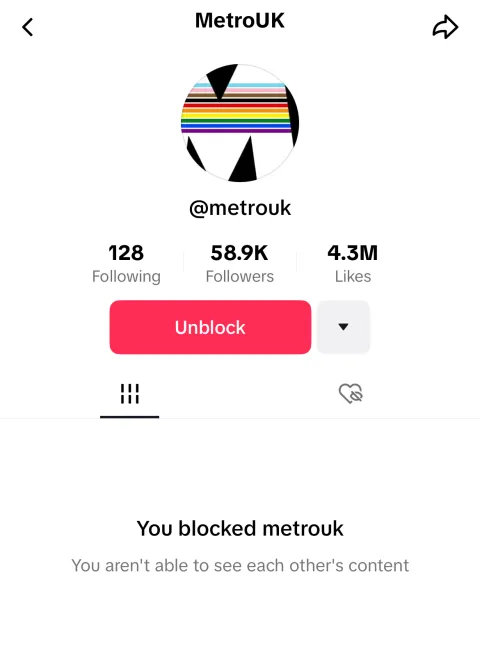
A: Yes, you can unblock someone by accessing their profile and tapping on the “Unblock” button. - Q: Why Can’t I See Someone’s Profile on Tiktok?
A: This could be a sign that they’ve blocked you or that their account is private. - Q: Can I Report Someone Who Has Blocked Me?
A: Yes, if you feel that someone has been unfair or abusive in blocking you, you can report them to TikTok’s support team. - Q: Is it Possible to Recover a Lost Follower on Tiktok?
A: Unfortunately, once someone has blocked you, their profile will no longer be visible to you.


