
Unlocking Instagram’s Secrets: A Step-by-step Guide to Seeing Who Follows a Person
Are you curious about the people who follow your friends or family members on Instagram? Do you want to see who they’re interested in and what kind of content they enjoy? Look no further! In this article, we’ll show you how to easily discover who follows someone on Instagram using both Android/iOS smartphones and PC.
Understanding Instagram’s Follow System
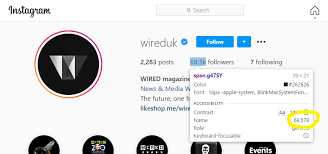
Before we dive into the steps, it’s essential to understand how Instagram’s follow system works. When you follow someone on Instagram, their content appears in your feed, and they can see that you’re following them. Conversely, if you want to see who follows a specific person, you’ll need to access their profile and navigate to the “Followers” or “Following” section.
Android/ios Smartphone: See Who Follows Someone
Using an Android or iOS smartphone is the simplest way to see who follows someone on Instagram. Here’s how:
- Open The Instagram App: Launch the Instagram app on your device.
- Access Your Account: If necessary, log in to your account.
- Tap The Lens Icon: Tap the lens icon (represented by three horizontal lines) at the top-right corner of the screen.
- Type The Name: Type the name of the person you’re interested in seeing their followers.
- Search And Select: Search for the person’s profile and select it from the results.
- View Followers or Following: Tap on the “Followers” or “Following” tab to see who follows them.
Pc: See Who Follows Someone
If you prefer using your computer, follow these steps:
- Access Instagram Web Version: Go to the Instagram web version and log in to your account if necessary.
- Search For Profile: Use the search bar at the top of the screen to type the name of the person you’re interested in seeing their followers.
- Select Profile: Select the profile from the search results.
- View Followers or Following: Click on the “Followers” or “Following” tab to see who follows them.
Seeing Who Follows a Private Profile
If the person’s account is private, you won’t be able to directly view their followers. However, if you’ve already followed them, you can see who they’re following by going to their profile and tapping on the “Following” tab.
App to See Who Follows Someone
Be cautious when searching for apps that claim to show you who follows someone on Instagram. Many of these solutions require access to your account, which can compromise your safety and privacy. We recommend avoiding such apps and using the built-in features available in the Instagram app or website instead.
Conclusion
In conclusion, seeing who follows a person on Instagram is a straightforward process that can be done using both smartphones and PCs. By following these simple steps, you’ll be able to unlock Instagram’s secrets and gain insight into the people your friends and family members interact with online.


