
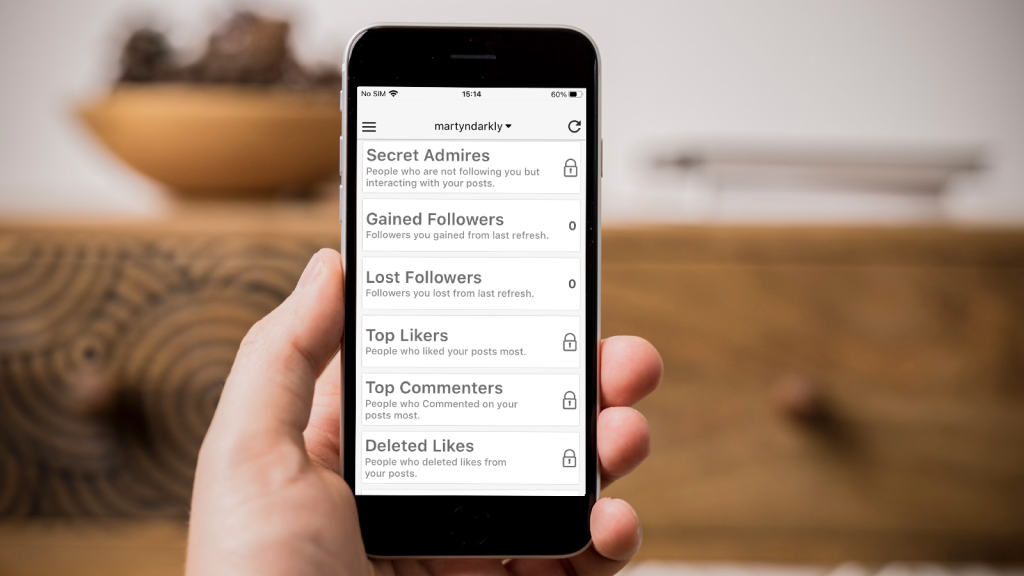
Who’s Not Following You on Instagram: A Step-by-step Guide
Are you curious about who’s not following you back on Instagram? Do you want to know why some users have stopped following you? In this article, we’ll guide you through the process of finding out which users have quit following you on Instagram.
Why Did My Followers Start Leaving?
After an initial surge in followers, many users have reported a decline in their follower count. This can be disheartening and leave you wondering what went wrong. There could be several reasons why your followers started leaving, including:
- Lack of Engagement: If you’re not interacting with your followers or posting interesting content, they may lose interest.
- Changes to Instagram’s Algorithm: The platform’s algorithm can affect how posts are displayed and engaged with, leading to a decline in follower count.
- Personal Issues: Users may have personal reasons for leaving your account, such as experiencing technical difficulties or simply losing interest.
How to See Who’s Not Following You on Instagram
To check which users have quit following you, follow these steps:
On Android/ios
- Open the Instagram app and go to your profile.
- Tap on the three horizontal lines (≡) in the top right corner of the screen.
- Select “Settings” from the menu.
- Scroll down to the “Security” section and tap on “Account.”
- Tap on “Edit Profile.”
- Scroll down to the bottom of the page and tap on “See Followers.”
On PC
- Log in to your Instagram account using a web browser.
- Go to your profile by clicking on the profile picture or username at the top right corner of the screen.
- Click on the three horizontal lines (≡) in the top right corner of the screen.
- Select “Settings” from the menu.
- Scroll down to the “Security” section and click on “Account.”
- Click on “Edit Profile.”
- Scroll down to the bottom of the page and click on “See Followers.”
How to Search For Users Who Are Not Following You
To search for users who are not following you, follow these steps:
On Android/ios
- Open the Instagram app and go to your profile.
- Tap on the magnifying glass icon at the top right corner of the screen.
- Type in the name of the user you want to search for.
- Tap on the “Search” button.
On PC
- Log in to your Instagram account using a web browser.
- Go to your profile by clicking on the profile picture or username at the top right corner of the screen.
- Click on the magnifying glass icon at the top right corner of the screen.
- Type in the name of the user you want to search for.
- Press Enter.
What If I Find a User Who’s Not Following Me?
If you find a user who is not following you, it means that they have quit following your account. You can try reaching out to them and asking why they stopped following you. However, be respectful of their decision if they choose not to respond or engage with you.
Additional Tips
- Don’t Overthink it: Try not to take it personally if someone stops following you.
- Focus on Engaging With Your Followers: Spend time interacting with your existing followers and posting content that resonates with them.
- Be Patient: Building a strong online presence takes time, so don’t get discouraged if your follower count doesn’t immediately increase.
By following these steps and tips, you can gain insight into who’s not following you on Instagram. Remember to stay positive and focus on engaging with your existing followers to build a stronger online community.


