
How to See Your Enrolled on Youtube: A Step-by-step Guide
Are you curious about how many people are subscribed to your channel on YouTube? Do you want to know who they are and what they’re interested in? Look no further! In this article, we’ll show you how to see your enrolled on YouTube using both a smartphone or tablet and a computer.
Why See Your Enrolled on Youtube?
Before we dive into the step-by-step guide, let’s talk about why seeing your enrolled on YouTube is important. As a content creator, understanding your audience is crucial for growth and engagement. By knowing how many people are subscribed to your channel, you can:
- Understand your audience size
- See who’s interested in your content
- Adjust your content strategy accordingly
How to See Your Enrolled on Youtube Using a Smartphone or Tablet
To see your enrolled on YouTube using a smartphone or tablet, follow these steps:
- Open the YouTube app and log in to your account.
- Tap on the “Tu” button at the bottom of the screen.
- Select “Visualise channel” from the menu.
- On the new page that appears, you’ll see the total number of enrolled under your name (in high).
- Alternatively, you can use the YouTube Studio app to see more details about your enrolled.
How to See Your Enrolled on Youtube Using a Computer
To see your enrolled on YouTube using a computer, follow these steps:
- Open the YouTube website and log in to your account.
- Click on your avatar (in tall) at the top right corner of the screen.
- Select “Visualise your channel” from the menu.
- On the new page that appears, you’ll see the total number of enrolled under your name (in high).
- Alternatively, you can use the YouTube Studio website to see more details about your enrolled.
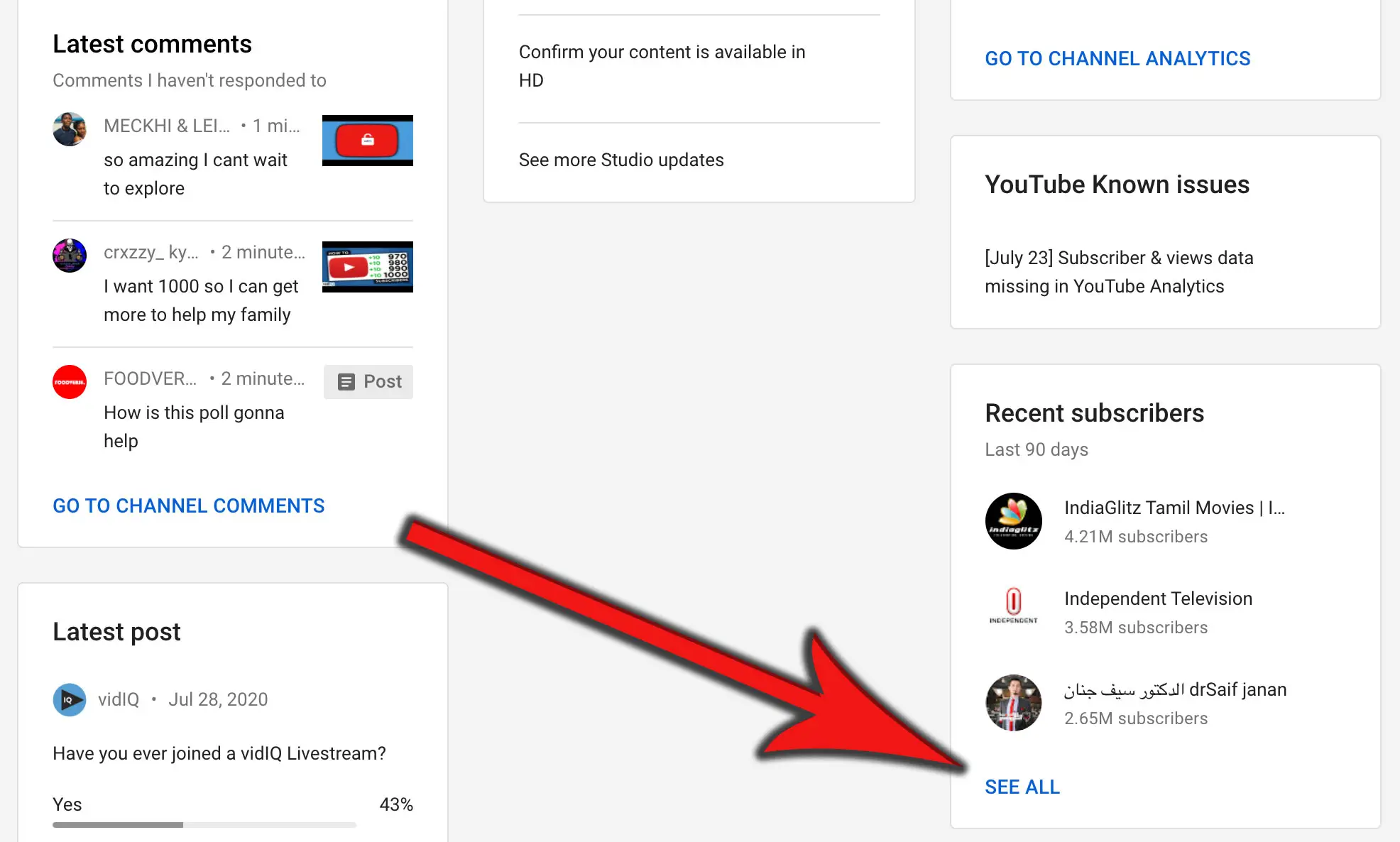
How to See Who Are The Enrolled on Your Channel
To see who’s enrolled on your channel, follow these steps:
- Open the YouTube Studio website and log in to your account.
- Click on the “Dashboard” tab.
- Select “Enrolled recent” from the menu.
- On the new page that appears, you’ll see a list of people who are enrolled on your channel.
Conclusion
Seeing your enrolled on YouTube is an essential step in understanding your audience and adjusting your content strategy accordingly. By following the steps outlined above, you can easily see your enrolled using both a smartphone or tablet and a computer. Whether you’re just starting out or have been creating content for years, knowing who’s interested in your work can help you grow and engage with your audience more effectively.
Frequently Asked Questions
- What is The Total Number of Enrolled on my Channel?
- The total number of enrolled on your channel includes both public and private registrations.
- Can I See Who’s Enrolled on my Channel?
- Yes, you can see a list of people who are enrolled on your channel using the YouTube Studio website.
- How Often is my Enrolled Updated?
- Your enrolled is updated in real-time.
- Can I Adjust my Content Strategy Based on my Enrolled?
- Absolutely! By understanding your audience size and composition, you can tailor your content to better engage with your viewers.
- Is There a Minimum Number of Enrolled Required For Growth?
- While having a large enrolled can be beneficial, it’s not the only factor in determining your channel’s success. Consistent effort and engagement are key.


