
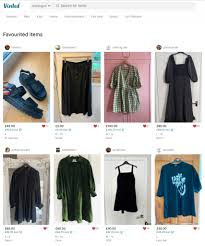
How to Sell on Vinted: A Comprehensive Guide
Are you tired of cluttering your closet with clothes that no longer fit or are out of style? Do you have a collection of gently used items that you’d like to turn into cash? Look no further than Vinted, the popular online marketplace for buying and selling second-hand clothing.
In this article, we’ll take you through the step-by-step process of selling on Vinted, including how to create an account, list your items, and get paid. We’ll also cover some valuable tips and tricks to help you maximize your sales potential.
Understanding Vinted’s Fees
Before we dive in, it’s essential to understand Vinted’s fees structure. Unlike other online marketplaces, Vinted doesn’t charge sellers any listing or selling fees. Instead, buyers pay a commission on their purchases, which ranges from 0.7% To 1.8% Of the sale price.
Getting Started With Vinted
To sell on Vinted, you’ll need to create an account on the platform. This can be done using your Facebook or Google account credentials or by creating a new account directly on the website.
Here’s how:
- Download and install the Vinted app on your smartphone or tablet.
- Tap on “Sign up” and select your preferred login method (Facebook, Google, or email).
- Fill in your details, including name, email address, and password.
- Accept Vinted’s terms and conditions and privacy policy.
Listing Your Items
Once you have an account set up, it’s time to list your items. Here’s how:
- Tap on the “+” icon at the bottom of the screen to create a new listing.
- Take clear photos of your item from multiple angles.
- Add a detailed description of your item, including its condition and any flaws.
- Set a competitive price for your item based on similar sales on Vinted.
Boosting Your Listings
Want to give your listings an extra boost? Vinted offers two paid options:
- Boost: This feature allows you to sponsor your listing for 3 or 7 days, making it more visible in search results and increasing the chances of getting sold.
- Cabinet: This feature lets you showcase up to 5 items in a prominent position on your profile page.
Managing Your Sales
When someone places an offer on your item, you’ll receive a notification. To accept or reject the offer, simply tap on the “Offer” button and follow the prompts.
Once the buyer has paid for their purchase, Vinted will transfer the funds to your account. You can use this balance to make purchases on Vinted or withdraw it to your bank account.
Tips And Tricks
Here are some valuable tips and tricks to help you maximize your sales potential:
- Use High-quality Photos: Show off your item in its best light with clear, well-lit photos.
- Write Detailed Descriptions: Give buyers as much information as possible about the item’s condition, size, and any flaws.
- Price Competitively: Research similar sales on Vinted to ensure you’re pricing your items correctly.
- Respond Promptly to Offers: Buyers expect a quick response time, so be sure to reply to offers in a timely manner.
Selling on Vinted With a PC
Want to sell on Vinted using your computer? Here’s how:
- Visit the Vinted website and click on “Sign up” to create an account.
- Follow the same steps as above to list your items and manage your sales.
Conclusion
Selling on Vinted is a great way to declutter your closet, earn some extra cash, or even start a small business. With its user-friendly interface and competitive fees structure, it’s no wonder why so many people have turned to this platform for buying and selling second-hand clothing.
By following the steps outlined in this guide, you’ll be well on your way to becoming a successful seller on Vinted.
Frequently Asked Questions
- What Are Vinted’s Fees?
Vinted doesn’t charge sellers any listing or selling fees. Instead, buyers pay a commission on their purchases, ranging from 0.7% To 1.8% Of the sale price. - How do I Get Paid on Vinted?
Once the buyer has paid for their purchase, Vinted will transfer the funds to your account. You can use this balance to make purchases on Vinted or withdraw it to your bank account. - Can I Sell Items Other Than Clothing on Vinted?
Yes, you can sell a variety of items on Vinted, including shoes, accessories, toys, and electronics. - How do I Cancel an Offer on Vinted?
To cancel an offer, simply tap on the “Offer” button and select “Cancel Offer”. - What if I Have Issues With my Listing or Sale on Vinted?
If you experience any problems with your listing or sale, contact Vinted’s customer support team for assistance. - Can I Use Vinted’s Platform to Start a Business Selling Second-hand Items?
Yes, many people have successfully used Vinted as a platform to start their own small businesses selling second-hand items. - How do I Ensure That my Items Are Safely And Securely Dispatched on Vinted?
Vinted works with trusted shipping partners to ensure safe and secure delivery of your items. - Can I Withdraw Funds From my Vinted Account to a Foreign Bank Account?
Note: The content provided is for informational purposes only, and it’s recommended that you consult Vinted’s official guidelines and terms of service for the most up-to-date information on their fees structure, payment policies, and other relevant details.


