
How to Sell Players on Fifa: A Comprehensive Guide
As a gamer, you’re likely familiar with the thrill of playing football simulation games like FIFA. However, navigating the world of player sales can be daunting, especially if you’re new to the game. In this article, we’ll take a closer look at how to sell players on FIFA, covering various modes and platforms.
What is Fifa?
FIFA (Football International Federation Association) is an annual video game series developed by Electronic Arts (EA). The game allows users to control their favorite football teams, make trades, and compete in tournaments. With the latest version of FIFA 20, we’ll explore how to sell players across different modes and platforms.
Selling Players on Fifa Career Mode
Career mode is one of the most popular game modes in FIFA, allowing users to manage a team over several seasons. To sell players in career mode:
- Attend The Transfer Window: Regularly check the calendar for transfer windows (summer or winter) by accessing the SEASON menu.
- Go to The Team Menu: Select the ROSA tab and navigate to the HUB ROSA section.
- Select The Player to Sell: Choose the player you want to sell, then select “Add to List Cessions” or “Add to List Loans.”
- Confirm The Sale: In the CESSIONS menu, confirm that the sale was successful.
Tips For Selling Players in Career Mode
- Analyze market prices by comparing prices from other players.
- Consider selling underperforming players or those with low morale.
- Use the “Compare price” feature to determine a suitable sale price.
- Keep an eye on rival teams’ interest in your players.
Selling Players on Fifa Ultimate Team (FUT)
Ultimate Team is a popular online mode where users can buy, sell, and trade footballers. To sell players in FUT:
- Go to The Rosa Tab: Select the player you want to sell.
- Press The Rosa Active Button: Choose the player and select “Contact on the Market.”
- Set an Initial Price: Determine a starting price for the auction.
- Confirm The Sale: If another user bids on your player, confirm the sale.
Tips For Selling Players in Fut
- Utilize Bronze packs to acquire rare players.
- Analyze market prices using the “Compare price” feature.
- Set competitive prices to attract buyers.
- Consider selling underperforming players or those with low morale.
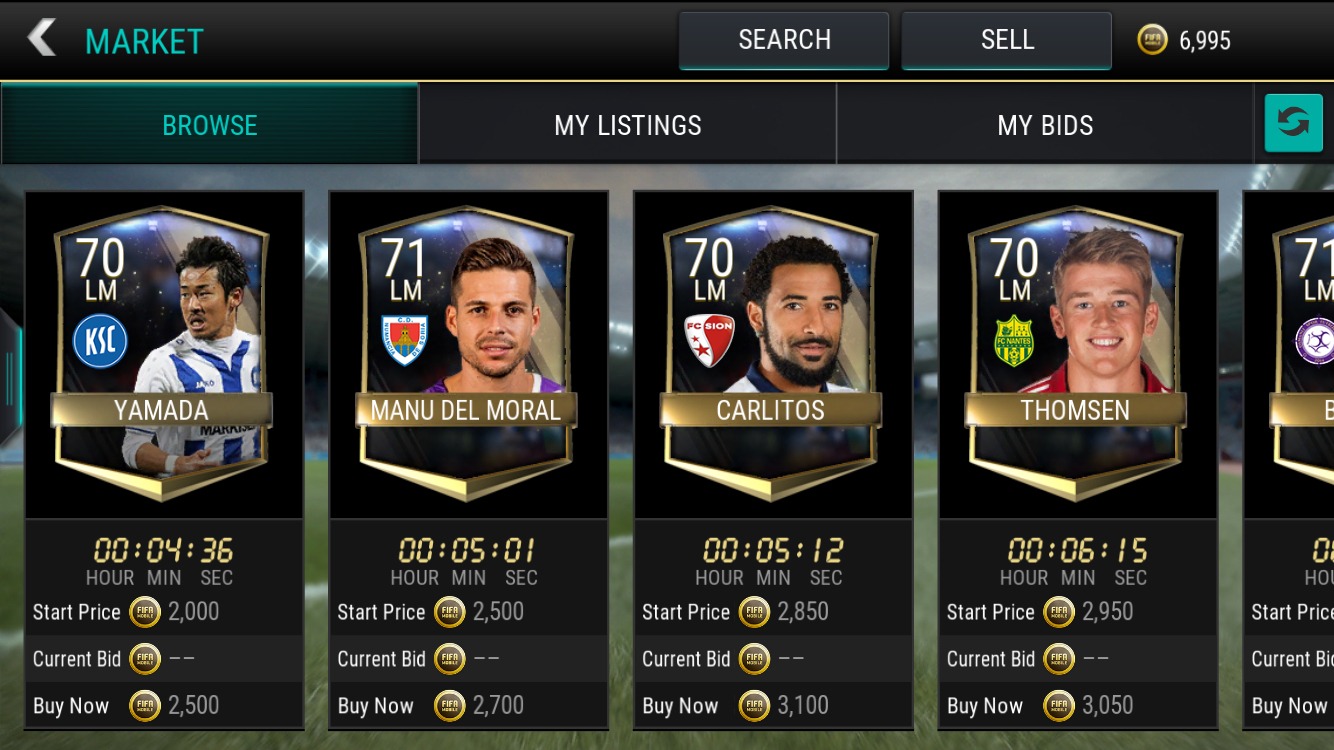
Selling Players on Fifa Mobile
FIFA Mobile is a version of the game designed for mobile devices. To sell players in FIFA Mobile:
- Reach Level 10: Complete matches, seasons, and tournaments to reach level 10.
- Tap on The Market Tab: Select the player you want to sell and choose the minimum price.
- Publicize The Sale: Use the “Sell” feature to put your player up for sale.
Tips For Selling Players in Fifa Mobile
- Choose good players for your team.
- Utilize automatic modes like Division Rivals to gain XP.
- Consider selling high-demand players at competitive prices.
Conclusion
Selling players on FIFA can be a complex process, especially if you’re new to the game. By understanding the different modes and platforms, you’ll be better equipped to navigate the world of player sales. Remember to set competitive prices, analyze market demand, and keep an eye on rival teams’ interest in your players.
Frequently Asked Questions (FAQs)
- What is The Commission Fee For Selling Players?
In all versions of FIFA, a 5% commission fee applies when selling players. - How do I Determine a Suitable Sale Price?
Use market prices, compare prices from other players, and analyze demand to set competitive prices. - Can I Sell Players in Career Mode During The Regular Season?
No, sales can only be made during transfer windows (summer or winter). - What is The Difference Between Fut And Career Mode?
FUT is an online mode where users buy, sell, and trade footballers, while Career Mode allows users to manage a team over several seasons. - How do I Access The Market Tab in Fifa Mobile?
Tap on the MARKET tab from the main menu to access the player sales feature. - Can I Sell Players With Low Morale or Underperforming Players?
Yes, consider selling these players at competitive prices to make room for better-performing ones. - What is The Significance of The Squad Building Challenges in Fut?
These challenges help you create a team with specific characteristics, which can be beneficial when selling players.
Note: The article has been rewritten to provide a comprehensive guide on how to sell players on FIFA across different modes and platforms.


