
How to Sell Your Creations on Facebook: A Step-by-step Guide
Are you an artist, craftsman, or entrepreneur looking to monetize your passion? Do you have a unique product that you want to sell to a wider audience? Look no further than Facebook! With over 2.7 Billion monthly active users, Facebook is the perfect platform to showcase and sell your creations.
Benefits of Selling on Facebook
Before we dive into the nitty-gritty, let’s talk about the benefits of selling on Facebook:
- Reach a Global Audience: Facebook has users from all over the world, so you can reach potential customers beyond your local area.
- Build Brand Awareness: By creating a business page and posting regular updates, you can build a reputation for your brand and attract repeat customers.
- Increased Visibility: Your products will be visible to a large audience, which means more eyes on your creations.
How to Sell on Facebook: A Step-by-step Guide
Now that we’ve covered the benefits, let’s get into the how-to part. Here are the steps to sell on Facebook:
Using Facebook Marketplace
Facebook Marketplace is a platform where people can buy and sell items locally. To use it, follow these steps:
- Open the Facebook app on your smartphone or tablet.
- Tap the “Marketplace” icon (looks like a little shop) at the top of the screen.
- Choose an item category (e.G., Electronics, Fashion, Home & Garden).
- Add photos and details about your product.
- Set a price and decide whether you want to ship or meet up in person.
Using Facebook Shop
Facebook Shop is a feature that allows businesses to create a virtual store on the platform. To set it up:
- Go to the Facebook website (not app) and log in to your account.
- Click on the “Settings” icon (looks like a little gear) at the top of the screen.
- Choose “Business Manager.”
- Follow the prompts to create a shop and add products.
Using Facebook Groups
Facebook Groups are communities around specific topics or interests. You can join groups related to your product niche and post about it:
- Search for relevant groups on Facebook.
- Request to join the group as a member.
- Post high-quality images and detailed descriptions of your products.
Using Facebook Pages
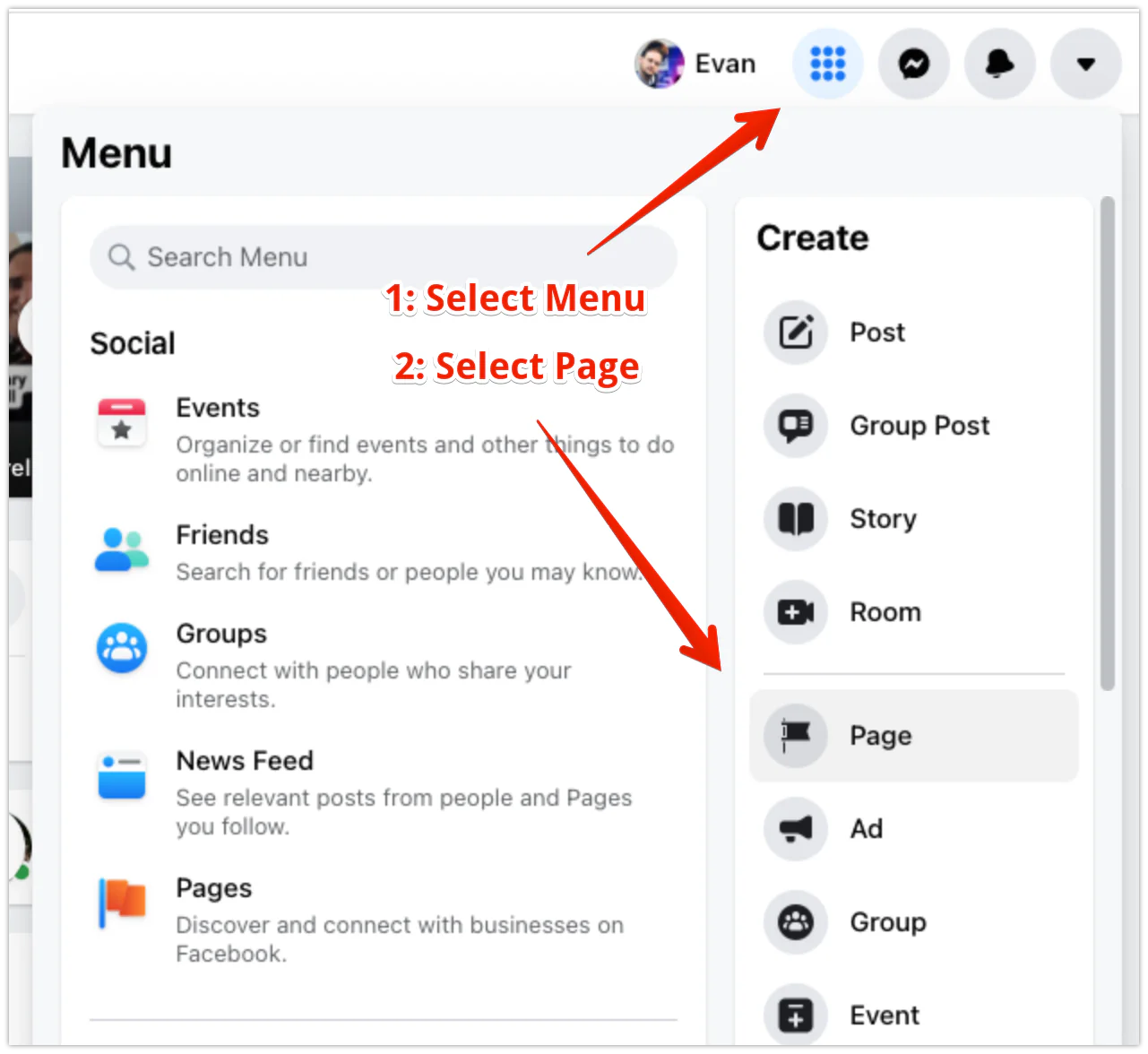
Facebook Pages are profiles dedicated to businesses, organizations, or public figures. To create a page:
- Go to the Facebook website (not app) and log in to your account.
- Click on the “Create New Page” button.
- Choose a category for your page (e.G., Business, Entertainment).
- Add content, images, and details about your business.
Tips And Tricks
- High-quality Photos: Use good lighting and clear images to showcase your products.
- Detailed Descriptions: Write engaging descriptions of your products, including features and benefits.
- Engage With Customers: Respond promptly to comments, messages, and reviews.
- Utilize Facebook Ads: Consider running targeted ads to reach a wider audience.
Conclusion
Selling on Facebook is an excellent way to showcase and monetize your creations. By following these steps and tips, you can reach a global audience, build brand awareness, and increase visibility for your products. Happy selling!
Faqs
Q: How do I Get Started With Selling on Facebook?
A: To start selling on Facebook, you’ll need to create a business page and set up a shop.
Q: What Are The Benefits of Using Facebook Shop?
A: Facebook Shop allows businesses to create a virtual store on the platform, making it easier for customers to find and purchase products.
Q: Can I Use Facebook Groups to Sell my Products?
A: Yes! You can join relevant groups related to your product niche and post about them. However, be sure to follow each group’s rules and guidelines.
Q: How do I Optimize my Facebook Page For Selling?
A: Ensure your page has a clear description of your business, high-quality images, and engaging content.
Q: Can I Use Facebook Ads to Reach a Wider Audience?
A: Yes! Consider running targeted ads to increase visibility and drive sales.
Q: How do I Handle Customer Inquiries And Feedback on Facebook?
A: Respond promptly to comments, messages, and reviews. This will help build trust with your customers and improve engagement.


