
How to Forward Sms on Your Smartphone: A Step-by-step Guide
Are you tired of struggling to forward SMS messages on your smartphone? Look no further! In this article, we will guide you through the process of forwarding SMS messages using various methods and apps.
Why Forwarding Sms is Important
In today’s digital age, communication is key. Forwarding SMS messages allows you to share important information with others quickly and easily. Whether it’s a reminder, a joke, or an update, forwarding SMS messages can be a convenient way to stay connected with friends and family.
Method 1: Using The Pre-installed Messages App
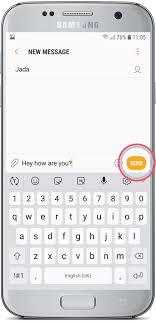
On both Android and iOS devices, there is a pre-installed app called “Messages” that allows you to forward SMS messages. Here’s how to do it:
- Step 1: Open the Messages app on your smartphone.
- Step 2: Select the conversation with the person you want to forward the message to.
- Step 3: Tap on the pencil icon in the top-right corner of the screen.
- Step 4: Type in the new recipient’s phone number and compose your message.
- Step 5: Tap the send button to forward the message.
Method 2: Using Alternative Apps
There are several alternative apps available that allow you to forward SMS messages. Here are a few examples:
- Textra Sms: A free app that allows you to personalize the visualisation of your messages.
- Google Messages: A free app from Google that allows you to forward SMS messages and create group chats.
- Messages by Google: Another free app from Google that allows you to forward SMS messages and share files.
Method 3: Using Messaging Apps
In addition to using the pre-installed Messages app, there are several messaging apps available that allow you to forward SMS messages. Here are a few examples:
- Whatsapp: A popular messaging app that allows you to forward SMS messages and make voice calls.
- Telegram: A free messaging app that allows you to forward SMS messages and share files.
- Messenger: A free messaging app from Facebook that allows you to forward SMS messages and share files.
Forwarding Sms Anonymous
If you want to forward an SMS message anonymously, there are several services available that allow you to do so. However, please note that these services may incur additional costs and may be discontinued at any time.
- Skebby: A service that allows you to send anonymous SMS messages.
- Aruba Sms: A service that allows you to send anonymous SMS messages with a free trial period.
Conclusion
Forwarding SMS messages is a convenient way to stay connected with friends and family. Whether you use the pre-installed Messages app or alternative apps, there are several options available. Just remember to always follow the terms and conditions of each app or service.


