
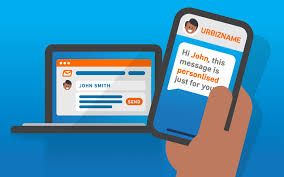
How to Send Sms Messages From Your PC Without Internet
Are you looking for a way to send SMS messages from your computer without using the internet? Do you want to forward a message to someone without having them know who sent it, also known as an anonymous SMS? In this article, we will explore the possibilities of sending SMS messages from your PC and how to do it anonymously.
Sending Sms Messages Using Link to Phone (Windows)
If you have a smartphone with Android operating system and a Windows 10 or 11 computer, you can use the application called “Link to phone” to send SMS messages directly from your PC. To do this:
- Download the “Link to phone” app on your smartphone from the Play Store.
- On your PC, go to the Start menu and open the Settings app.
- Click on the “Bluetooth and devices” option and then click on “Your phone”.
- Select the device you want to link (your smartphone).
- On your smartphone, open the “Link to phone” app and click on “Colleague the phone and the PC” and then click on “Continue”.
- Scan the QR code displayed on your computer screen using your smartphone’s camera.
- Click on the “Consent” button to grant access to the necessary permissions.
Sending Sms Messages Using Imessage (macOS)
If you have a Mac computer with macOS operating system and an iPhone, you can use the iMessage app to send SMS messages directly from your Mac. To do this:
- Make sure your iPhone is running iOS 8 or later.
- Open the Settings app on your iPhone and go to “Messages” > “Send & Receive”.
- Select your iPhone number as a way to receive messages.
- On your Mac, open the Messages app (usually located in the Dock).
- Click on the “Messages” menu and select “Preferences”.
- Click on the “iMessage” tab and enter your Apple ID credentials if you haven’t already done so.
- Select your iPhone as a device to receive messages.
Why Can’t I Use Free Sms Services?
In recent years, free SMS services such as Skebby or SMSGun have become unavailable for private users. These services are now intended for businesses and advertisers who want to send SMS messages to their customers.
Can I Send Anonymous Sms Messages?
Unfortunately, sending anonymous SMS messages is not possible anymore due to the misuse of these services in the past. Any service that allows you to send anonymous SMS messages may not be trustworthy or compatible with all phone operators.
Conclusion
While there are no longer free SMS services available for private users, you can still use your smartphone and computer to send SMS messages using apps like Link to Phone (Windows) and iMessage (macOS). Unfortunately, sending anonymous SMS messages is no longer possible due to the misuse of these services in the past.
Frequently Asked Questions
- Q: Can I Send Sms Messages From my PC Without Internet?
A: Yes, you can use apps like Link to Phone (Windows) and iMessage (macOS) to send SMS messages directly from your computer. - Q: How do I Link my Smartphone to my Windows Pc?
A: Download the “Link to phone” app on your smartphone, open the Settings app on your PC, select “Bluetooth and devices”, then click on “Your phone”. - Q: Can I Use Imessage to Send Sms Messages From my Mac?
A: Yes, you can use iMessage to send SMS messages directly from your Mac if you have an iPhone with iOS 8 or later. - Q: Are There Any Free Sms Services Available?
A: Unfortunately, no, most free SMS services are now intended for businesses and advertisers. - Q: Can I Send Anonymous Sms Messages?
A: No, sending anonymous SMS messages is not possible anymore due to the misuse of these services in the past. - Q: What Are The System Requirements For Link to Phone (Windows)?
A: You need a smartphone with Android operating system and a Windows 10 or 11 computer. - Q: Do I Need an Apple ID to Use Imessage?
A: Yes, you need an Apple ID to use iMessage on your Mac. - Q: Can I Send Sms Messages From my PC if I Have no Smartphone?
A: Unfortunately, no, you need a smartphone with Android or iOS operating system to send SMS messages directly from your PC.
References
- Link to phone app (Windows)
- IMessage app (macOS)
- FreeSMS service
- Skebby and SMSGun services


