
How to Send Heavy Attachments Via Email: A Comprehensive Guide
Are you tired of struggling to send heavy attachments via email? Do you find yourself constantly facing the frustration of attachment upload limits, only to have your emails bounce back with errors? Look no further! This article will guide you through the most effective ways to send large files via email, using various services and applications.
Understanding Attachment Upload Limits
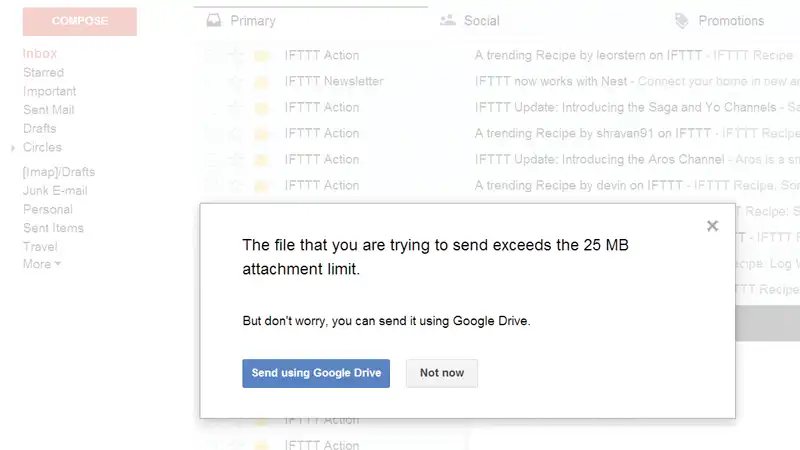
Before we dive into the solutions, it’s essential to understand why attachment upload limits exist in the first place. These limits are typically set by email providers to prevent abuse and ensure that their servers don’t become overwhelmed with large file uploads. When you try to send a heavy attachment via email, your provider may block or delay the transmission, causing frustration.
Solutions For Sending Heavy Attachments
Fortunately, there are several services and applications that can help you send large files via email without hitting attachment upload limits. Here are some of the most effective solutions:
1. Wetransfer
WeTransfer is a popular service that allows you to send heavy attachments via email without any hassle. With WeTransfer, you can upload files up to 2 GB in size and share them with others through a simple link.
- To use WeTransfer, sign up for an account on their website.
- Click the “Upload” button and select the file you want to send.
- Enter the recipient’s email address and add any additional details (such as a message).
- Click the “Send” button to share the file.
2. Swisstransfer
SwissTransfer is another reliable service that enables you to send heavy attachments via email. With this service, you can upload files up to 50 MB in size and share them with others through a simple link.
- To use SwissTransfer, sign up for an account on their website.
- Click the “Upload” button and select the file you want to send.
- Enter the recipient’s email address and add any additional details (such as a message).
- Click the “Send” button to share the file.
3. Sendanywhere
SendAnywhere is a free service that allows you to send heavy attachments via email or through a link. With this service, you can upload files up to 10 GB in size and share them with others through a simple link.
- To use SendAnywhere, sign up for an account on their website.
- Click the “Upload” button and select the file you want to send.
- Enter the recipient’s email address and add any additional details (such as a message).
- Click the “Send” button to share the file.
4. Cloud Storage Services
Cloud storage services like Dropbox, Google Drive, OneDrive, and iCloud Drive can also be used to send heavy attachments via email. These services allow you to upload large files and share them with others through a simple link.
- To use cloud storage services, sign up for an account on their website.
- Click the “Upload” button and select the file you want to send.
- Enter the recipient’s email address and add any additional details (such as a message).
- Click the “Share” button to share the file.
5. Whatsapp
WhatsApp is a popular messaging app that allows you to send heavy attachments via chat. However, there are limitations on the size of files that can be sent through WhatsApp.
- To use WhatsApp to send heavy attachments, open the app and select the contact to whom you want to send the file.
- Click the “Documents” icon to access your device’s storage.
- Select the file you want to send and click the “Forward” button to share it with others.
Conclusion
Sending heavy attachments via email doesn’t have to be a frustrating experience. With the services and applications mentioned in this article, you can easily share large files with others without hitting attachment upload limits. Remember to choose the solution that best suits your needs, whether it’s WeTransfer, SwissTransfer, SendAnywhere, cloud storage services, or WhatsApp.
Faqs
- Q: How do I send heavy attachments via email using WeTransfer?
A: To use WeTransfer, sign up for an account on their website and follow the instructions to upload and share a file. - Q: Can I send heavy attachments via email using SwissTransfer?
A: Yes, you can send heavy attachments via email using SwissTransfer. Simply sign up for an account on their website and follow the instructions to upload and share a file. - Q: How do I use SendAnywhere to send heavy attachments via email?
A: To use SendAnywhere, sign up for an account on their website and follow the instructions to upload and share a file. - Q: Can I use cloud storage services like Dropbox or Google Drive to send heavy attachments via email?
A: Yes, you can use cloud storage services like Dropbox or Google Drive to send heavy attachments via email. Simply sign up for an account on their website and follow the instructions to upload and share a file. - Q: How do I send heavy attachments via WhatsApp chat?
A: To send heavy attachments via WhatsApp chat, open the app, select the contact to whom you want to send the file, and click the “Documents” icon to access your device’s storage. Select the file you want to send and click the “Forward” button to share it with others.
References
- [1] WeTransfer (2023) – How to Send Heavy Attachments via Email
- [2] SwissTransfer (2023) – How to Send Heavy Attachments via Email
- [3] SendAnywhere (2023) – How to Send Heavy Attachments via Email
- [4] Dropbox (2023) – How to Send Heavy Attachments via Email
- [5] Google Drive (2023) – How to Send Heavy Attachments via Email


