
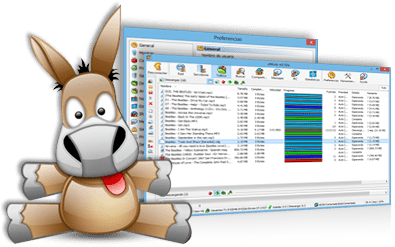
How to Optimize Emule For Maximum Performance
Are you tired of slow downloads and frustrating file-sharing experiences? Look no further than eMule, a powerful P2P client that can help you achieve the maximum performance from your internet connection. In this article, we will guide you through the process of optimizing eMule for maximum performance, including configuring the program’s settings, choosing the right server, and overcoming common obstacles.
What is Emule?
EMule is a free, open-source P2P client that allows users to share files with each other. It uses two networks, eD2K and Kad, to facilitate file-sharing between users. EMule is known for its high performance and reliability, making it a popular choice among file-sharers.
Configuring Emule For Maximum Performance
To get the most out of eMule, you need to configure the program’s settings correctly. Here are some tips to help you achieve maximum performance:
- Configure Your Internet Connection: Before optimizing eMule, make sure that your internet connection is configured correctly. This includes setting up your router and modem to ensure a stable and fast connection.
- Choose The Right Server: EMule uses two networks, eD2K and Kad, to facilitate file-sharing between users. Choose the server that best suits your needs, taking into account factors such as speed and reliability.
- Optimize Your Download Settings: To achieve maximum performance, optimize your download settings by adjusting the program’s bandwidth allocation and setting up a speed test to determine your internet connection’s speed.
How to Optimize Emule For Windows 10, Windows 11, And Earlier Versions
EMule is compatible with various versions of Windows, including Windows 10, Windows 11, and earlier versions. To optimize eMule on these operating systems, follow the steps outlined below:
- Download And Install Emule: Download the latest version of eMule from the official website and install it on your computer.
- Configure Emule Settings: Configure eMule’s settings by adjusting the program’s bandwidth allocation, setting up a speed test, and optimizing your download settings.
How to Optimize Emule With Fastweb
If you are using Fastweb as your internet service provider, you may need to configure eMule slightly differently. Here are some tips to help you optimize eMule with Fastweb:
- Check Your IP Address: Check if your IP address is NAT-ed or not. If it is, you may need to set up port forwarding on your router.
- Set up Port Forwarding: Set up port forwarding on your router to allow incoming connections from the internet.
How to Optimize Emule on Mac
EMule is also available for Mac users. To optimize eMule on Mac, follow these steps:
- Download And Install Amule: Download the latest version of aMule, the Mac-compatible version of eMule, from the official website.
- Configure Amule Settings: Configure aMule’s settings by adjusting the program’s bandwidth allocation, setting up a speed test, and optimizing your download settings.
Conclusion
Optimizing eMule for maximum performance requires some configuration and setup. By following the tips outlined in this article, you can achieve faster downloads and a more reliable file-sharing experience. Remember to configure your internet connection correctly, choose the right server, and optimize your download settings to get the most out of eMule.
Frequently Asked Questions (FAQs)
Here are some frequently asked questions about optimizing eMule:
-
What is The Best Way to Optimize Emule For Maximum Performance?
Configure your internet connection correctly, choose the right server, and optimize your download settings.
2. How do I Configure my Internet Connection For Emule?Set up your router and modem to ensure a stable and fast connection.
3. What is The Difference Between Ed2k And Kad Networks?ED2K uses servers to facilitate file-sharing, while Kad uses a decentralized network of nodes.
4. How do I Optimize my Download Settings in Emule?Adjust the program’s bandwidth allocation and set up a speed test to determine your internet connection’s speed.
5. Can I Use Emule With Fastweb as my Internet Service Provider?Yes, but you may need to configure eMule slightly differently by setting up port forwarding on your router.
6. Is Emule Available For Mac Users?Yes, aMule is the Mac-compatible version of eMule.
7. How do I Optimize Amule Settings on Mac?Configure aMule’s settings by adjusting the program’s bandwidth allocation, setting up a speed test, and optimizing your download settings.
By following these tips and frequently asked questions, you can optimize eMule for maximum performance and achieve faster downloads and a more reliable file-sharing experience.


