
The Ultimate Guide to Sharing Reels on Instagram, Facebook, And Beyond
Are you ready to unlock the secrets of sharing engaging videos on social media? Look no further! In this comprehensive guide, we’ll take you through the process of sharing Reels on Instagram, Facebook, and other popular platforms. Whether you’re a seasoned social media user or just starting out, this article is packed with practical tips and insights to help you share your content like a pro.
Why Share Reels on Social Media?
Reels have become an integral part of social media platforms, allowing users to share short, engaging videos that showcase their personality, creativity, and expertise. By sharing Reels, you can:
- Increase engagement and reach a wider audience
- Showcase your products or services in a unique and compelling way
- Build brand awareness and establish yourself as a thought leader
- Drive website traffic and sales
Sharing Reels on Instagram
Instagram is one of the most popular social media platforms for sharing Reels. Here’s how to do it:
- Open The Instagram App: Download the Instagram app on your Android or iOS device.
- Create a New Reel: Tap the “+” icon in the top-right corner of the screen and select “Reel.”
- Record Your Video: Record a short video using the camera feature within the app.
- Edit And Add Effects: Use the built-in editing tools to trim, cut, and arrange clips. You can also add filters, music, and other effects to make your Reel stand out.
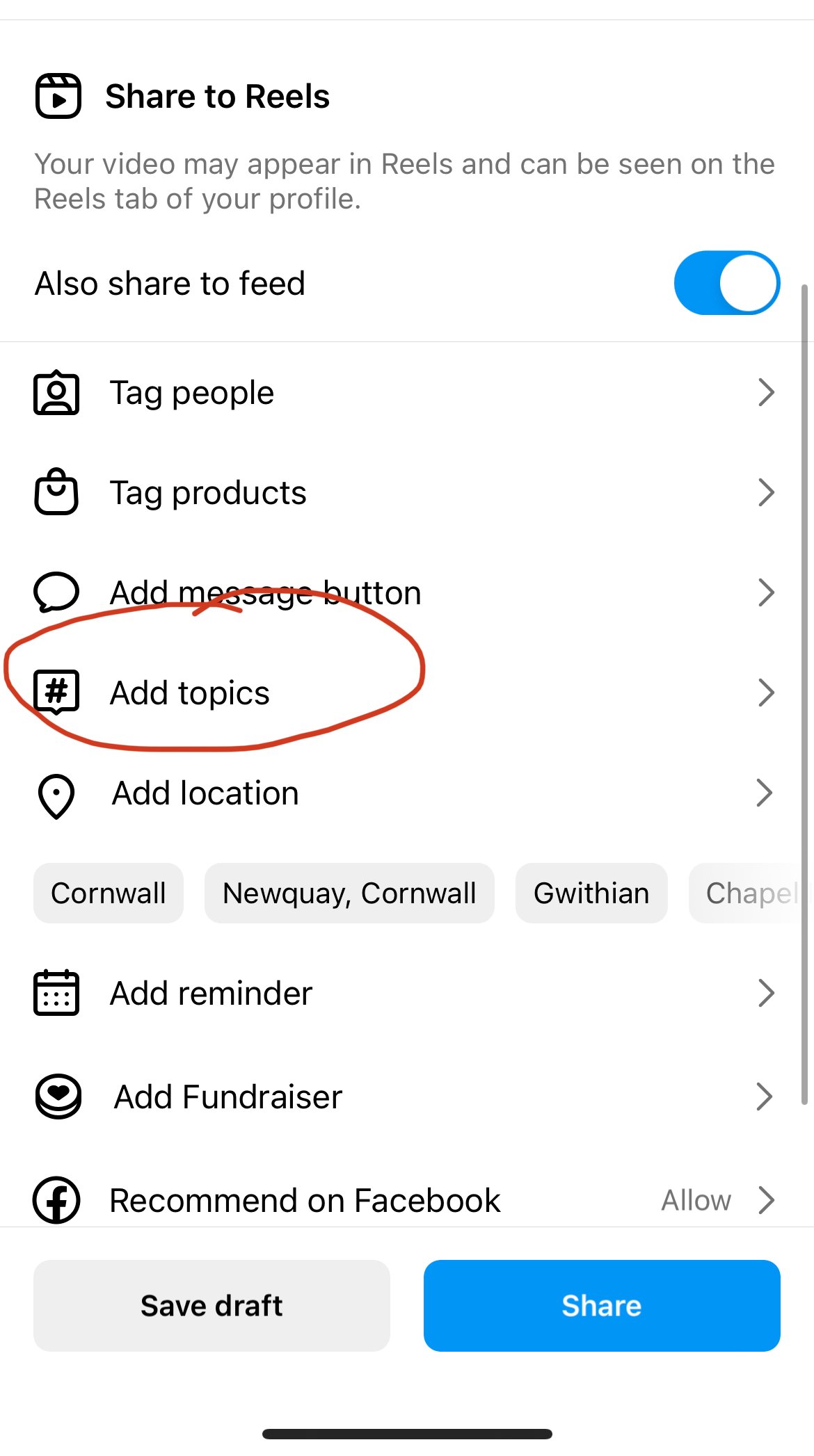
- Share Your Reel: Tap “Next” to share your Reel with your followers.
Sharing Reels on Facebook
While sharing Reels on Facebook isn’t as straightforward as on Instagram, it’s still possible:
- Create a New Post: Click the “+” icon at the top of the screen and select “Post.”
- Add Your Reel: Select the Reel you want to share from your camera roll.
- Edit And Add Effects: Use Facebook’s built-in editing tools to trim, cut, and arrange clips. You can also add filters, music, and other effects.
- Share Your Post: Click “Post” to share your Reel with your followers.
Sharing Reels on Other Platforms
While Instagram and Facebook are the most popular platforms for sharing Reels, you can also use other social media platforms like TikTok, Twitter, and LinkedIn:
- Tiktok: Share short videos up to 15 seconds using the app’s built-in editing tools.
- Twitter: Share short videos up to 2 minutes using the app’s built-in video feature.
- Linkedin: Share short videos up to 3 minutes using the app’s built-in video feature.
Tips And Tricks For Sharing Reels
Here are some additional tips and tricks to help you get the most out of sharing Reels on social media:
- Keep it Short: Reels should be short, snappy, and engaging.
- Use High-quality Audio: Make sure your audio is clear and crisp.
- Add Captions or Subtitles: Use captions or subtitles to make your content more accessible.
- Engage With Your Audience: Respond to comments and messages in a timely manner.
Conclusion
Sharing Reels on social media can be a fun and engaging way to showcase your personality, creativity, and expertise. By following the steps outlined in this guide, you can unlock the secrets of sharing Reels on Instagram, Facebook, and beyond. Remember to keep it short, use high-quality audio, add captions or subtitles, and engage with your audience.
Frequently Asked Questions (FAQs)
Here are some additional FAQs to help you get started:
- Q: What is a Reel?
A: A Reel is a short video clip that can be shared on social media platforms. - Q: How Long Should my Reel Be?
A: Reels should be short, snappy, and engaging. Aim for 15 seconds to 1 minute in length. - Q: Can I Share Reels on Other Social Media Platforms?
A: Yes! You can share Reels on Instagram, Facebook, TikTok, Twitter, LinkedIn, and more! - Q: How do I Add Captions or Subtitles to my Reel?
A: Use the built-in editing tools within each platform to add captions or subtitles. - Q: Can I Share a Reel Multiple Times?
A: Yes! You can share your Reel as many times as you like, but be mindful of spamming your followers.


