
How to Share Reels on Instagram: A Step-by-step Guide
Are you looking to share your creativity with the world through Instagram’s Reel feature? Look no further! In this article, we will guide you through the process of sharing Reels on Instagram, as well as other social media platforms.
What Are Reels on Instagram?
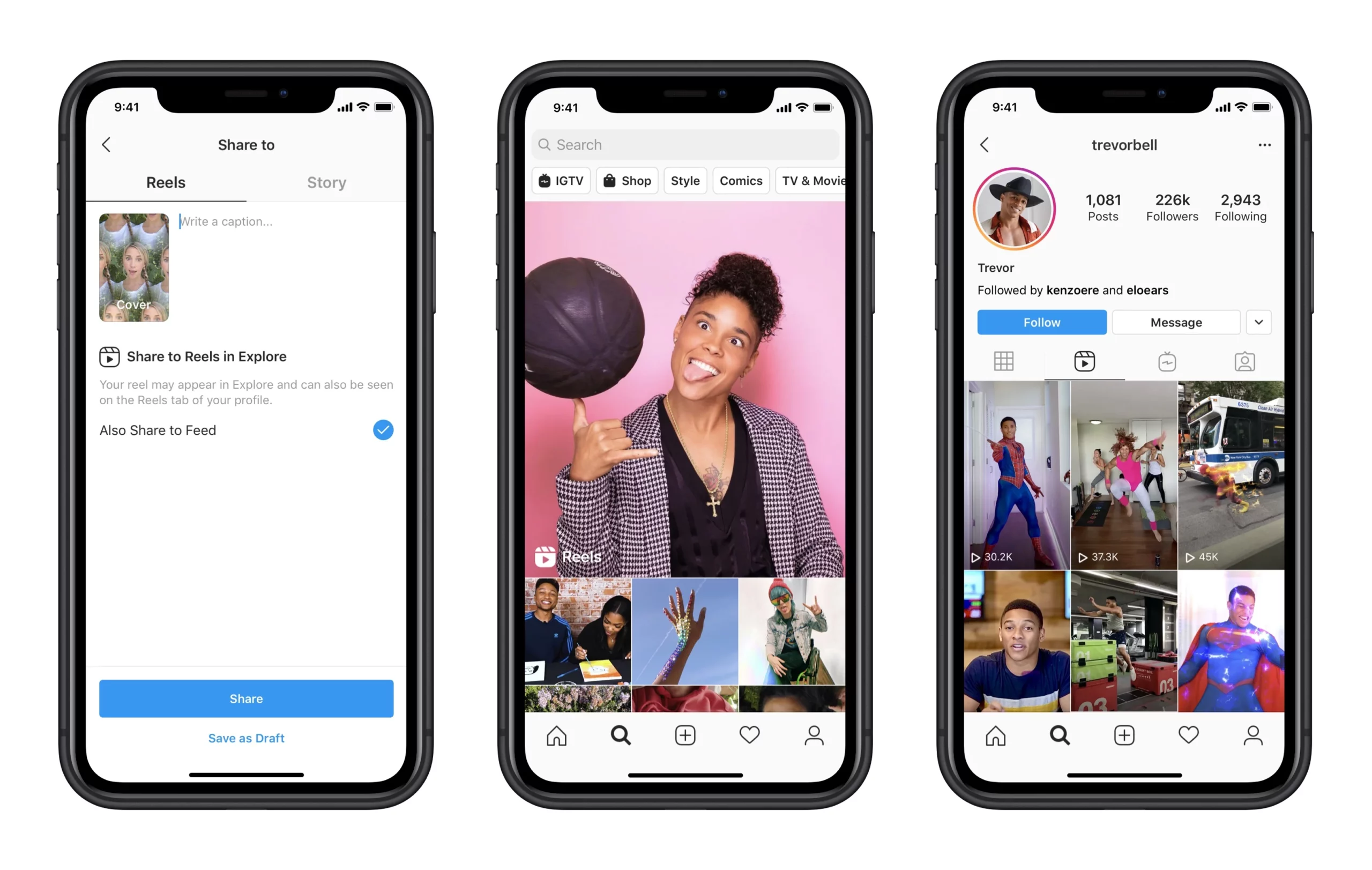
Reels on Instagram are short videos that can be up to 90 seconds long. They are a great way to showcase your creativity, share your passions, and connect with others. With Reels, you can add music, effects, and even edit your videos using Instagram’s built-in editor.
How to Share a Long Reel on Instagram
Before we dive into the nitty-gritty of sharing Reels, let’s talk about sharing long Reels on Instagram. As we mentioned earlier, Reels can be up to 90 seconds long, but you can also break them down into shorter segments and share them as separate Reels.
Step-by-step Guide: Sharing a Long Reel
- Open The Instagram App: Open the Instagram app on your smartphone.
- Tap The + Icon: Tap the + icon in the top-right corner of the screen to create a new post.
- Choose The Reel Option: Select the Reel option from the menu.
- Record or Upload a Video: Choose whether you want to record a new video or upload an existing one from your gallery.
- Edit And Add Effects: Use Instagram’s built-in editor to edit and add effects to your video.
- Add Music: Add music to your Reel by tapping the musical note icon.
- Share Your Reel: Tap the “Share” button to share your Reel with your followers.
How to Share a Reel of Another User on Instagram
Now that we’ve covered how to share your own Reels, let’s talk about sharing Reels from other users. This is a great way to share content created by someone else and give them credit for their work.
Step-by-step Guide: Sharing a Reel of Another User
- Find The Reel You Want to Share: Find the Reel you want to share in your Instagram feed.
- Tap The Airplane Icon: Tap the airplane icon next to the Reel to open its sharing options.
- Select “Add Reel to Your Story”: Select “Add Reel to your story” from the menu.
- Add a Caption or Tag: Add a caption or tag the original creator of the Reel.
How to Share a Reel on Facebook
Sharing Reels on Facebook is easier than you think! With just a few taps, you can share your favorite Reels with your friends and family on Facebook.
Step-by-step Guide: Sharing a Reel on Facebook
- Open The Instagram App: Open the Instagram app on your smartphone.
- Tap The + Icon: Tap the + icon in the top-right corner of the screen to create a new post.
- Choose The Reel Option: Select the Reel option from the menu.
- Edit And Add Effects: Use Instagram’s built-in editor to edit and add effects to your video.
- Add Music: Add music to your Reel by tapping the musical note icon.
- Share on Facebook: Tap the “Share” button to share your Reel with your friends and family on Facebook.
How to Share a Reel on Tiktok
Sharing Reels on TikTok is a bit trickier than sharing them on Instagram or Facebook, but don’t worry! We’ve got you covered.
Step-by-step Guide: Sharing a Reel on Tiktok
- Download The Reel: Download the Reel from Instagram and save it to your smartphone.
- Open The Tiktok App: Open the TikTok app on your smartphone.
- Tap The + Icon: Tap the + icon in the top-right corner of the screen to create a new post.
- Choose The “Charge” Option: Select the “Charge” option from the menu.
- Upload The Reel: Upload the Reel you downloaded from Instagram.
- Edit And Add Effects: Use TikTok’s built-in editor to edit and add effects to your video.
How to Share a Reel on Whatsapp
Sharing Reels on WhatsApp is easy peasy! You can share a link to your Reel or even upload it directly to the app.
Step-by-step Guide: Sharing a Reel on Whatsapp
- Open The Instagram App: Open the Instagram app on your smartphone.
- Tap The + Icon: Tap the + icon in the top-right corner of the screen to create a new post.
- Choose The Reel Option: Select the Reel option from the menu.
- Edit And Add Effects: Use Instagram’s built-in editor to edit and add effects to your video.
- Add Music: Add music to your Reel by tapping the musical note icon.
- Share on Whatsapp: Tap the “Share” button to share a link to your Reel with your friends and family on WhatsApp.
Conclusion
Sharing Reels on Instagram, Facebook, TikTok, and WhatsApp is easier than you think! With just a few taps, you can share your favorite videos with your friends and family. Remember to always give credit to the original creator of the Reel, and don’t be afraid to experiment with different effects and music.
We hope this article has been helpful in guiding you through the process of sharing Reels on various social media platforms. Happy sharing!


