
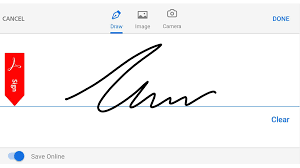
The Power of Digital Signatures: A Comprehensive Guide
In today’s digital age, electronic documents are an integral part of our daily lives. However, ensuring the authenticity and integrity of these documents is crucial. This is where digital signatures come into play. In this article, we will delve into the world of digital signatures, exploring what they are, how they work, and their benefits.
What is a Digital Signature?
A digital signature is an electronic equivalent of a traditional handwritten signature. It provides a secure way to authenticate and verify the identity of individuals or organizations involved in the signing process. A digital signature is based on three fundamental principles:
- Authenticity: Verifies the identity of the signer.
- Integrity: Ensures that the document has not been tampered with or modified after signing.
- No Repudiation: Guarantees the legal validity of a document and prevents it from being denied by the signer.
Types of Digital Signatures
There are several types of digital signatures, each with varying degrees of security and validation:
- Electronic Signature: A basic electronic signature that does not guarantee authenticity or integrity.
- Advanced Electronic Signature: A more secure version that ensures the integrity and originality of a document.
- Qualified Electronic Signature: A type of signature created with qualified means, such as a qualified digital certificate.
- Digital Electronic Signature: An advanced electronic signature that uses asymmetric cryptography to verify the integrity and originality of a document.
How to Acquire a Digital Signature Kit
To gain access to digital signatures, you need to acquire a digital signature kit. These kits can be purchased from certified companies like Aruba, Put Italian, and InfoCert. The prices range from €40 to €50, depending on the company and the features included in the kit.
Kit Options
There are several types of digital signature kits available:
- Key Usb: A set of USB keys containing a smart card with the digital certificate, software for signing documents, and sometimes a CNS (National Card of Services) certificate.
- Token Usb: A set of USB tokens that contain a smart card, digital certificate, and sometimes a CNS certificate.
- Smart Card Reader: A reader that matches a smart card with the digital certificate and sometimes a CNS certificate.
- Remote Digital Signature Kit: A kit that allows you to sign documents remotely using a virtual smart card, password OTP, and software.
Actuating Your Digital Signature Kit
To activate your digital signature kit, follow these steps:
- Acquire a kit for digital signatures from a certified company.
- Check your identity by visiting an official public office or postal office.
- Activate the kit on the company’s website by providing your code serial number, fiscal code, and personal activation code (usually received via SMS).
Using Digital Signatures
Once you have activated your digital signature kit, you can sign documents using various software applications:
- Key Usb: The most straightforward option that comes with a pre-configured smart card reader.
- Token Usb: Requires downloading drivers and software from the company’s website.
- Smart Card Reader: Needs separate installation of drivers and software.
Software Options
There are several software options available for signing documents:
- Adobe Acrobat
- Microsoft Office
- Libreoffice
Converting Your Digital Signature Kit
If you have a Key USB kit, you can convert it to a CCID device by following these steps:
- Convert the Key USB to a HID device.
- Configure the certificate with digital signatures in your chosen software application.
Conclusion
In conclusion, digital signatures provide a secure way to authenticate and verify electronic documents. With various types of kits and software options available, you can choose the one that best suits your needs. Remember to follow the steps outlined in this guide to ensure a seamless experience.
Faqs
- What is The Difference Between a Digital Signature And an Electronic Signature?
A digital signature provides authenticity, integrity, and non-repudiation, while an electronic signature does not guarantee these features. - How do I Acquire a Digital Signature Kit?
You can purchase a kit from certified companies like Aruba, Put Italian, or InfoCert. - What Are The Different Types of Digital Signatures?
There are several types, including electronic signature, advanced electronic signature, qualified electronic signature, and digital electronic signature. - How do I Convert my Key Usb to a Ccid Device?
Follow the steps outlined in this guide to convert your Key USB to a HID device and then configure it as a CCID device. - Can I Use my Digital Signature Kit With Multiple Software Applications?
Yes, you can use your digital signature kit with various software options like Adobe Acrobat, Microsoft Office, or LibreOffice. - What is The Cost of Acquiring a Digital Signature Kit?
Prices range from €40 to €50, depending on the company and features included in the kit. - How do I Ensure The Authenticity And Integrity of my Documents Using Digital Signatures?
A digital signature provides authentication, integrity, and non-repudiation, ensuring that your documents are genuine and tamper-proof. - Can I Use Digital Signatures For Signing Contracts or Agreements?
Yes, you can use digital signatures to sign contracts or agreements, as they provide a secure way to authenticate and verify electronic documents.


