
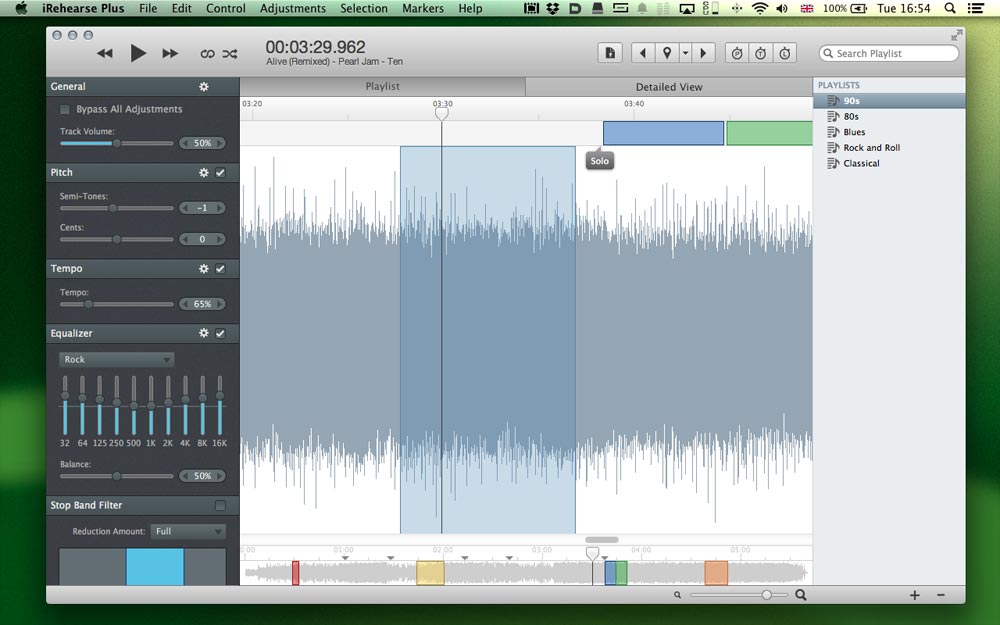
How to Slow a Song on Mac: A Step-by-step Guide
Are you tired of songs being too fast or too slow? Do you want to adjust the tempo without using complex software? Look no further! In this article, we will guide you through the process of slowing down a song on your Mac using various software and online solutions.
Why Slow Down a Song?
Slowing down a song can be beneficial in many ways. For example, if you’re a music teacher, you might want to slow down a song to help students practice their instruments or singing. Similarly, if you’re a karaoke enthusiast, slowing down a song can make it easier for you and your friends to sing along.
Software Solutions
If you’re looking for software solutions to slow down a song on your Mac, here are some options:
Garageband
GarageBand is a free music editing software developed by Apple. It’s perfect for beginners and professionals alike. To slow down a song in GarageBand, follow these steps:
- Launch GarageBand and create a new project.
- Add the audio file you want to slow down to the timeline.
- Click on the “Rhythm” button in the top toolbar.
- Double-click on the tempo value to adjust it.
- Type in your desired tempo value and press Enter.
Tips:
- Make sure to select the correct tempo unit (e.G., Beats per minute) before adjusting the tempo.
- You can also use the “Time Stretch” feature to slow down or speed up a song without affecting its pitch.
Audacity
Audacity is another popular audio editing software that’s free and open-source. To slow down a song in Audacity, follow these steps:
- Launch Audacity and import the audio file you want to slow down.
- Click on the “Effects” menu and select “Speed.”
- Adjust the speed value to your desired tempo.
- Click “OK” to apply the changes.
Tips:
- Make sure to save your changes by clicking “File” > “Save As.”
- You can also use Audacity’s built-in feature called “Time Stretch” to slow down or speed up a song without affecting its pitch.
Other Software Solutions
If you’re looking for other software solutions to slow down a song on your Mac, here are some options:
Wawepad
WawePad is a free audio editing software that’s compatible with macOS. It offers advanced features like waveform editing and effects processing.
Lmms
LMMS (Linux Multimedia Studio) is an open-source music production software that’s compatible with macOS. It allows you to create and edit musical compositions, including adjusting tempo and pitch.
Adobe Premiere
Adobe Premiere is a professional video editing software that also offers advanced audio editing features. You can use it to slow down or speed up a song without affecting its pitch.
Online Solutions
If you prefer online solutions, here are some options:
Audiotrimmer
AudioTrimmer is a free online service that allows you to trim, cut, and adjust the tempo of an audio file. To slow down a song using AudioTrimmer, follow these steps:
- Upload your audio file to AudioTrimmer.
- Click on the “Speed” button in the top toolbar.
- Adjust the speed value to your desired tempo.
- Click “Apply” to apply the changes.
Tips:
- Make sure to save your changes by clicking “Download.”
- You can also use AudioTrimmer’s built-in feature called “Time Stretch” to slow down or speed up a song without affecting its pitch.
Modification Speed Audio of 123apps
Modification Speed Audio is an online service that allows you to adjust the tempo and pitch of an audio file. To slow down a song using Modification Speed Audio, follow these steps:
- Upload your audio file to Modification Speed Audio.
- Click on the “Speed” button in the top toolbar.
- Adjust the speed value to your desired tempo.
- Click “Save” to apply the changes.
Tips:
- Make sure to save your changes by clicking “Download.”
- You can also use Modification Speed Audio’s built-in feature called “Time Stretch” to slow down or speed up a song without affecting its pitch.
Other Online Solutions
If you’re looking for other online solutions to slow down a song on your Mac, here are some options:
Veed.io
VEED.IO is an online video editing software that also offers advanced audio editing features. You can use it to slow down or speed up a song without affecting its pitch.
Truetoneguitar
Truetoneguitar is an online service that allows you to adjust the tempo and tone of a guitar-based song.
Fliki
Fliki is an online video editing software that also offers advanced audio editing features. You can use it to slow down or speed up a song without affecting its pitch.
Conclusion:
Slowing down a song on your Mac is easier than you think! With various software and online solutions available, you can adjust the tempo of a song to suit your needs. Whether you’re a music teacher, a karaoke enthusiast, or simply someone who wants to enjoy their favorite songs at a slower pace, these solutions will help you achieve your goal.
Frequently Asked Questions:
Q: What software do I need to slow down a song on my Mac?
A: You can use GarageBand, Audacity, WawePad, LMMS, Adobe Premiere, AudioTrimmer, Modification Speed Audio, VEED.IO, Truetoneguitar, or Fliki.
Q: How do I adjust the tempo of a song in GarageBand?
A: To slow down a song in GarageBand, select the audio file, click on the “Rhythm” button, and double-click on the tempo value to adjust it.
Q: Can I use Audacity to slow down a song without affecting its pitch?
A: Yes, you can use Audacity’s built-in feature called “Time Stretch” to slow down or speed up a song without affecting its pitch.
Q: Are there any online solutions that allow me to slow down a song on my Mac?
A: Yes, you can use AudioTrimmer, Modification Speed Audio, VEED.IO, Truetoneguitar, or Fliki to slow down a song online.
I hope this article has been helpful! If you have any further questions or concerns, please don’t hesitate to reach out.


