
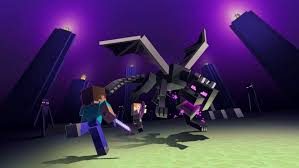
The Epic Quest: How to Spawn The Ender Dragon in Minecraft
Are you an adventurous player looking to explore new dimensions and defeat powerful enemies in Minecraft? Look no further! In this guide, we’ll show you how to spawn the elusive Ender Dragon, a formidable boss that will test your skills and reward you with precious experience points.
Understanding The End Dimension
Before we dive into the steps of spawning the Ender Dragon, let’s take a brief look at what the End dimension is all about. The End is a mystical realm that can be accessed through the Portal to The End, which can be found in various locations throughout Minecraft. This dimension is characterized by its eerie atmosphere and vast, island-like structures.
Why Spawn The Ender Dragon?
Spawning the Ender Dragon may seem like an impossible task, but trust us – it’s worth the effort! By defeating this fearsome boss, you’ll gain a significant amount of experience points, which will help you level up and unlock new abilities. Plus, who wouldn’t want to say they’ve conquered the mighty Ender Dragon?
Materials Needed
Before we proceed with the steps, make sure you have the following materials:
- 4 Crystals of the End (Obtained by positioning 7 Glass blocks, 1 Eye of Ender, and 1 Tear of Ghast in a crafting table.)
- A strong foundation to place the crystals on.
Step-by-step Guide
Now that we’ve covered the basics, let’s get started!
Step 1: Collecting Materials
As mentioned earlier, you’ll need 4 Crystals of the End. To obtain these rare crystals, follow these steps:
- Place 7 Glass blocks in a crafting table to create 3 units of Crystal of the End.
- Add 1 Eye of Ender and 1 Tear of Ghast to the same crafting table.
- Now you should have your 4 Crystals of the End!
Step 2: Positioning The Crystals
With all the necessary materials in hand, it’s time to position them correctly:
- Find a stable foundation, such as a flat surface or a raised platform.
- Place one Crystal of the End at each corner of the foundation. This will create a square base for your portal.
Step 3: Creating The Portal
With all four crystals in place, you’re now ready to create the portal:
- Make sure you have a strong and stable surface to work with.
- Follow the instructions above to position each crystal at each corner of the foundation.
Step 4: Invoking The Ender Dragon
Now that your portal is complete, it’s time to invoke the Ender Dragon. Here’s how:
- Open your command menu in Minecraft.
- Type
/*summon minecraft:Ender_dragonand press Enter. - Add the coordinates of where you want the dragon to spawn. For example, if you want it to appear at (X=10, Y=50, Z=20), type
/*summon minecraft:Ender_dragon X 10 Y 50 Z 20 - Hit Enter and watch as the Ender Dragon materializes before your eyes!
Bonus Tip: Customizing Your Spawn
Want to make your spawn experience even more epic? You can add custom parameters to the summon command! For instance, you can use the *DragonPhase tag to make the dragon appear in its final phase of battle. Or, use the *NoAI tag to create an inert and unarmed version of the dragon.
Conclusion
Spawning the Ender Dragon in Minecraft is a challenging but rewarding experience that will test your skills and reward you with precious experience points. With this guide, you now have all the knowledge you need to embark on this epic quest! Just remember to stay focused, be patient, and never give up – for it’s only through perseverance that we achieve greatness.
Frequently Asked Questions
- Q: What is The Ender Dragon?
A: The Ender Dragon is a powerful boss mob in Minecraft that can be found in the End dimension. - Q: How do I Access The End Dimension?
A: You can access the End dimension through the Portal to The End, which can be found in various locations throughout Minecraft. - Q: What Materials do I Need to Spawn The Ender Dragon?
A: To spawn the Ender Dragon, you’ll need 4 Crystals of the End and a strong foundation to place them on. - Q: How do I Position The Crystals Correctly?
A: Place one Crystal of the End at each corner of your chosen foundation, creating a square base for your portal. - Q: Can I Customize my Spawn Experience?
A: Yes! You can add custom parameters to the summon command using tags like*DragonPhaseand*NoAI. - Q: What Happens if I Fail to Spawn The Ender Dragon?
A: Don’t worry, failure is a natural part of the learning process! Just try again and remember to stay focused and patient.
Hope you found this guide informative and helpful!


