
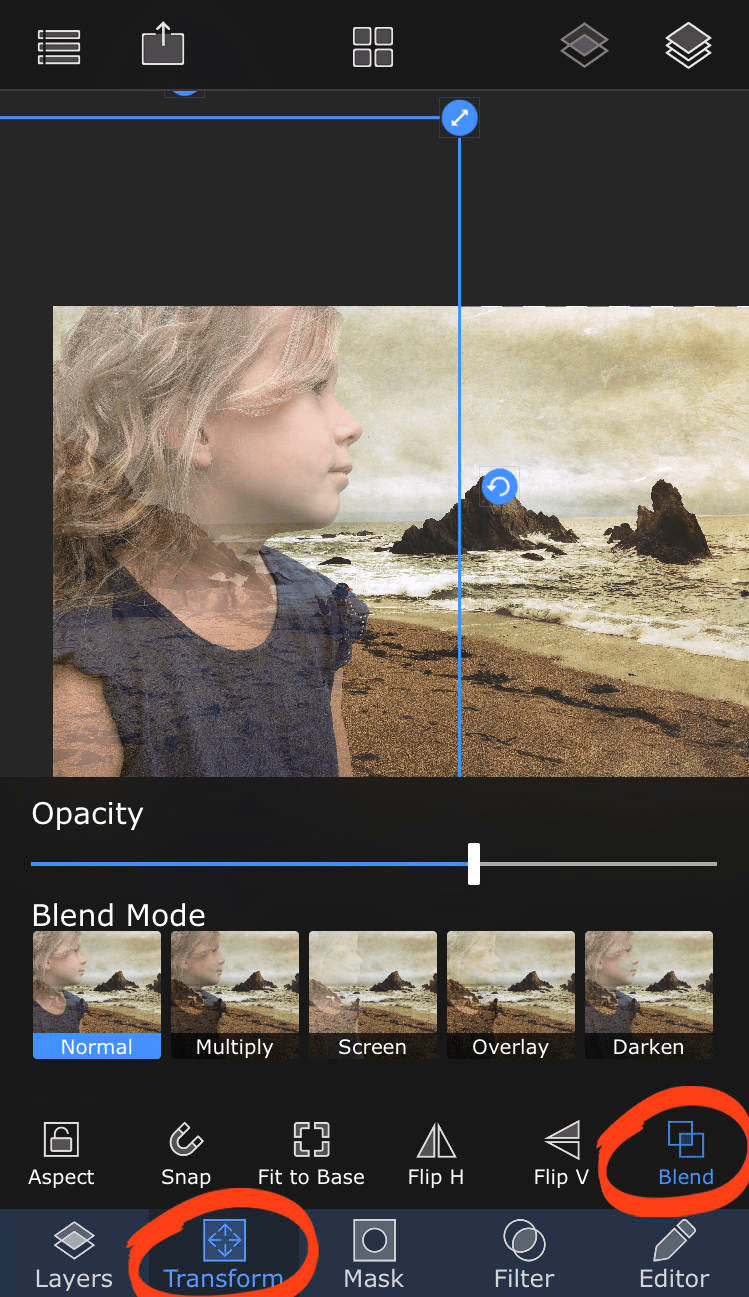
How to Superimpose Two Photos on Instagram
Are you a fan of superimposing two photos on Instagram? If yes, then this article is for you! In this guide, we will show you how to superimpose two photos on Instagram using the native functionality and other free apps.
Why Superimpose Two Photos on Instagram?
Superimposing two photos on Instagram can be a great way to create visually appealing stories or posts. It allows you to combine multiple elements into one image, making it perfect for creative expression. Whether you’re a blogger, influencer, or just someone who loves photography, superimposing two photos on Instagram can add an extra layer of creativity and engagement to your content.
Method 1: Superimpose Two Photos on Instagram Stories
To superimpose two photos on Instagram stories, follow these steps:
- Open the Instagram app and navigate to the “Stories” section.
- Tap the camera icon to create a new story.
- Take or import a photo from your gallery.
- Tap the sticker icon to access the sticker menu.
- Select the image overlay sticker.
- Choose two photos to superimpose, and adjust their dimensions and position using the pinch-to-zoom feature.
- Once you’re done, tap “Your Story” to publish it.
Method 2: Superimpose Two Photos on Instagram Posts
To superimpose two photos in an Instagram post, you’ll need to use a third-party app. Here are some options:
- Adobe Creative Cloud Express: This free app allows you to create graphics and edit photos. To superimpose two photos on Instagram, follow these steps:
- Download the Adobe Creative Cloud Express app.
- Tap “Create” to start a new project.
- Select an image template compatible with Instagram.
- Add two or more images by tapping the “+” icon.
- Use the pinch-to-zoom feature to adjust the dimensions and position of the images.
- Once you’re done, tap “Done” to save the project.
- Canva: This popular app allows you to create graphic designs and edit photos. To superimpose two photos on Instagram using Canva:
- Download the Canva app.
- Tap “Create a Design” to start a new project.
- Select an image template compatible with Instagram.
- Add two or more images by tapping the “+” icon.
- Use the pinch-to-zoom feature to adjust the dimensions and position of the images.
- Once you’re done, tap “Download” to save the design.
Other Solutions to Superimpose Two Photos on Instagram
There are other apps available that can help you superimpose two photos on Instagram. Some popular options include:
- Picmonkey: This app allows you to create graphic designs and edit photos.
- Desygner: This app offers a range of design tools, including image overlay features.
Conclusion
Superimposing two photos on Instagram can be a fun and creative way to express yourself through social media. Whether you use the native functionality or third-party apps, we hope this guide has been helpful in showing you how to superimpose two photos on Instagram. Happy creating!
Faqs
- Q: What is The Difference Between Superimposing Two Photos on Instagram Stories And Posts?
A: Superimposing two photos on Instagram stories can be done using the native functionality, while posting two photos requires a third-party app. - Q: Which Apps Can I Use to Superimpose Two Photos on Instagram?
A: Some popular options include Adobe Creative Cloud Express, Canva, PicMonkey, and Desygner. - Q: How do I Adjust The Dimensions And Position of Images When Superimposing Them on Instagram?
A: Use the pinch-to-zoom feature to adjust the dimensions and position of the images. - Q: Can I Use This Method to Create More Complex Graphics or Designs?
A: Yes, many third-party apps offer advanced design tools that allow you to create more complex graphics and designs.


