
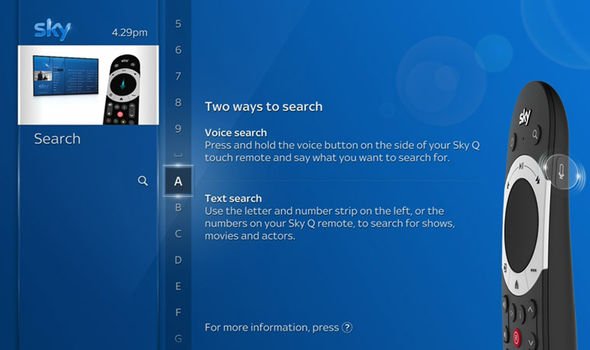
Synchronizing Your Sky Remote: A Step-by-step Guide
As a valued client of Sky, you may have encountered some issues with your remote control, such as malfunctions or difficulties synchronizing it with your decoder and TV. Don’t worry; we’re here to help! In this article, we’ll provide you with a detailed guide on how to synchronize your Sky remote with your decoder and TV.
Understanding The Problem
If you’ve experienced any issues with your Sky remote, such as malfunctions or difficulties synchronizing it with your decoder and TV, don’t worry; these problems are not uncommon. The good news is that synchronizing your Sky remote is a relatively simple process that can be completed in a few easy steps.
Why Synchronize Your Sky Remote?
Synchronizing your Sky remote ensures that you have the best viewing experience possible with your Sky subscription. By syncing your remote, you’ll enjoy seamless channel changing, smooth navigation through menus, and accurate volume control. In this guide, we’ll walk you through the process of synchronizing your Sky remote with your decoder and TV.
Synchronizing Your Sky Remote: A Step-by-step Guide
To sync your Sky remote, follow these simple steps:
Step 1: Access The Settings Menu on Your Decoder
Using your Sky remote, navigate to the settings menu on your decoder. To do this, press the Home button and select “Settings” from the options menu.
Step 2: Select The Telecomando Option
In the settings menu, select the option that says “Configure”. This will take you to a new screen where you’ll find the telecomando option. Select this option using your Sky remote.
Step 3: Choose The Correct Telecomando Model
You’ll be presented with a list of available telecomando models. Make sure to choose the correct model for your Sky decoder and TV.
Step 4: Synchronize Your Remote
Once you’ve selected the correct model, you’ll need to synchronize your remote with the decoder. To do this, press the Home button on your remote and select “OK”. This will initiate the synchronization process.
Synchronizing Your Sky Remote With Your TV
If you have a Sky Q or Sky HD subscription, you can follow these steps to sync your remote with your TV:
Step 1: Access The My Q Menu
Using your Sky remote, navigate to the My Q menu on your decoder. To do this, press the Home button and select “My Q”.
Step 2: Select The Configuration Option
In the My Q menu, select the configuration option.
Step 3: Choose The Correct Telecomando Model
You’ll be presented with a list of available telecomando models. Make sure to choose the correct model for your Sky decoder and TV.
Step 4: Synchronize Your Remote
Once you’ve selected the correct model, you’ll need to synchronize your remote with the decoder. To do this, press the Home button on your remote and select “OK”. This will initiate the synchronization process.
Troubleshooting Tips
If you’re experiencing difficulties synchronizing your Sky remote, try the following troubleshooting tips:
- Check that your remote is fully charged.
- Make sure that your decoder and TV are turned on.
- Ensure that the correct telecomando model has been selected.
- Restart your decoder and TV to see if this resolves the issue.
Conclusion
Synchronizing your Sky remote with your decoder and TV is a relatively simple process that can be completed in just a few easy steps. By following the guide outlined above, you should be able to sync your remote quickly and easily. If you’re experiencing any difficulties or have further questions, don’t hesitate to contact our support team.
Frequently Asked Questions (FAQs)
Here are some frequently asked questions about synchronizing your Sky remote:
-
Q: How do I Know if my Sky Remote Needs to be Synchronized?
A: If you’ve experienced issues with your Sky remote, such as malfunctions or difficulties synchronizing it with your decoder and TV, then yes, you’ll need to synchronize your remote. -
Q: Can I Sync my Sky Remote Myself?
A: Yes, you can sync your Sky remote yourself using the step-by-step guide outlined above. -
Q: How Long Does Synchronization Take?
A: Synchronization typically takes only a few minutes to complete. -
Q: Do I Need to Restart my Decoder And TV After Synchronization?
A: No, there’s no need to restart your decoder and TV after synchronization. -
Q: What if I’m Still Experiencing Issues After Synchronizing my Remote?
A: If you’re still experiencing issues after synchronizing your remote, please contact our support team for further assistance.


