
How to Synchronize Email on Your Mobile Device
Are you having trouble synchronizing your email on your mobile device? Don’t worry, we’ve got you covered! In this article, we’ll guide you through the process of synchronizing your email on both Android and iOS devices.
Understanding Synchronization
Before we dive into the step-by-step instructions, it’s essential to understand what synchronization means. Email synchronization is the process of updating your email account across multiple devices. This way, you can access your emails from anywhere, at any time.
Synchronizing Email on Android Devices
If you’re using an Android device, synchronizing your email is a straightforward process. Here’s how:
- Open Settings: Go to your device’s settings app.
- Select Account & Synchronization: Scroll down and find the “Account & Synchronization” option.
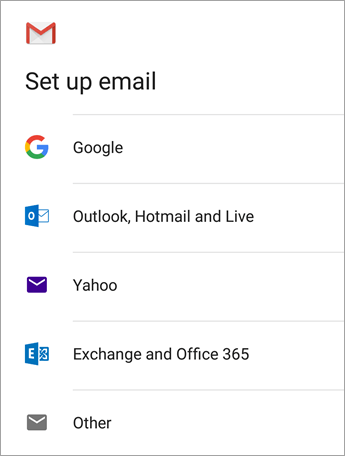
- Add Account: Tap on “Add account” and select your email provider (e.G., Gmail, Yahoo!, Outlook).
- Enter Credentials: Enter your email address and password.
- Configure Imap Settings: If prompted, enter your IMAP settings (server, port, etc.). You can find these details in the following section.
Imap Settings For Popular Email Providers
Here are the IMAP settings for some popular email providers:
- Gmail:
- Server: Imap.Gmail.Com
- Port: 993
- SSL/TLS: On
- Username and password: Your email address and password
- Outlook:
- Server: Outlook.Office365.Com
- Port: 993
- SSL/TLS: On
- Username and password: Your email address and password
Synchronizing Email on Ios Devices
If you’re using an iOS device, synchronizing your email is also a straightforward process. Here’s how:
- Open Settings: Go to your device’s settings app.
- Select Mail: Scroll down and find the “Mail” option.
- Add Account: Tap on “Add account” and select your email provider (e.G., Gmail, Yahoo!, Outlook).
- Enter Credentials: Enter your email address and password.
- Configure Imap Settings: If prompted, enter your IMAP settings (server, port, etc.). You can find these details in the following section.
Synchronizing Email Using Third-party Apps
If you’re not comfortable using the default email client on your device, you can use a third-party app to synchronize your email. These apps usually have a more user-friendly interface and may offer additional features. Some popular options include:
- Microsoft Outlook
- Google Inbox
- Yahoo! Mail
Troubleshooting Common Issues
If you’re experiencing issues with synchronizing your email, here are some common problems and solutions:
- Imap Settings: Make sure to enter the correct IMAP settings for your email provider.
- Password Issues: Check that your password is correct and try resetting it if necessary.
- Server Issues: Contact your email provider’s support team if you’re experiencing server-related issues.
Conclusion
Synchronizing your email on your mobile device is a simple process that can be completed in a few easy steps. By following the instructions outlined above, you’ll be able to access your emails from anywhere, at any time. Remember to troubleshoot common issues and consult the official guides for your email provider if needed.
Frequently Asked Questions
- Q: What is Synchronization?
A: Email synchronization is the process of updating your email account across multiple devices. - Q: Why am I Having Trouble Synchronizing my Email?
A: Common issues include incorrect IMAP settings, password problems, or server-related issues. - Q: Can I Use a Third-party App to Synchronize my Email?
A: Yes, you can use a third-party app like Microsoft Outlook or Google Inbox. - Q: How do I Troubleshoot Common Issues With Synchronizing my Email?
A: Check your IMAP settings, password, and server status for potential problems. - Q: Can I Access my Emails From Multiple Devices Using Synchronization?
A: Yes, synchronization allows you to access your emails from anywhere, at any time.
Recommended Apps
- Microsoft Outlook
- Google Inbox
- Yahoo! Mail


