
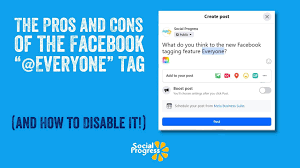
How to Tag People on Facebook: A Step-by-step Guide
As social media continues to play a significant role in our lives, it’s not uncommon to want to share experiences or posts with friends and loved ones on platforms like Facebook. One way to do this is by tagging people in your posts, stories, and comments. In this article, we’ll explore how to tag people on Facebook, including steps for doing so from both a smartphone and computer.
Why Tag People on Facebook?
Before diving into the steps, let’s quickly discuss why you might want to tag someone on Facebook. Tagging allows you to mention or highlight specific friends in your posts, making it easier for them to see that they’ve been mentioned. This feature is particularly useful for sharing photos or updates about a person directly with them.
How to Tag Someone in a Post
To tag someone in a post from either your smartphone or computer:
- Open Facebook and navigate to the news feed.
- Tap on what’s on your mind and start typing.
- Type out your message, including the name of the person you want to mention.
- As you type the name, a list will appear below the text field suggesting profiles that match the name you’ve entered.
- Select the correct profile from the list.
- Once you’re satisfied with the post, click “Share” to publish it.
How to Tag Someone in a Story
If you want to tag someone in your story:
- Open Facebook and navigate to the news feed.
- Tap on what’s on your mind and start typing.
- Select “Story” from the options below the text field.
- Add your media (photo, video, etc.) By tapping the camera icon or selecting a photo/video from your gallery.
- To tag someone in your story, tap the sticker icon and select “Tag People.”
- Search for the name of the person you want to mention and select their profile.
How to Tag Someone in Comments
If you’re commenting on someone else’s post:
- Open Facebook and navigate to the news feed.
- Find the post you’d like to comment on.
- Tap on “Comment” below the post.
- Type out your message, including the name of the person you want to mention.
- As you type the name, a list will appear below the text field suggesting profiles that match the name you’ve entered.
- Select the correct profile from the list.
How to Tag Someone in a Page or Post
If you’re commenting on a page post:
- Open Facebook and navigate to the news feed.
- Find the page post you’d like to comment on.
- Tap on “Comment” below the post.
- Type out your message, including the name of the person you want to mention.
How to Tag Someone in a Comment
If someone has commented on one of your posts and you’d like to tag them:
- Open Facebook and navigate to the news feed.
- Find the post where the comment was left.
- Tap on “Comment” below the post.
- Type out your message, including the name of the person you want to mention.
How to Tag Someone in a Private Group
If you’re a member of a private Facebook group and you’d like to tag someone:
- Open Facebook and navigate to the news feed.
- Find the private group post you’d like to comment on.
- Tap on “Comment” below the post.
- Type out your message, including the name of the person you want to mention.
How to Tag Someone in a Post When They’re Not Your Friend
If you need to tag someone who’s not currently one of your Facebook friends:
- Open Facebook and navigate to the news feed.
- Tap on what’s on your mind and start typing.
- Type out your message, including the name of the person you want to mention.
- As you type the name, a list will appear below the text field suggesting profiles that match the name you’ve entered.
- Select the correct profile from the list.
Faqs
- Can I tag someone on Facebook if they’re not my friend?
- Yes, but keep in mind that tagged posts from people outside your friends list may be filtered and require manual approval to appear on the recipient’s timeline.
- How do I remove a tag from a post or story?
- Unfortunately, it seems like there isn’t an easy way to remove a tag once you’ve added it. The best option might be to ask the person being tagged if they’d rather be mentioned differently in future posts.
- Can I tag multiple people at once on Facebook?
- Yes! You can tag multiple friends at once by typing out their names, separated by commas.
Tips And Tricks
- Make sure you have your privacy settings adjusted so that when someone tags you, it’s visible to the right audience. If you’d prefer not to be tagged in posts about specific topics, adjust those settings accordingly.
- Be thoughtful with whom you tag. Not everyone will appreciate being mentioned in a post or story.
By following these steps and tips, you should now have a good understanding of how to tag people on Facebook. Happy tagging!


