
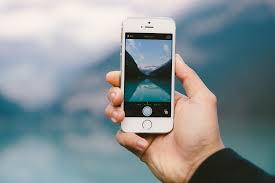
How to Take Beautiful Photos With Iphone: Tips And Tricks
Are you an avid photographer looking to take your mobile photography skills to the next level? Or perhaps you’re just starting out and want to know how to capture stunning photos with your iPhone? Either way, this article is for you! In this comprehensive guide, we’ll share expert tips and tricks on how to take beautiful photos with your iPhone.
Why Take Photos With Your Iphone?
While smartphone cameras have made tremendous progress in recent years, they still can’t match the quality of professional-grade cameras. However, with a little practice and knowledge, you can take amazing photos with your iPhone that will make your friends and family green with envy!
Tip 1: Clean The Lens
Before we dive into the nitty-gritty details of photography, let’s talk about something simple yet crucial – cleaning the lens! A dirty or smudged lens can ruin an otherwise perfect photo. Use a microfiber cloth to gently wipe away any dirt or fingerprints on your iPhone’s camera lens.
Tip 2: Choose The Right Illumination
Good lighting is essential for taking great photos. When possible, try to take photos in well-lit environments, such as outside during the day or near a window with natural light pouring in. If you’re indoors, use artificial light sources like lamps or overhead lights to create a more flattering glow.
Tip 3: Master The Art of Composition
Composition is key when it comes to taking interesting and engaging photos. Experiment with different angles and perspectives to add depth and visual interest to your shots. Consider using the rule of thirds – divide your image into thirds both horizontally and vertically, and place important elements along those lines.
Tip 4: Avoid Using Digital Zoom
Digital zoom can make your photos look grainy or pixelated, especially if you’re trying to capture something far away. Instead, try to get physically closer to the subject or use a telephoto lens (if available).
Tip 5: Use Manual Settings For Better Control
Using manual settings on your iPhone’s camera app allows you to have more control over exposure, ISO, and white balance. Experiment with different settings to achieve the desired effect.
Tip 6: Shoot in Raw Format
If you have an iPhone 12 Pro or later model, consider shooting in RAW format using the ProRAW feature. This will give you more flexibility when editing your photos in post-processing.
Tips For Shooting Beautiful Photos at Night
Taking great photos at night can be challenging, but with some tips and tricks, you can capture stunning shots even in low-light conditions:
- Use a tripod or stabilizer to avoid camera shake.
- Increase the ISO to let more light in, but be careful not to overdo it, as this can introduce noise into your image.
- Adjust the exposure compensation to brighten up dark areas of the scene.
Tips For Shooting Beautiful Photos With a Moonlit Background
Photographing the moon with your iPhone requires some planning and technique:
- Use a tripod or stabilizer to ensure sharp images.
- Experiment with different composition styles, such as using the rule of thirds or placing the moon near the horizon.
- Avoid using flash, as this can create harsh shadows on the moon’s surface.
Conclusion
Taking beautiful photos with your iPhone requires practice, patience, and knowledge. By following these expert tips and tricks, you’ll be well on your way to capturing stunning images that will impress your friends and family.
Faqs:
- What is The Best Way to Clean my Iphone’s Camera Lens?
A: Use a microfiber cloth to gently wipe away any dirt or fingerprints on your iPhone’s camera lens. - How Can I Improve The Lighting in my Photos?
A: Experiment with different light sources, such as natural light during the day or artificial light at night. Adjust the exposure compensation and ISO settings accordingly. - What is The Rule of Thirds, And How Can I Apply it to my Photos?
A: Divide your image into thirds both horizontally and vertically, and place important elements along those lines. This will create a more balanced and visually appealing composition. - Why Should I Avoid Using Digital Zoom?
A: Digital zoom can make your photos look grainy or pixelated. Instead, try to get physically closer to the subject or use a telephoto lens (if available). - How do I Shoot in Raw Format With my Iphone?
A: If you have an iPhone 12 Pro or later model, enable the ProRAW feature in Settings > Camera > Formats. -
What is The Best Way to Capture Beautiful Photos at Night?
A: Use a tripod or stabilizer, increase the ISO to let more light in (but be careful not to overdo it), and adjust the exposure compensation to brighten up dark areas of the scene. -
What is the ProRAW feature on my iPhone?
A: The ProRAW feature allows you to capture images in RAW format, which gives you more flexibility when editing your photos in post-processing.
- How do I take beautiful photos with a moonlit background?
A: Use a tripod or stabilizer, experiment with different composition styles (such as using the rule of thirds), and avoid using flash to create harsh shadows on the moon’s surface.
- What is the best way to improve my photography skills?
A: Practice regularly, pay attention to lighting and composition, and experiment with different techniques and editing software.
- Can I use any other camera apps besides the default Camera app on my iPhone?
A: Yes, there are many third-party camera apps available that offer additional features and functionalities beyond what’s offered by the default Camera app.


