
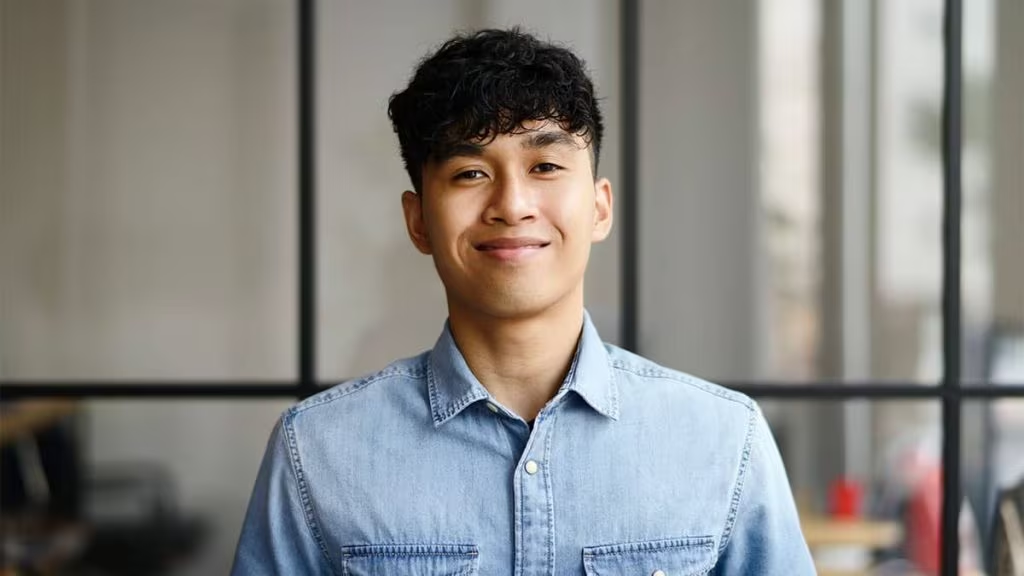
How to Take a Professional Photo For Your Curriculum Vitae
As you prepare to apply for your dream job, having a well-crafted curriculum vitae (CV) is essential. A CV is not just a list of your work experiences and qualifications; it’s an opportunity to showcase your skills, achievements, and personality to potential employers. And, in today’s digital age, a professional photo is often the first thing that recruiters and hiring managers see when they review your application.
In this article, we’ll guide you through the process of taking a high-quality photo for your CV, including tips on equipment, lighting, posture, and expression. We’ll also explore some essential tools to help you edit and enhance your photo.
Why Is a Professional Photo Important?
A professional photo can make all the difference in getting noticed by potential employers. It’s an opportunity to showcase your personality, confidence, and expertise. A good photo can:
- Establish trust and credibility with recruiters and hiring managers
- Showcase your unique style and approach to work
- Help you stand out from other applicants
Equipment Needed
While you don’t need the most expensive camera equipment to take a professional photo, having some basic tools will make a big difference. Here’s what you’ll need:
- A smartphone with a good camera (or a digital camera if you have one)
- A tripod or selfie stick for stability and convenience
- A background panel or green screen for a clean and neutral background
- Good lighting equipment (e.G., Softbox, umbrella, or ring light)
Tips For Taking The Perfect Photo
Now that you have your equipment ready, here are some tips to help you take the perfect photo:
Lighting
Lighting is essential when it comes to taking a good photo. Natural light is always the best option, but if that’s not possible, invest in some basic lighting equipment like softbox or ring light.
- Avoid harsh direct light or shadows
- Use a diffuser or reflector to soften and balance the light
Background
A clean and neutral background will help you stand out. Consider using a background panel or green screen for a more professional look.
- Use a plain colored wall or a professional background panel
- Avoid cluttered or distracting backgrounds
Posture And Expression
Your posture and expression can make or break your photo. Here are some tips to keep in mind:
- Maintain good posture with shoulders relaxed and head held high
- Smile naturally, but avoid over-smiling or looking too serious
- Use a subtle expression that showcases your personality
Image Editing
Once you have taken your photos, it’s essential to edit them for a professional finish. Here are some basic editing tips:
- Crop the image to focus on your face and body
- Adjust brightness and contrast for optimal lighting
- Remove any blemishes or imperfections with photo editing software
Software For Image Editing
There are many free and paid software options available for image editing. Some popular choices include:
- Adobe Photoshop (paid)
- GIMP (free)
- Canva (paid)
How to Make Your Photo Stand Out
While a professional photo is essential, it’s also important to make your CV stand out from the crowd. Here are some tips to keep in mind:
- Use a unique and creative title page design
- Highlight your achievements and skills on the first page
- Include relevant work experience and education information
Conclusion
Taking a professional photo for your curriculum vitae is an essential step in showcasing your skills, personality, and expertise to potential employers. By following these tips and using the right equipment, you can create a high-quality photo that will make you stand out from the competition.
Frequently Asked Questions (FAQs)
Here are some frequently asked questions about taking a professional photo for your CV:
Q: What is the best equipment to use for taking a professional photo?
A: A smartphone with a good camera or a digital camera is sufficient. Consider investing in a tripod, background panel, or lighting equipment for better results.
Q: How do I choose the right background for my photo?
A: Use a plain colored wall, background panel, or green screen for a clean and neutral background.
Q: What posture should I maintain for my photo?
A: Maintain good posture with shoulders relaxed and head held high. Avoid slouching or leaning to one side.
Q: How do I edit my photo for a professional finish?
A: Use image editing software like Adobe Photoshop, GIMP, or Canva to crop, adjust lighting, and remove imperfections.
Q: What is the most important thing to keep in mind when taking a professional photo?
A: Your posture, expression, and background are essential. Invest time in getting these right for a high-quality photo.
Bonus Tips
Here are some additional tips to help you take the perfect photo:
- Practice smiling in front of the camera before taking your final shot
- Avoid wearing busy or distracting clothing
- Use a subtle makeup look that complements your natural features
By following these tips and using the right equipment, you can create a professional photo for your CV that will make you stand out from the competition.


