
How to Speak With Alexa Without a Phone
Are you tired of needing your phone to speak with Alexa? Do you wish you could have the convenience of commanding your intelligent devices without having to pick up your phone every time? Well, you’re in luck! There are several ways to speak with Alexa without using your phone. In this article, we’ll explore these options and provide you with a step-by-step guide on how to do it.
Understanding The Basics
Before we dive into the details, let’s understand the basics of speaking with Alexa. Alexa is an intelligent assistant developed by Amazon that can be controlled through various devices, including smart speakers, smartphones, and even computers. To speak with Alexa without using your phone, you’ll need a device that has integrated Alexa or an application that allows you to use Alexa on your computer.
Solution 1: Using a Device With Integrated Alexa
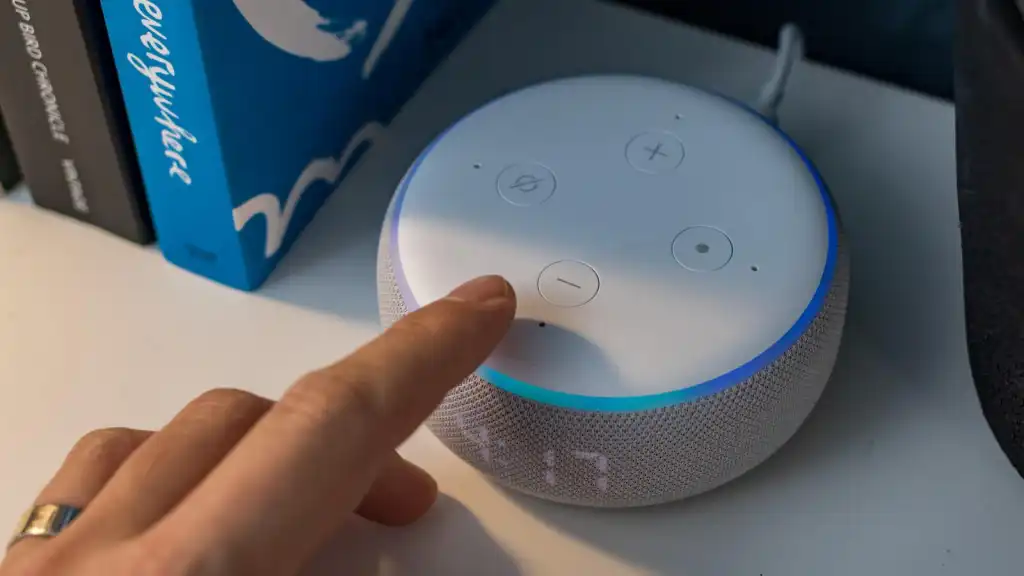
One of the most convenient ways to speak with Alexa without using your phone is by using a device that has integrated Alexa. These devices include Amazon’s Echo series, such as Echo Dot, Echo Show, and Echo Studio. Simply say “Alexa” followed by your command, and the device will respond accordingly.
Solution 2: Using Your Computer
If you don’t have an Echo device or prefer to use your computer instead, you can download the Alexa application on your Windows 10 or Windows 11 computer. Follow these steps:
- Download The Alexa Application: Go to the Microsoft Store and search for “Alexa.” Download and install the application.
- Sign In With Your Amazon Account: Launch the application and sign in with your Amazon account credentials.
- Enable Wake Word: Ensure that the wake word is enabled by going to Settings > Voice > Wake Word.
- Give Alexa Access to Your Microphone: Allow Alexa access to your microphone by clicking on “Allow” when prompted.
- Initiate The Application: Launch the application by saying “Alexa” followed by your command.
Other Solutions
Besides using a device with integrated Alexa or your computer, there are other solutions to speak with Alexa without using your phone:
- Smart speakers from brands like Bose and Bang & Olufsen
- Smart TVs with Alexa integration
- Coffee machines, satellite browsers, smartwatches, and earphones
These devices also have the capability to integrate with Alexa, allowing you to control them with voice commands.
Conclusion
In conclusion, speaking with Alexa without a phone is possible through various devices and applications. Whether you choose to use a device with integrated Alexa or download the application on your computer, you can enjoy the convenience of commanding your intelligent devices without needing your phone. Remember to explore these options and find the solution that suits your needs best.
Faqs
Q: What are some of the benefits of using Alexa without my phone?
A: Some of the benefits include convenience, ease of use, and hands-free control.
Q: Can I use Alexa with other devices besides Echo?
A: Yes, you can use Alexa with other devices such as smart speakers from brands like Bose and Bang & Olufsen, smart TVs, coffee machines, satellite browsers, smartwatches, and earphones.
Q: Do I need to have an Amazon account to use Alexa on my computer?
A: Yes, you need to have an Amazon account to use Alexa on your computer.
Q: Can I speak with Alexa when my computer is blocked?
A: Yes, you can speak with Alexa even if your computer is blocked by enabling the “Answer while blocked” option in the Settings menu.
Q: What are some of the devices that integrate with Alexa?
A: Some examples include smart speakers from brands like Bose and Bang & Olufsen, smart TVs, coffee machines, satellite browsers, smartwatches, and earphones.


