
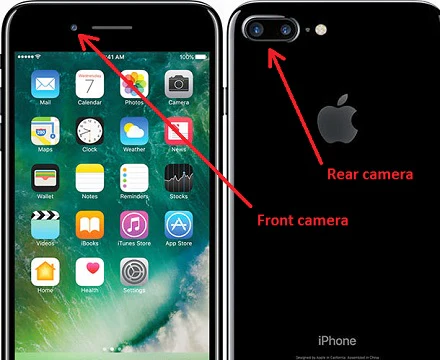
Understanding If Your Camera Is Broken: A Guide to Troubleshooting
As a photographer or a tech enthusiast, you’ve probably encountered situations where your camera seems to be malfunctioning. Whether it’s a digital camera, smartphone, or tablet, understanding the signs of a broken camera can save you from frustration and potential costs.
What Can Break in a Photographic Machine?
A photographic machine, whether it’s a digital camera, smartphone, or tablet, can experience various issues that may lead to malfunction. Here are some common problems:
- Sensor Issues: A damaged sensor can cause strange haloes, stains, zones, or black areas in the image.
- Shutter Problems: A faulty shutter can prevent the camera from taking pictures or result in blurry images.
- Objective Lens Issues: A broken objective lens can affect image quality, resulting in blurred or distorted photos.
- Display And Mirino Problems: Issues with the display or mirino (viewfinder) can make it difficult to view the image or see any changes.
Common Symptoms of a Broken Camera
When your camera is not functioning correctly, you may notice some common symptoms:
- Image Quality Issues: Strange haloes, stains, zones, or black areas in the image.
- Shutter Problems: The shutter may not open or close properly, resulting in blurry images.
- Display And Mirino Issues: The display or mirino may be blank, distorted, or not functioning at all.
Step-by-step Troubleshooting Guide
To troubleshoot your camera, follow these steps:
- Check The Basics: Ensure that the battery is charged and that the memory card is properly inserted.
- Inspect The Camera: Look for any physical damage, such as scratches or dents, on the body of the camera.
- Clean The Sensor: If you have a digital camera with an exchangeable objective, clean the sensor to ensure it’s free from dust and debris.
- Check The Shutter: Verify that the shutter is working correctly by checking for any unusual sounds or vibrations when taking pictures.
- Inspect The Objective Lens: Ensure that the objective lens is not damaged and is properly attached to the camera body.
- Verify Display And Mirino Functionality: Check that both the display and mirino are functioning correctly.
Additional Tips
If you’re still experiencing issues with your camera, consider the following:
- Check For Software Updates: Ensure that your camera’s firmware is up-to-date, as this may resolve any existing problems.
- Consult The User Manual: Refer to the user manual for specific troubleshooting guides and instructions.
- Contact a Professional: If you’re still unable to resolve the issue, consult a professional technician or contact the manufacturer’s customer support.
Conclusion
Understanding if your camera is broken can save you time and frustration. By following these simple steps and tips, you can identify potential issues with your photographic machine and take corrective action.


