
How to Recharge a Unicredit Click Card: A Comprehensive Guide
Are you looking for ways to recharge your UniCredit Click card? Look no further! In this article, we will guide you through the various methods of recharging your card, ensuring that you can make seamless payments online or in-store.
Understanding Your Unicredit Click Card
Before diving into the recharging process, it’s essential to understand what your UniCredit Click card has to offer. As a prepaid card, it allows you to carry out transactions and payments without exposing your common account banking details or credit/debit card information. With a maximum limit of €5,000, this card is perfect for online shopping, in-store purchases, and even withdrawing cash from ATMs.
Method 1: Recharging Via The Unicredit App
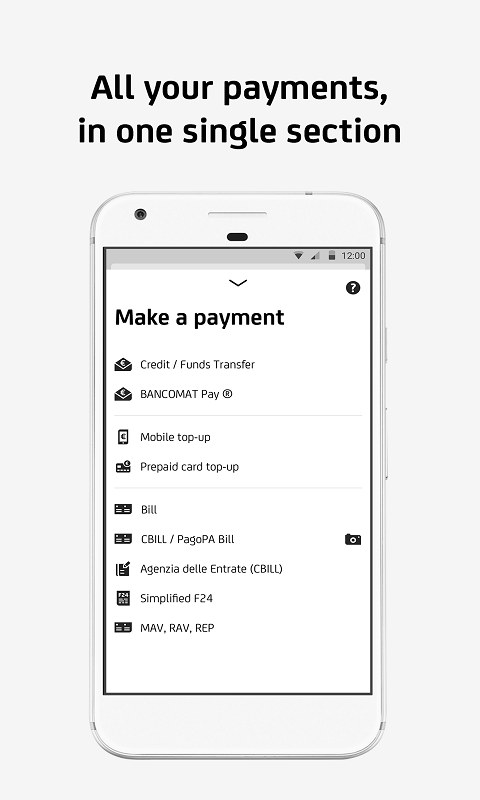
The most convenient way to recharge your UniCredit Click card is through the UniCredit app. Here’s how:
- Open the UniCredit app on your smartphone (Android or iOS)
- If you don’t have the app, follow our guide on installing it
- Access your account by entering your PIN or using biometric authentication
- Select the ‘Recharge’ option and choose between standard and periodic recharge
- Choose the debit account from which to draw funds
- Enter the amount you wish to recharge in euros
- Confirm the transaction
Method 2: Recharging Via The Unicredit Website
You can also recharge your UniCredit Click card through the official website:
- Open the UniCredit website on a web browser (Chrome, Edge, Safari, Firefox)
- Log in with your credentials
- Select ‘Cards’ from the menu and choose your prepaid card
- Click on ‘Recharge Card’
- Choose the debit account from which to draw funds
- Enter the amount you wish to recharge in euros
- Confirm the transaction
Method 3: Recharging Via a Unicredit Branch
If you prefer to recharge your card in person, visit any UniCredit branch in Italy. Here’s what you need to do:
- Find your nearest UniCredit branch using their website or mobile app
- Visit the branch and inform the staff that you want to recharge your prepaid card
- Provide your card details and the amount you wish to recharge
- Pay the cash or use another debit/credit card to fund the transaction
Method 4: Recharging Via a Convenzionato Mooney (SisalPay) Branch
Another option is to visit a convenzionato Mooney (SisalPay) branch, where you can recharge your card in cash:
- Find a nearby Mooney branch
- Inform the staff that you want to recharge your prepaid card
- Pay the cash and receive your recharged card
Method 5: Recharging Via an Atm
You can also recharge your UniCredit Click card using another debit/credit card or by withdrawing cash from an ATM:
- Find a qualified ATM in Italy
- Select the option to recharge your prepaid card using another card or cash
- Follow the on-screen instructions to complete the transaction
Conclusion
Recharging your UniCredit Click card has never been easier! With these methods, you can ensure that your card is always topped up and ready for seamless payments online or in-store. Remember to check your recent transactions and balance regularly to keep track of your spending.
Frequently Asked Questions (FAQs)
- What is The Maximum Limit on my Unicredit Click Card?
Your UniCredit Click card has a maximum limit of €5,000.
- Can I Recharge my Card Using Another Debit/credit Card?
Yes, you can recharge your card using another debit or credit card.
- How Much Does it Cost to Recharge my Card?
The cost of recharging varies depending on the method: 1€ (Via app), 2€ (via Mooney branch), and 3€ (via UniCredit branch).
- Can I Withdraw Cash From an Atm Using my Prepaid Card?
Yes, you can withdraw cash from a qualified ATM using your prepaid card.
- What Should I do if I Lose my Unicredit Click Card?
If you lose your UniCredit Click card, follow our guide on how to recover it.
Note that there are some strange and irrelevant pieces of information in the text (e.G., “Piece of Furniture Tails”), which seem to be errors or typos.


