
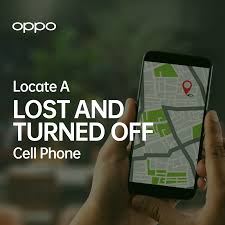
How to Locate a Lost or Stolen Smartphone
Have you ever wondered if all smartphones of last generation came equipped with a system anti-theft that allows remote tracking using a computer? The answer is yes, it’s not a lie! These systems are incredibly easy to use and don’t require any payment; they’re free! The location services included in modern smartphones are no longer limited like they used to be. Not only can you block the phone, format it, or perform other remote actions, but some of these services also allow you to locate your phone even if it’s turned off.
Locating a Lost Smartphone: A Step-by-step Guide
Before we dive into the specifics, let’s take a look at how to locate a lost smartphone using the built-in system anti-theft. This applies to both Android and iOS devices. We’ll cover the procedures for each operating system separately.
Locating an Android Device
To locate your Android device, follow these steps:
- Enable Location Services: Go to Settings > Location (or Privacy > Location), and make sure the toggle is turned on.
- Connect Your Phone to Google Account: Open any Google app on your phone, or access the Google account settings.
- Activate Find My Device: Go to Settings > Accounts > Google, then find “Find my device” and turn it on.
- Access The Website: From a computer, go to the Find My Device website, sign in with your Google account credentials, and select your lost device from the list of connected devices.
Once you’ve accessed the website, you’ll see your device’s location on a map. You can also remotely:
- Make the phone ring for 5 minutes
- Lock the device with a message
- Wipe the device (erase all data)
Locating an Iphone
If you have an iPhone, locating it is even easier. Follow these steps:
- Enable Location Services: Go to Settings > [Your ID Apple] > Where’s My iPhone? Make sure “Find My” and “Send Last Location” are enabled.
- Sign in With Your ID Apple: Access the Where’s My iPhone website, sign in with your ID Apple credentials, and select your lost device from the list of connected devices.
Once you’ve accessed the website, you’ll see your device’s location on a map. You can also remotely:
- Make the phone ring for 5 minutes
- Lock the device with a message
- Erase the device (wipe all data)
Using Find My Iphone
You can also locate your iPhone using the Find My iPhone app, available for free on the App Store.
Other Options: Apps And Services
While the built-in system anti-theft is an excellent way to locate your smartphone, there are other options available. Some of these include:
- The best antivirus apps for Android often come with a location service
- Dedicated anti-theft apps that can be installed on your device
- Parental control apps designed to monitor and manage your child’s phone usage
Locating a Smartphone That’s Turned Off
If you’ve been the victim of theft, it’s likely that the thief will turn off your smartphone to minimize its chances of being found. Android devices are not locatable when turned off, but iOS devices with iOS 15 or later can be tracked using the AirTag technology.
Conclusion
Locating a lost or stolen smartphone is easier than you think. With the built-in system anti-theft features and additional apps and services available, there’s no reason to lose hope if your device goes missing. Remember to take precautions and report any thefts to the authorities to ensure that your phone remains unavailable to unauthorized users.
Faqs
- Q: How do I Locate my Smartphone if It’s Turned Off?
A: If you have an Android device, you can’t locate it when it’s turned off. However, iOS devices with iOS 15 or later can be tracked using AirTag technology. - Q: Are There Any Free Apps That Can Help me Locate my Smartphone?
A: Yes, many antivirus apps for Android and dedicated anti-theft apps offer location services. - Q: Can I Use a Computer to Locate my Smartphone?
A: Yes, you can access the Find My Device website from a computer to locate your smartphone using your Google account credentials. - Q: Will I be Able to Locate my Smartphone if It’s Abroad?
A: Yes, as long as your phone has an internet connection and is connected to your Google or ID Apple account, you’ll be able to locate it regardless of its location. - Q: Can I Prevent Thieves From Using my Smartphone After It’s Been Stolen?
A: Yes, by blocking the IMEI code and SIM card, you can prevent unauthorized use of your device. - Q: What Should I do if my Smartphone is Stolen?
A: Report the theft to the authorities, block the IMEI code, and request a new SIM card with the same number (if desired). - Q: Are There Any Other Ways to Secure my Smartphone Beyond Using The Built-in System Anti-theft?
A: Yes, consider installing antivirus software, using a password manager, and enabling two-factor authentication. - Q: Can I Locate my Smartphone if It’s Been Sold or Traded In?
A: Unfortunately, no. Once your device has been sold or traded in, you’ll lose control over its location.
Remember to stay vigilant and take proactive steps to protect your personal data and devices.


