
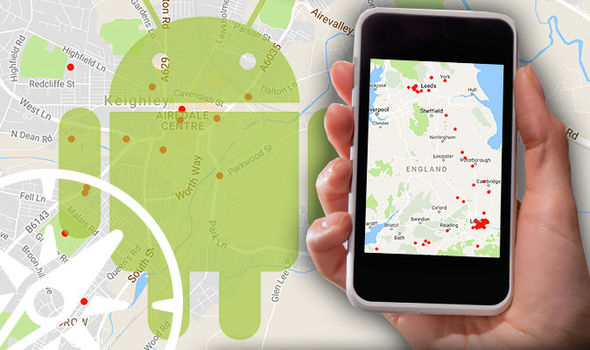
How to Locate a Lost or Stolen Smartphone: A Step-by-step Guide
Have you ever lost your phone or had it stolen? If so, you’re not alone. Losing a smartphone can be frustrating and stressful, especially when it contains important data and personal information. However, with the right tools and knowledge, you can locate your device and take necessary actions to protect your data.
In this article, we’ll explore various methods to find a lost or stolen smartphone using different operating systems and services. We’ll also discuss how to prevent future losses and protect your device’s security.
Locating a Smartphone With Android
If you have an Android device, there are several ways to locate it:
- Google Find My Device: This service allows you to track the location of your device on a map. To use this feature, ensure that:
- Your device is connected to the internet and has GPS enabled.
- The Google Account associated with your device is set up correctly.
- You’ve granted permission for Google to access your device’s location.
To locate your Android device using Google Find My Device:
- Go to the Google account dashboard on a computer or mobile device.
- Sign in with your Google account credentials.
- Select the device you want to locate from the list of linked devices.
- Click on the “Locate” button to see the device’s current location on a map.
Locating an Iphone
If you have an iPhone, you can use Apple’s Find My service to locate it:
- Ensure that:
- Your iPhone is connected to the internet and has Wi-Fi enabled.
- The iCloud account associated with your device is set up correctly.
- You’ve granted permission for Apple to access your device’s location.
To locate an iPhone using Find My:
- Go to the iCloud website on a computer or mobile device.
- Sign in with your iCloud account credentials.
- Select the device you want to locate from the list of linked devices.
- Click on the “Locate” button to see the device’s current location on a map.
Using Whatsapp to Locate a Smartphone
WhatsApp allows you to share your location with contacts, making it easier to find each other:
- Open WhatsApp and select the conversation where you want to share your location.
- Tap the paperclip icon (paper airplane) next to the message field and choose “Share Location”.
- Select the duration for which you want to share your location.
Preventing Future Losses
To avoid losing your smartphone in the future, consider:
- Using a Phone Case With Gps Tracking: Some phone cases have built-in GPS trackers that can help locate your device if it’s lost or stolen.
- Keeping Your Device Software Up-to-date: Regularly update your device’s operating system and apps to ensure you have the latest security patches and features.
- Setting up a Backup Routine: Regularly back up your data to a cloud storage service, such as Google Drive or iCloud.
By following these steps and taking preventative measures, you can minimize the risk of losing your smartphone and protect your device’s security.
Faqs
- Q: Can I Use my Phone’s Built-in Gps to Locate It?
A: Yes, most smartphones come with a built-in GPS that allows you to track its location. - Q: How do I Prevent my Phone From Being Stolen or Lost in The First Place?
A: Consider using a phone case with GPS tracking, keeping your device software up-to-date, and setting up a backup routine. - Q: Can I Use Any Other Service to Locate my Smartphone Besides Google Find My Device And Apple’s Find My?
A: Yes, there are various services available that can help you locate your smartphone, such as WhatsApp and Truecaller.
By understanding these methods and taking necessary precautions, you can locate your lost or stolen smartphone and protect your device’s security.


