
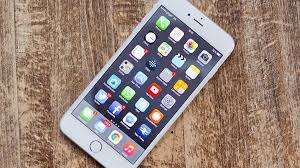
How to Transfer a Game From One Phone to Another
Are you tired of losing your progress or having to download games all over again when you switch phones? Well, you’re in luck because today we’re going to explore the world of transferring games from one phone to another.
Whether you’re an Android user looking to transfer games from your old device to a new one or an iPhone user wanting to move games from an old iPhone to a brand-new one, this article has got you covered. We’ll dive into the different methods for transferring games across various platforms and provide step-by-step guides on how to do it.
Transferring Games From Android to Android
If you’re using an Android device, there are several ways to transfer games from one phone to another. Here are a few options:
- Using Google Play: The first method is to use the native functionality built into the Google Play Store on your old device. This feature allows you to transfer some of your apps and data to your new device.
- Open the Google Play Store on your old device and navigate to the “My apps & games” section.
- Select the app you want to transfer and choose the option to transfer it to a new device.
- On your new device, open the Google Play Store and sign in with the same account used on the old device.
- You should see the transferred app available for download on your new device.
- Using Third-party Apps: Another method is to use third-party apps specifically designed for game transfer. One popular option is TrebleShot, which allows you to clone games between two Android devices without cables or complicated procedures.
Transferring Games From Iphone to Iphone
If you’re using an iPhone, transferring games is a relatively straightforward process using iTunes (or Finder on macOS). Here’s how:
- Connect your old iPhone to your computer using a Lightning cable.
- Open iTunes and select the “Device” tab. Click on the “Summary” section and then click on the “Transfer” button.
- Select the apps you want to transfer from your old device to your new one.
- On your new iPhone, open the App Store and sign in with the same Apple ID used on the old device.
- You should see the transferred app available for download on your new device.
Transferring Games From Android to Iphone (or Vice Versa)
Unfortunately, transferring games directly between an Android device and an iPhone is not officially possible. The differences in operating systems make it challenging to transfer data in a seamless way. However, you can try using the “Spend” app on your iPhone to transfer some of your data from your Android device, but this may not include all of your apps.
Tips And Tricks
To avoid any potential issues during the transfer process, be sure to:
- Check that your devices are running compatible versions of their respective operating systems.
- Make sure you have a stable internet connection.
- Avoid transferring games while your device is still connected to an external power source.
By following these steps and tips, you should be able to successfully transfer your games from one phone to another. Happy gaming!
Frequently Asked Questions
- What if I Don’t Want to Use Cables?
You can try using a wireless method like TrebleShot or iCloud backup. - Can I Transfer All my Apps at Once?
It depends on the specific app and its developer. Some may not be compatible with direct transfers. - Will Transferring Games Affect my Progress?
Generally, yes. Transferring games will sync your progress to some extent. - How do I Ensure my Transferred Games Are Up-to-date?
Always check for updates on the Google Play Store (for Android) or App Store (for iPhone).
The goal of this article is to provide a comprehensive guide on how to transfer games from one phone to another, covering various platforms and methods. By following these steps and tips, you should be able to successfully transfer your favorite games across devices. Happy gaming!


