
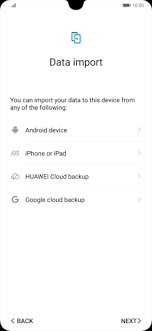
How to Transfer Data From One Huawei Smartphone to Another
Are you looking for a way to transfer data from one Huawei smartphone to another? Look no further! In this article, we will guide you through the process of transferring data between two Huawei smartphones using various methods.
Method 1: Transferring Data Using Bluetooth
One of the simplest ways to transfer data between two Huawei smartphones is by using Bluetooth. Here’s how:
- On both devices, go to Settings > Connection preference > Bluetooth.
- Make sure that Bluetooth is enabled on both devices and they are in range of each other.
- On the device you want to transfer data from, go to Gallery or File Manager and select the file(s) you want to transfer.
- Tap on the Share icon (usually represented by a box with an arrow coming out of it).
- Select Bluetooth as the sharing option.
- The receiving device will receive a notification asking to accept the transferred file. Tap on Accept to complete the process.
Method 2: Transferring Data Using Huawei Share
Huawei Share is another feature that allows you to transfer data between two Huawei smartphones. Here’s how:
- On both devices, go to Settings > Connection preference > Huawei Share.
- Make sure that Huawei Share is enabled on both devices and they are in range of each other.
- On the device you want to transfer data from, go to Gallery or File Manager and select the file(s) you want to transfer.
- Tap on the Share icon (usually represented by a box with an arrow coming out of it).
- Select Huawei Share as the sharing option.
- The receiving device will receive a notification asking to accept the transferred file. Tap on Accept to complete the process.
Method 3: Transferring Data Using Nfc
NFC stands for Near Field Communication and is another method that allows you to transfer data between two devices by bringing them close together. Here’s how:
- On both devices, go to Settings > Connection preference > NFC.
- Make sure that NFC is enabled on both devices.
- On the device you want to transfer data from, go to Gallery or File Manager and select the file(s) you want to transfer.
- Tap on the Share icon (usually represented by a box with an arrow coming out of it).
- Select NFC as the sharing option.
- Bring both devices close together for a few seconds until they connect.
- The receiving device will receive a notification asking to accept the transferred file. Tap on Accept to complete the process.
Method 4: Transferring Data Using Phone Clone
Phone Clone is an app that allows you to transfer data from one Huawei smartphone to another without the need for cables or internet connectivity. Here’s how:
- Download and install the Phone Clone app on both devices.
- On the device you want to transfer data from, select New Phone as the source device.
- Select Old Phone as the destination device.
- Scan the QR code displayed on the screen of the new phone using the camera on the old phone.
- Once connected, select the files you want to transfer and tap on Transfer.
- The receiving device will receive a notification asking to accept the transferred file. Tap on Accept to complete the process.
Method 5: Transferring Data Using Hisuite
HiSuite is software developed by Huawei that allows you to transfer data from one Huawei smartphone to another using a computer. Here’s how:
- Download and install the HiSuite software on your computer.
- Connect your old phone to the computer using a cable.
- Launch the HiSuite software and select Transfer data as the option.
- Select the files you want to transfer and tap on Export.
- The receiving device will receive a notification asking to accept the transferred file. Tap on Accept to complete the process.
Conclusion
Transferring data between two Huawei smartphones can be done using various methods, including Bluetooth, Huawei Share, NFC, Phone Clone, and HiSuite. Each method has its own advantages and disadvantages, so choose the one that best suits your needs.


