
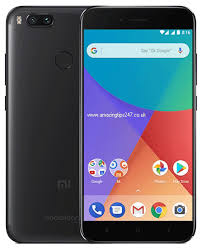
How to Transfer Data From Xiaomi to Xiaomi: A Step-by-step Guide
Are you looking for a way to transfer your data from an old Xiaomi smartphone to a new one? Look no further! In this article, we will guide you through the process of transferring all your important data, including contacts, photos, and messages, from one Xiaomi device to another.
Why Transfer Data From Xiaomi to Xiaomi?
When you upgrade to a new smartphone, it’s essential to transfer your existing data to the new device. This way, you can pick up where you left off on your old phone, without having to recreate everything. Whether you’re switching from an older model or moving to a new brand, transferring data is a crucial step in getting familiar with your new device.
Method 1: Using Mi Mover App
The first method we’ll discuss is using the Mi Mover app, which comes pre-installed on Xiaomi devices. This app allows you to transfer all your data, including multimedia files, documents, messages, contacts, and more, from one Xiaomi phone to another.
To use the Mi Mover app:
- Ensure both smartphones are connected to the same Wi-Fi network.
- Open the Mi Mover app on both devices.
- Accept the terms and conditions on the old smartphone.
- Tap “Continue” on the new smartphone.
- Select the data you want to transfer from the old device.
- Tap “Forward” on the old smartphone, and wait for the transfer process to complete.
Method 2: Using Google Sync
Another method to transfer data is using Google sync. If you have a Google account set up on both devices, you can synchronize your data, including contacts, emails, and navigation history, between the two smartphones.
To use Google sync:
- Ensure both smartphones are connected to the same Wi-Fi network.
- Go to Settings > Synchronization > Google on both devices.
- Select the data you want to transfer from the old device.
- Tap “Synchronize” on the new smartphone.
Method 3: Using Whatsapp, Telegram, or Messenger
If you only want to transfer specific data, such as messages or photos, using third-party apps like WhatsApp, Telegram, or Messenger is a viable option. These apps allow you to share files and data directly between devices.
To use these methods:
- Install the app on both smartphones.
- Follow the in-app instructions for transferring data.
Method 4: Using Bluetooth
Using Bluetooth is another way to transfer data between Xiaomi devices, especially when Wi-Fi isn’t available. This method is ideal for transferring small files or multimedia content.
To use Bluetooth:
- Ensure both smartphones have Bluetooth enabled.
- Pair the devices by going to Settings > Bluetooth on both phones.
- Select the file you want to transfer from the old smartphone.
- Tap “Share” and choose Bluetooth as the sharing method.
- Accept the file on the new smartphone.
Method 5: Using Cloud Storage Services
Cloud storage services like Google Drive, Dropbox, or OneDrive allow you to store your data online and access it from any device with an internet connection. You can upload your files to these services and then download them onto your new smartphone.
To use cloud storage services:
- Install the app on both smartphones.
- Upload the files you want to transfer to the cloud service.
- Download the files onto the new smartphone.
Other Methods For Transferring Data
There are other methods to consider when transferring data from Xiaomi to Xiaomi, such as using microSD cards or services like Snapdrop. However, these methods may require more effort and technical expertise.
- Using microSD cards involves physically inserting a compatible card into both smartphones.
- Snapdrop uses Wi-Fi connectivity to transfer files directly between devices.
Conclusion
Transferring data from one Xiaomi smartphone to another is a straightforward process that can be completed using various methods. By following the steps outlined in this article, you should be able to successfully transfer all your important data to your new device.
Frequently Asked Questions (FAQs)
- Q: Can I Transfer Data Between Different Brands of Smartphones?
A: No, transferring data between non-Xiaomi smartphones may require using third-party apps or cloud storage services. - Q: How Long Does The Data Transfer Process Take?
A: The duration of the transfer process depends on the method used and the amount of data being transferred. - Q: Can I Transfer Data When Both Smartphones Are Not Connected to Wi-fi?
A: Yes, using Bluetooth or cloud storage services can allow you to transfer data even without a stable internet connection. - Q: Is it Possible to Transfer Specific Data Types Only?
A: Yes, certain methods like WhatsApp or Messenger allow you to select and transfer specific data types. - Q: How do I Ensure That my Transferred Data is Secure?
A: Using encrypted cloud storage services or apps with built-in security features can help protect your data during the transfer process. - Q: Can I Use Multiple Methods For Transferring Data?
A: Yes, combining different methods like Mi Mover and Google sync can be an efficient way to transfer a large volume of data.
Hope this helps!


