
Transferring Stickers From Telegram to Whatsapp: A Step-by-step Guide
As we navigate the world of instant messaging, it’s not uncommon to find ourselves switching between different platforms to stay in touch with friends and family. Two such popular apps are Telegram and WhatsApp, each offering a unique set of features and functionalities. One feature that has gained immense popularity is the use of stickers to add a personal touch to our conversations. In this article, we’ll delve into the process of transferring stickers from Telegram to WhatsApp, exploring the various methods and tools available for Android and iOS devices.
Why Transfer Stickers?
Before we dive into the nitty-gritty of sticker transfer, let’s address the question on everyone’s mind: Why bother transferring stickers at all? The answer lies in convenience and consistency. Imagine having a vast collection of stickers that you’ve curated over time, only to find yourself switching between two different platforms. Transferring these stickers ensures that your favorite emoticons and illustrations remain accessible across both Telegram and WhatsApp.
Method 1: Using Stickers Downloader Bot
For Android users, the process begins with installing the Stickers Downloader bot on Telegram. This bot allows you to download stickers in PNG or GIF format, which can then be converted into WhatsApp-compatible stickers using a third-party app.
To get started:
- Open Telegram and search for the Stickers Downloader bot.
- Tap on the “Start” button to initiate the process.
- Select the sticker pack you’d like to download by tapping on the relevant icon.
- Save the downloaded file in a convenient location on your device.
- Use a third-party app, such as Sticker Maker, to convert the downloaded stickers into WhatsApp-compatible format.
Method 2: Using Sticker Maker App
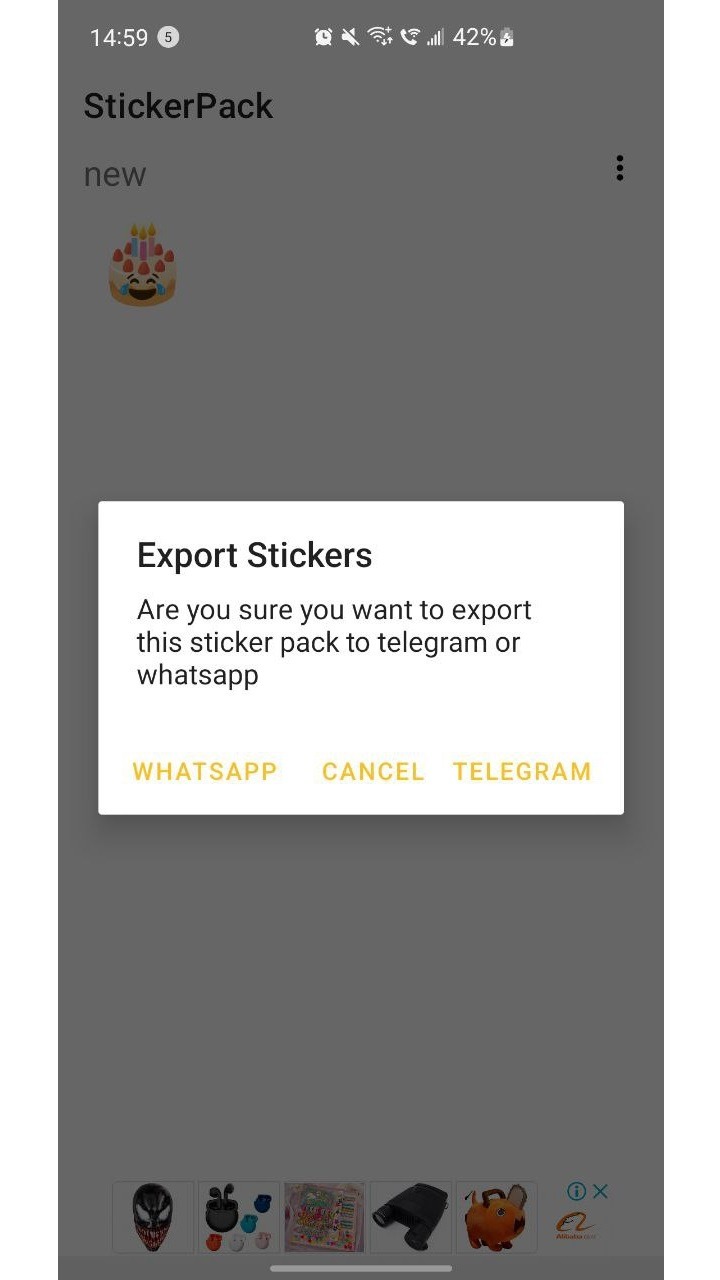
For both Android and iOS users, there’s an alternative method that involves using the Sticker Maker app. This app allows you to create new sticker packs by combining images from your device or using pre-made templates.
To get started:
- Download and install the Sticker Maker app on your device.
- Create a new sticker pack by selecting images from your device or choosing pre-made templates.
- Design and customize your stickers as desired.
- Save the new sticker pack and add it to WhatsApp.
Method 3: Using Ios-specific Apps
For iOS users, there are additional apps available that can help with sticker transfer. These apps work in conjunction with the Stickers Downloader bot on Telegram to enable seamless sticker transfer between platforms.
To get started:
- Download and install an iOS-specific app, such as Sticker Maker Studio.
- Use the app to convert downloaded stickers into WhatsApp-compatible format.
- Add the new sticker pack to WhatsApp and share it with your contacts.
Tips And Considerations
When transferring stickers from Telegram to WhatsApp, there are a few things to keep in mind:
- Ensure that you have sufficient storage space on your device for downloading and converting stickers.
- Be patient, as the process may take some time depending on the number of stickers being transferred.
- Take advantage of pre-made templates and designs offered by sticker apps to save time and effort.
Conclusion
Transferring stickers from Telegram to WhatsApp is a relatively straightforward process that requires patience and a willingness to explore different methods. By utilizing tools like Stickers Downloader bot, Sticker Maker app, or iOS-specific apps, you can ensure that your favorite stickers remain accessible across both platforms. Whether you’re a seasoned user or just starting out, this guide has provided the necessary steps to get you started on your sticker transfer journey.
Faqs
- Q: Can I Share Custom-made Stickers With Friends on Whatsapp?
A: Yes, you can share custom-made stickers with friends on WhatsApp by using apps like Sticker Maker. - Q: How do I Add a New Sticker Pack to Whatsapp?
A: To add a new sticker pack to WhatsApp, simply tap the “Add” button in the Sticker Maker app and select the newly created pack. - Q: Can I Use Stickers From Telegram on Other Messaging Apps?
A: Yes, you can use stickers from Telegram on other messaging apps by downloading and installing relevant apps or bots. - Q: Are There Any Limitations to Transferring Stickers Between Platforms?
A: While there are no major limitations to transferring stickers, be aware that some features may not work as expected due to differences in platform functionality. - Q: Can I Use Pre-made Templates For Sticker Design?
A: Yes, many sticker apps offer pre-made templates and designs to help you create professional-looking stickers quickly and easily. - Q: How do I Ensure That my Custom Stickers Are Visible on Whatsapp?
A: To ensure that your custom stickers are visible on WhatsApp, make sure to save them in the correct format (PNG or GIF) and add them to the app correctly. - Q: Can I Use Stickers From Other Platforms on Telegram?
A: Yes, you can use stickers from other platforms on Telegram by downloading and installing relevant apps or bots. - Q: Are There Any Compatibility Issues Between Sticker Apps And Whatsapp?
A: While we strive to provide compatible information, some sticker apps may not work seamlessly with WhatsApp due to differences in platform functionality.
We hope this guide has been helpful in transferring your favorite stickers from Telegram to WhatsApp. Happy stickering!


