
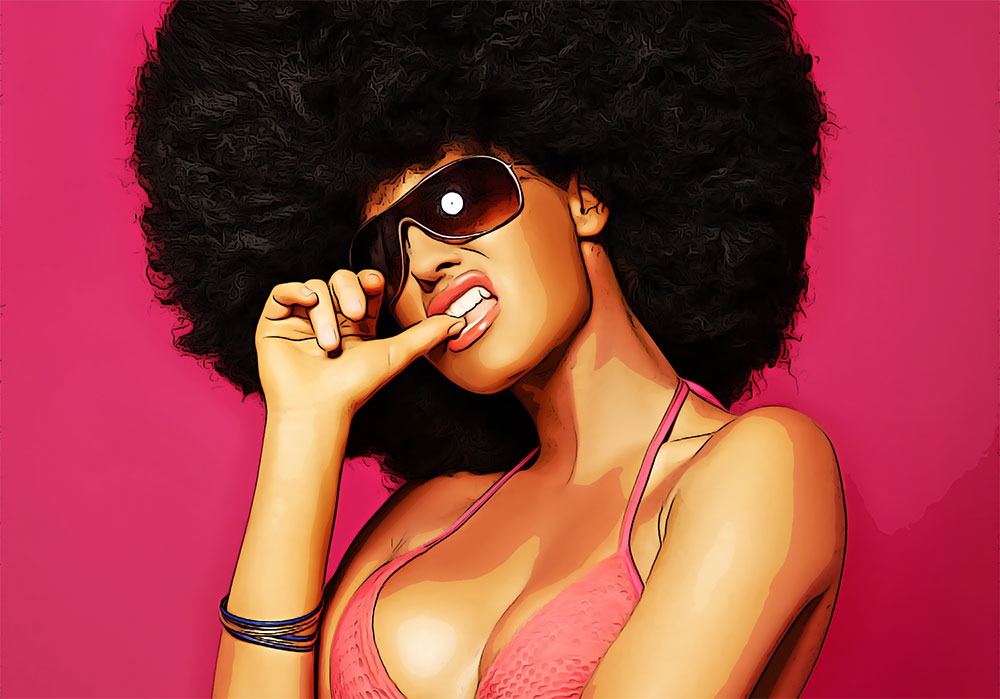
Transforming a Photo Into a Cartoon: A Comprehensive Guide
Are you looking to add some creativity and fun to your photos? Do you want to transform them into cartoons that will make everyone smile? Well, you’re in luck! In this article, we’ll explore the various ways to turn a photo into a cartoon using different programs, services, and apps.
What is Cartooning a Photo?
Cartooning a photo involves applying artistic effects to an image to create a caricature-like appearance. This can be done by altering the colors, adding textures, or even drawing on top of the original photo. The result is a fun and playful way to represent reality.
Programs For Transforming a Photo Into a Cartoon
There are several programs available that allow you to transform a photo into a cartoon. Here are some of the most popular ones:
- Xnsketch: This program is available for Windows, macOS, and Linux operating systems. It offers a wide range of effects, including cartoon-style filters, that can be applied to your photos.
- Fotosketcher: This free solution allows you to access various styles of cartoonist using the icon of the palette present in high. It also features a portable version that doesn’t require installation.
- Gimp: This is one of the most popular photo editing programs available, and it can be used to apply filters, including cartoon-style effects.
Services For Transforming a Photo Into a Cartoon
In addition to programs, there are various services that offer cartooning capabilities. Here are some of them:
- Canva: This website offers a range of design tools, including the ability to transform photos into cartoons using their Magic Edit feature.
- Colorcinch: This portal allows you to apply effects with just one click, including a Cartoonizer effect that can be accessed by subscribers.
- Kusocartoon: This easy-to-use portal offers three cartoon effects that can be applied directly from the website.
- Adobe Express: This service is similar to Adobe Photoshop and includes simple filters that can be applied to your photos.
- Photopea: This online photo editor allows you to apply advanced instruments, including filters, to your images.
Apps For Transforming a Photo Into a Cartoon
There are also several apps available that allow you to transform photos into cartoons. Here are some of the most popular ones:
- Toonart: This app is available for both Android and iOS devices and offers various cartoon-style filters that can be applied directly from the app.
- Toonme: This app uses artificial intelligence to apply cartoon effects to your photos.
- Photo to Cartoon Yourself Edit: This app allows you to apply cartoon filters using just a few taps.
- Momentcam: This app not only allows you to transform photos into cartoons but also enables you to create caricatures.
Conclusion
Transforming a photo into a cartoon is a fun and creative way to add some personality to your images. With the variety of programs, services, and apps available, it’s easier than ever to achieve this look. Whether you’re looking for a simple solution or something more advanced, there’s an option for everyone.
Frequently Asked Questions (FAQs)
Here are eight FAQs related to transforming photos into cartoons:
- What is The Best Program For Transforming a Photo Into a Cartoon?
The best program for this task would be XnSketch, due to its wide range of effects and user-friendly interface. - Can I Transform a Photo Into a Cartoon Using an App on my Smartphone?
Yes, there are several apps available for both Android and iOS devices that allow you to transform photos into cartoons, such as ToonArt and ToonMe. - What is The Difference Between Cartooning a Photo And Editing It?
Cartooning involves applying artistic effects to an image to create a caricature-like appearance, whereas editing refers to making adjustments to brightness, contrast, or other aspects of the original photo. - Can I Apply Filters Using a Service Like Canva?
Yes, Canva offers a range of design tools, including the ability to transform photos into cartoons using their Magic Edit feature. - Do Any of These Services Have Subscription Plans?
Some services, such as Colorcinch and Adobe Express, do offer subscription plans for access to additional features or filters. - Can I Apply Cartoon Effects Directly From a Website?
Yes, there are several websites that allow you to apply cartoon effects directly without needing to download any software or apps, like kusoCartoon. - Is it Possible to Create a Cardboard-style Photo Using These Services And Programs?
While the provided services and programs do offer various cartoon-style filters, creating a true cardboard-style effect may require more advanced editing skills or additional software. - Can I Use Any of These Services And Programs For Free?
Some of these services and programs are available for free, while others may have limitations or watermarks in their free versions.


