
How to Turn Off Iphone: A Comprehensive Guide
Are you tired of wondering how to turn off your iPhone? Look no further! In this article, we will guide you through the process of turning off your iPhone in various situations.
Why Turn Off Your Iphone?
Before we dive into the steps, let’s talk about why you might want to turn off your iPhone. There are several reasons:
- To conserve battery life: Turning off your iPhone can help extend its battery life.
- To troubleshoot issues: If your iPhone is experiencing technical difficulties, turning it off and on again can sometimes resolve the issue.
- To update software: You may need to turn off your iPhone before updating its operating system.
How to Turn Off Your Iphone
To turn off your iPhone, follow these simple steps:
- Access The Settings App: Go to the home screen and tap on the “Settings” icon.
- Select The General Option: Scroll down and select the “General” option.
- Choose The Shut Down Option: Tap on the “Shut Down” option.
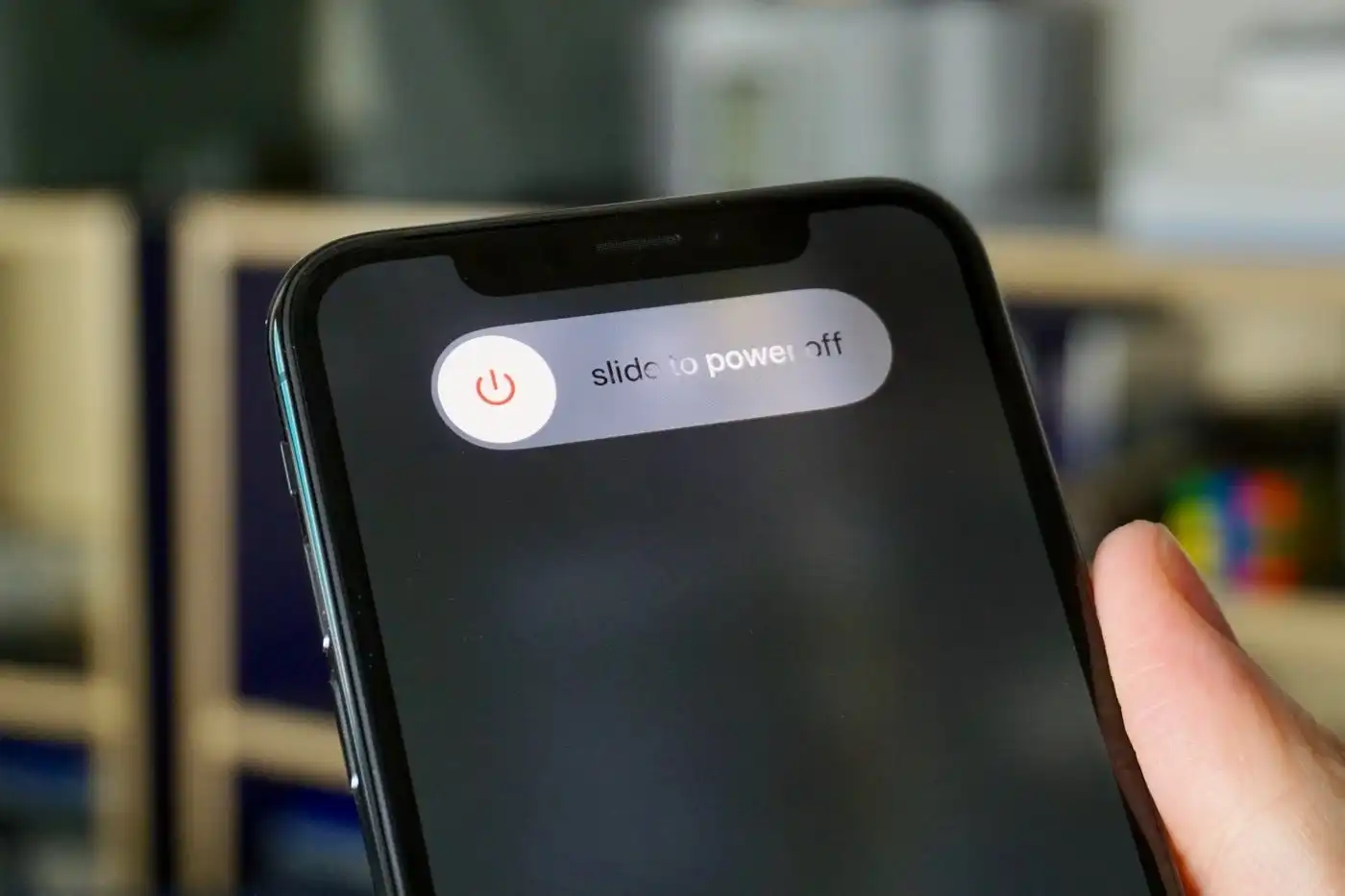
- Drag The Slider: Drag the slider from left to right to shut down your iPhone.
- Wait 30 Seconds: Wait for about 30 seconds before turning it back on.
How to Turn Off Your Iphone Without a Home Button
If you have an iPhone X or later, follow these steps:
- Press And Hold The Volume Down Button: Press and hold the volume down button until the “Slide to Power Off” option appears.
- Drag The Slider: Drag the slider from left to right to shut down your iPhone.
How to Turn Off Your Iphone With a Broken Home Button
If you have an iPhone with a broken home button, follow these steps:
- Enable Assistivetouch: Go to Settings > Accessibility > Touch and enable “AssistiveTouch”.
- Simulate The Home Button Press: Tap on the AssistiveTouch icon on the screen.
- Select Device Option: Tap on the “Device” option and select “More Ways to End Call”.
How to Turn Off Your Iphone With a Frozen Screen
If your iPhone is frozen, follow these steps:
- Press And Hold The Sleep/wake Button: Press and hold the sleep/wake button for 5 seconds.
- Simulate The Home Button Press: Release the sleep/wake button and simulate the home button press by tapping on the AssistiveTouch icon.
How to Turn Off Your Iphone With a Broken Power Button
If your iPhone’s power button is broken, follow these steps:
- Press And Hold The Volume Down Button: Press and hold the volume down button for 5 seconds.
- Simulate The Home Button Press: Release the volume down button and simulate the home button press by tapping on the AssistiveTouch icon.
Troubleshooting Tips
If you’re experiencing issues with your iPhone, try these troubleshooting tips:
- Restart your iPhone: Sometimes, a simple reboot can resolve technical issues.
- Check for software updates: Make sure your iPhone is running the latest software version.
- Visit an Apple Store: If none of the above steps work, visit an Apple Store for assistance.
Conclusion
In conclusion, turning off your iPhone is a straightforward process. Whether you’re experiencing technical difficulties or simply want to conserve battery life, we hope this guide has been helpful. Remember to always follow proper shutdown procedures to avoid any potential issues.
Faqs
- How do I Turn Off my Iphone if It’s Frozen?
To turn off your iPhone with a frozen screen, press and hold the sleep/wake button for 5 seconds. - How do I Turn Off my Iphone Without a Home Button?
To turn off your iPhone X or later without a home button, press and hold the volume down button until the “Slide to Power Off” option appears. - How do I Troubleshoot Issues With my Iphone?
Try restarting your iPhone, checking for software updates, or visiting an Apple Store for assistance. - What if my Iphone’s Power Button is Broken?
If your iPhone’s power button is broken, press and hold the volume down button for 5 seconds to simulate a shutdown. - How do I Turn Off my Iphone With Assistivetouch Enabled?
To turn off your iPhone with AssistiveTouch enabled, tap on the AssistiveTouch icon, select “Device”, and then choose “Shut Down”. - Can I Turn Off my Iphone Remotely?
Yes, you can turn off your iPhone remotely using the Find My app. - How do I Check if my Iphone is Under Warranty?
Check your iPhone’s warranty status by contacting Apple Support or visiting an Apple Store. - What if I Need to Reset my Iphone?
If you need to reset your iPhone, go to Settings > General > Reset and choose the type of reset you want to perform.
We hope this guide has been helpful! If you have any further questions or concerns, please don’t hesitate to reach out.


