
How to Turn Off Your Nintendo Switch: A Comprehensive Guide
Are you tired of wondering how to turn off your Nintendo Switch? Do you find yourself struggling with the various options available on the console? Look no further! In this article, we will guide you through the process of turning off your Nintendo Switch, including the different modes and settings that can be customized to suit your needs.
Understanding The Different Modes
Before we dive into the steps involved in turning off your Nintendo Switch, it’s essential to understand the different modes available on the console. The three main modes are:
- Modality Rest: This mode allows you to save power without closing games or applications.
- Spegnimento Completo: This is the complete shutdown mode, which turns off all systems and saves power.
- Bloccata: This mode blocks access to certain features on the console.
How to Turn Off Your Nintendo Switch in Modality Rest
To turn off your Nintendo Switch in modality rest, follow these steps:
- Press the Home button on the controller.
- Select the “Modality rest” option from the menu.
- Confirm by selecting the “Yes” option.
Alternatively, you can also use the fast options to turn off your Nintendo Switch in modality rest. To do this:
- Hold down the Home button for a few seconds until the fast options menu appears.
- Select the “Modality rest” option from the menu.
- Confirm by selecting the “Yes” option.
How to Turn Off Your Nintendo Switch in Spegnimento Completo
To turn off your Nintendo Switch in spegnimento completo mode, follow these steps:
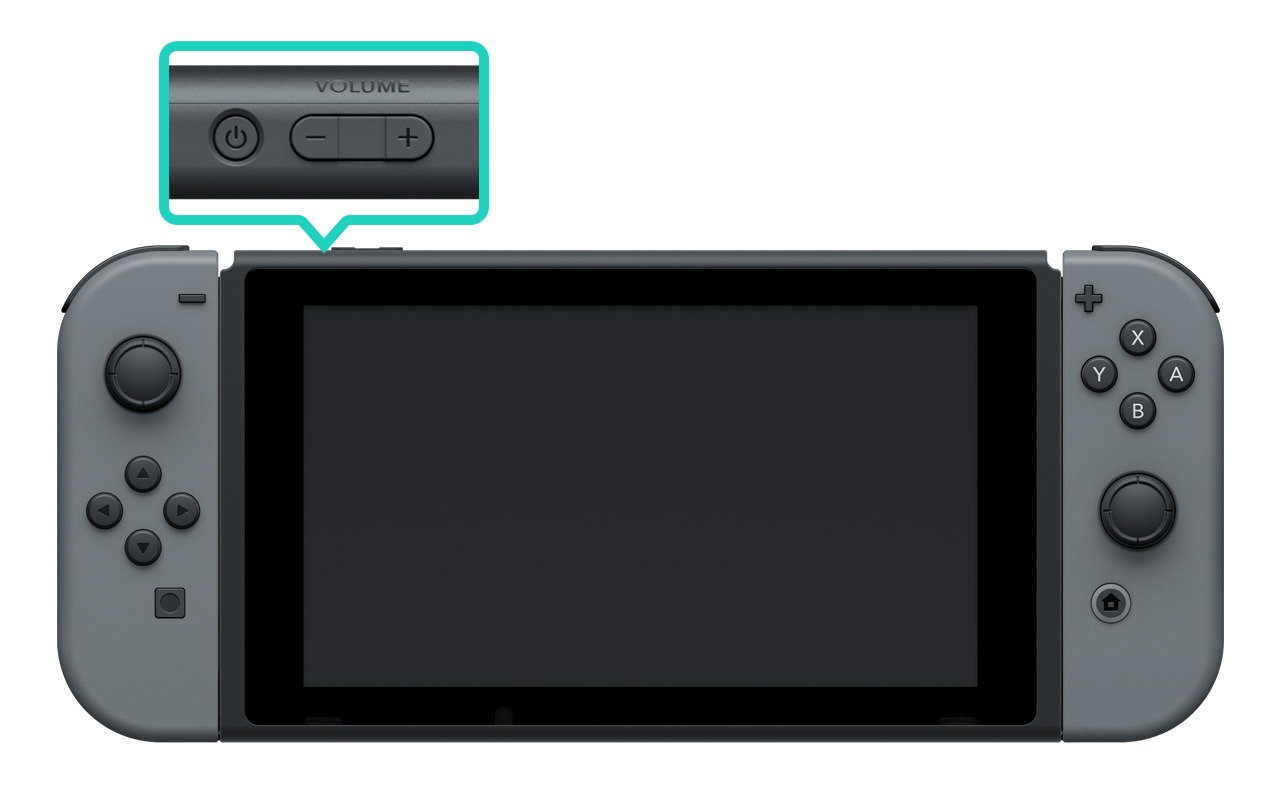
- Press and hold the power button on the console for at least three seconds until the options menu appears.
- Select the “Turn off” option from the menu.
- Confirm by selecting the “Yes” option.
How to Turn Off Your Nintendo Switch When It’s Blocked
If your Nintendo Switch is blocked due to a software issue, you can try turning it off using the forced shutdown method:
- Press and hold the power button on the console for at least 10 seconds.
- Release the power button and press it again to turn on the console.
How to Turn Off Your Nintendo Switch When It’s Connected to TV
If your Nintendo Switch is connected to a TV, you can try turning it off using the HDMI-CEC feature:
- Check if your TV supports the HDMI-CEC feature.
- If supported, configure the feature on your TV according to the manufacturer’s instructions.
- Once configured, turn off your Nintendo Switch by pressing the Home button on the controller and selecting the “Modality rest” option.
How to Turn Off Your Nintendo Switch Controller
To turn off your Nintendo Switch controller, follow these steps:
- Press and hold the sync button on the controller for a few seconds until it turns off.
- Release the sync button and press it again to turn on the controller.
How to Turn Off Your Nintendo Switch Lite
The process of turning off your Nintendo Switch Lite is identical to that of the classic Nintendo Switch console. Simply follow the steps outlined above.
How to Turn Off Your Nintendo Switch Oled
The Nintendo Switch OLED, released in 2021, offers improved features and display compared to the classic console. However, the process of turning it off remains the same as the classic console.
Conclusion
Turning off your Nintendo Switch is a straightforward process that can be customized to suit your needs. By understanding the different modes available on the console, you can choose the one that best suits your requirements. Remember to always follow the steps outlined above to ensure a safe and efficient shutdown of your Nintendo Switch.
Frequently Asked Questions
- Q: How do I Turn Off my Nintendo Switch?
A: To turn off your Nintendo Switch, press the Home button on the controller and select the “Modality rest” or “Spegnimento completo” option. - Q: Can I Turn Off my Nintendo Switch Using The TV Remote?
A: If your TV supports HDMI-CEC, you can configure the feature to automatically turn off your Nintendo Switch when the TV is turned off. - Q: How do I Turn Off my Nintendo Switch Controller?
A: Press and hold the sync button on the controller for a few seconds until it turns off. - Q: Can I Turn Off my Nintendo Switch Lite Differently Than The Classic Console?
A: No, the process of turning off your Nintendo Switch Lite is identical to that of the classic console. - Q: How do I Turn Off my Nintendo Switch Oled?
A: The process of turning off your Nintendo Switch OLED remains the same as the classic console. - Q: Can I Configure my Nintendo Switch to Automatically Turn Off in Modality Rest When Not Used For a Certain Period?
A: Yes, you can configure this feature on your Nintendo Switch by going to Settings > Modality visible rest of canton and selecting the “Automatic” option. - Q: How do I Turn Off my Nintendo Switch if It’s Blocked Due to Software Issues?
A: Press and hold the power button on the console for at least 10 seconds to force shutdown. - Q: Can I Use a Third-party App or Tool to Turn Off my Nintendo Switch Remotely?
A: No, this is not possible with the current hardware and software configuration of the Nintendo Switch.


