
How to Turn Off Vodafone TV Box: A Step-by-step Guide
As a Vodafone TV user, you may have noticed that the device continues to consume energy even when turned off or not in use. This can be frustrating, especially if you’re looking for ways to reduce your energy bills. In this article, we’ll guide you through the process of turning off your Vodafone TV box and explore some additional tips to help you save energy.
Why Can’t I Just Turn Off My Tv?
When you turn off your TV, it may seem like the Vodafone TV box should also shut down automatically. However, this is not always the case. The device has its own separate power supply and can continue to consume energy even when the TV is turned off.
Understanding Standby Mode
The Vodafone TV box has a standby mode that allows you to save energy while still keeping the device active. In standby mode, the device consumes much less energy than when it’s fully powered on. To activate standby mode, follow these steps:
Step 1: Press The Standby Button
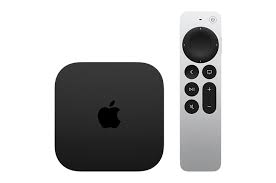
Locate the standby button on your Vodafone TV remote control. It’s usually marked with a symbol or labeled as “Standby.” Press this button to turn off your Vodafone TV box.
Step 2: Check The Led Light
After pressing the standby button, check the LED light on the device. If it turns red, it means the device is in standby mode and consuming minimal energy. If the light remains white or continues to glow brightly, it may indicate a problem with your Vodafone TV box.
Step 3: Adjust Led Light Intensity
If you’re concerned about the LED light’s brightness, you can adjust its intensity from the settings menu on your Vodafone TV remote control. To do this:
- Press the MENU button on your remote.
- Select Settings > Settings TV Box.
- Scroll down to Luminosity LED and press OK.
- Choose Low to reduce the LED light’s brightness.
What If I Want to Turn Off My Vodafone TV Box Completely?
Unfortunately, there is no direct way to turn off your Vodafone TV box completely. However, you can disconnect the device from its power source by unplugging it from the wall outlet. To do this:
- Locate the power cord and unplug the device.
- Wait for a few seconds to ensure the device has fully shut down.
Troubleshooting Common Issues
If your Vodafone TV box is not responding or refusing to turn off, there may be an issue with the device itself. In such cases, try:
- Restarting the device
- Checking the power cord and making sure it’s properly connected
- Contacting Vodafone customer support for assistance
Conclusion
Turning off your Vodafone TV box can seem like a straightforward process, but it requires some understanding of how the device works. By following these steps and adjusting your settings accordingly, you can help reduce energy consumption and save on your bills.
Frequently Asked Questions (FAQs)
- Why Does my Vodafone TV Box Consume so Much Energy?
The device consumes energy to maintain its functionality and stay connected to the internet.
- What is Standby Mode, And How Does it Help Save Energy?
Standby mode allows your Vodafone TV box to reduce energy consumption while still keeping the device active.
- How do I Adjust The Led Light Intensity on my Vodafone TV Remote Control?
To adjust the LED light intensity, press MENU > Settings > Settings TV Box > Luminosity LED and choose Low or High depending on your preference.
- What Should I do if my Vodafone TV Box Won’t Turn Off?
Try restarting the device, checking the power cord, and contacting Vodafone customer support for assistance.
- Can I Completely Turn Off my Vodafone TV Box Without Unplugging It?
No, there is no direct way to turn off your Vodafone TV box completely without disconnecting its power source.
- Why Does my Vodafone TV Box Have a Separate Power Supply From The Tv?
The device has its own power supply to ensure continuous functionality and seamless connectivity to the internet.
- How Can I Reduce Energy Consumption With my Vodafone TV Box?
By turning off your Vodafone TV box in standby mode, adjusting LED light intensity, and unplugging it when not in use, you can help minimize energy consumption.
- What if I’m Experiencing Issues With my Vodafone TV Box? Who Should I Contact?
Reach out to Vodafone customer support for assistance with any issues related to your Vodafone TV box.


