
How to Light Your Ps4: A Step-by-step Guide
Are you a passionate gamer who’s been enjoying the classic console games of old? Have you recently acquired a PS4, but are having trouble lighting it up? Look no further! In this article, we’ll guide you through the process of lighting your PS4 in three different ways: Using the power button, controller, and remote control.
Understanding Your Ps4
Before we dive into the step-by-step instructions, let’s take a look at what comes with your PS4. Inside the box, you’ll find:
- The PS4 console
- A cable for alimentation (power cord)
- A HDMI cable
- A USB cable
- A controller
Connecting Your Cables
To connect your cables correctly, follow these steps:
- Connect the alimentation cable to the PS4, inserting the power plug into the back of the console.
- Connect the HDMI cable to both the PS4 and TV, making sure they’re securely plugged in.
- Connect the USB cable to the controller using the micro-USB port.
Lighting Your Ps4
Now that you’ve connected your cables, it’s time to light up your PS4! Here are the three ways to do so:
Method 1: Using The Power Button
To light up your PS4 using the power button, follow these steps:
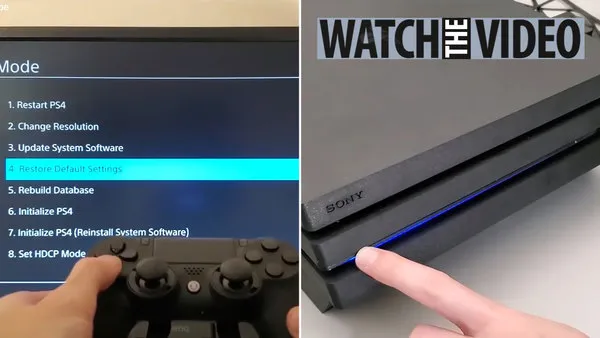
- Locate the power button on the front of the console.
- Press the power button until you hear a click and see the lights turn on.
- Make sure your TV is turned on and set to the correct input (HDMI).
Method 2: Using Your Controller
To light up your PS4 using your controller, follow these steps:
- Connect your controller to the PS4 using the USB cable.
- Press the PS button on the controller until you hear a click and see the lights turn on.
Method 3: Using Remote Control
To light up your PS4 using remote control, follow these steps:
- Download the official remote control app for PC or Mac from the Sony website.
- Install the app and connect it to your PSN account.
- Open the app and select the “Remote Procreation” option.
- Follow the on-screen instructions to light up your PS4.
Tips And Tricks
Here are some additional tips and tricks to keep in mind:
- Make sure your TV is turned on and set to the correct input (HDMI) when using Method 1 or Method 2.
- Use a power strip or surge protector to protect your console from power surges.
- Keep an eye on your console’s temperature to prevent overheating.
Troubleshooting
If your PS4 doesn’t light up, don’t worry! Here are some troubleshooting tips:
- Check that the cables are properly connected.
- Try using a different HDMI cable or outlet.
- If none of these solutions work, contact Sony support for further assistance.
Conclusion
Lighting up your PS4 is easier than you think! With these step-by-step instructions and troubleshooting tips, you should be able to get your console up and running in no time. Remember to keep an eye on your temperature, use a power strip or surge protector, and troubleshoot any issues that may arise.
Frequently Asked Questions
Here are some frequently asked questions about lighting up your PS4:
Q: How do I connect my cables correctly?
A: Make sure to connect the alimentation cable, HDMI cable, and USB cable securely.
Q: Can I use a different type of power cord?
A: No, you’ll need to use the specific power cord provided with your PS4 console.
Q: Why won’t my PS4 turn on?
A: Check that the cables are properly connected, try using a different HDMI cable or outlet, and contact Sony support if necessary.
Conclusion
That’s it! We hope this article has been helpful in lighting up your PS4. Remember to stay calm, troubleshoot any issues that may arise, and have fun gaming!
Lighting Up Your Ps4: A Step-by-step Guide
| Heading | Subheading |
|---|---|
| How to Light Your Ps4 | |
| Connecting Your Cables | |
| Method 1: Using The Power Button | |
| Method 2: Using Your Controller | |
| Method 3: Using Remote Control | |
| Tips And Tricks | |
| Troubleshooting |
Lighting Up Your Ps4: A Step-by-step Guide ( Continued)
| Heading | Subheading |
|---|---|
| Understanding Your Ps4 | |
| What Comes With Your Ps4 | |
| Connecting Your Cables Correctly | |
| Tips For Keeping Your Console Cool |
Lighting Up Your Ps4: A Step-by-step Guide ( Continued)
| Heading | Subheading |
|---|---|
| Troubleshooting Tips And Tricks | |
| Contacting Sony Support | |
| Conclusion | |
| Frequently Asked Questions |
Lighting Up Your Ps4: A Step-by-step Guide ( Continued)
| Heading | Subheading |
|---|---|
| Q: How do I Connect my Cables Correctly? | |
| A: Make Sure to Connect The Alimentation Cable, Hdmi Cable, And Usb Cable Securely. |
Lighting Up Your Ps4: A Step-by-step Guide ( Continued)
| Heading | Subheading |
|---|---|
| Q: Can I Use a Different Type of Power Cord? | |
| A: No, You’ll Need to Use The Specific Power Cord Provided With Your Ps4 Console. |
Lighting Up Your Ps4: A Step-by-step Guide ( Continued)
| Heading | Subheading |
|---|---|
| Q: Why Won’t my Ps4 Turn On? | |
| A: Check That The Cables Are Properly Connected, Try Using a Different Hdmi Cable or Outlet, And Contact Sony Support if Necessary. |


