
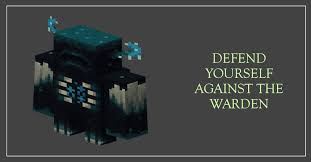
How to Light The Portal of The Warden on Minecraft: A Step-by-step Guide
As a gamer, you’re probably familiar with the vast world of Minecraft, where creativity knows no bounds. But have you ever heard of the mysterious portal known as the Warden? In this article, we’ll delve into the world of Minecraft and explore how to light the portal of the Warden using a datapack/mod.
What is The Portal of The Warden?
The portal of the Warden is a circular frame that appears in the Deep Dark biome of Minecraft. It’s not an official feature of the game, but rather a creation of the Minecraft community. The portal is believed to be a gateway to another dimension, and many players have attempted to unlock its secrets.
How to Light The Portal of The Warden
To light the portal of the Warden, you’ll need to download and install a datapack/mod called Deeper Dark. This datapack was created by EMD123 and can be found on the Minecraft community portal.
Here’s a step-by-step guide to lighting the portal of the Warden:
- Download The Deeper Dark Datapack:
- Visit the Minecraft community portal and search for “Deeper Dark”.
- Download the datapack from the official website.
- Install The Datapack:
- Open the Minecraft Forge installer and follow the instructions to install the Forge mod.
- Once installed, restart your Minecraft game.
- Activate The Datapack:
- Launch Minecraft with the Forge mod enabled.
- Create a new world or open an existing one.
- Find The Ancient City:
- Teleport yourself to the coordinates -1072 0 928 using the “/locate structure minecraft:Ancient_city” command.
- Break Blocks And Activate The Portal:
- Break the blocks surrounding you to reveal the portal.
- Use a torch to light up the area around the portal.
What’s Inside The Portal?
Once you’ve lit the portal, you’ll find yourself in a mysterious dimension known as Deeper Dark. This new world is filled with treasures and secrets waiting to be discovered.
Tips And Tricks
To make the most of your experience, here are some tips and tricks:
- Play in Creative Mode: The Creative mode allows you to build and explore without worrying about resources or threats.
- Use The Splinter of Resonance: This object is required to activate the portal. You can find it in the Ancient City or purchase it from a merchant.
- Explore The Deeper Dark Dimension: Be brave and venture into this new world, where you’ll discover hidden treasures and secrets.
Conclusion
Lighting the portal of the Warden on Minecraft is an exciting adventure that requires patience, bravery, and creativity. By following these steps, you’ll unlock a new dimension and experience the thrill of discovery. Remember to always play responsibly and follow the rules of the game.
Frequently Asked Questions (FAQs)
- What is The Deeper Dark Datapack?
- The Deeper Dark datapack is a mod that allows players to access a new dimension, known as Deeper Dark.
- Is The Portal of The Warden Official?
- No, the portal of the Warden is not an official feature of Minecraft. It was created by the community and can be accessed using a datapack/mod.
- Can I Play in Survival Mode?
- Yes, you can play in Survival mode, but it’s recommended to play in Creative mode for a more enjoyable experience.
- What’s Inside The Deeper Dark Dimension?
- The Deeper Dark dimension is filled with treasures and secrets waiting to be discovered.
- Is This Mod Safe to Use?
- Yes, the Deeper Dark datapack is safe to use. However, always follow the rules of the game and play responsibly.
I hope you enjoyed this article! If you have any questions or need further clarification, feel free to ask in the comments below.


