
How to Unblock Facebook: A Step-by-step Guide
Are you tired of being blocked on Facebook? Do you want to regain access to your account and share your thoughts and photos with friends again? Look no further! In this article, we’ll provide a comprehensive guide on how to unblock Facebook in various situations.
Why Was My Account Blocked?
Before we dive into the solution, let’s understand why Facebook might have blocked your account. Common reasons include:
- Forgetting password
- Safety suspension
- Violating Facebook terms of service
- Unwanted behavior or hacking attempts
How to Unblock Facebook When Disabled
If you’ve temporarily disabled your account and want to reactivate it, follow these steps:
- Access the official Facebook website using a browser.
- Click on “Log in” with your previous access credentials (email/phone number and password).
- If you’re using a smartphone or tablet, download the Facebook app for Android or iOS/iPadOS and log in with your account.
How to Unblock Facebook When Hacked
If your account has been hacked, act quickly to recover it:
- Go to Facebook’s help center and request assistance.
- Follow the procedures provided by Facebook to restore access to your account.
- Take steps to protect your account from future hacking attempts (more on this later).
How to Unblock Facebook When Blocked
If you’ve been blocked, don’t worry! You can still try to unblock your account:
- Check if you’ve unintentionally violated Facebook’s terms of service or engaged in unwanted behavior.
- Follow the official procedures provided by Facebook to appeal the block.
- If you’re unsure about the reason for the block, consult our guide on how to unblock a blocked Facebook account.
How to Unblock Facebook Without Documentation
If you don’t have an official document, you can still try to confirm your identity:
- Forward two non-official documents that report your name and include your date of birth or photo.
- Ensure the documents are not digitally modified.
How to Unblock Facebook Infected by a Virus
If you suspect your account is infected by malware, follow these steps:
- Check the links on your account for suspicious activity.
- Change your password and take steps to secure your account.
How to Unblock a Facebook Dating Profile
To unblock a profile on Facebook Dating, follow these steps:
- Open the Facebook app on your smartphone or tablet.
- Scroll down to the Facebook Dating section.
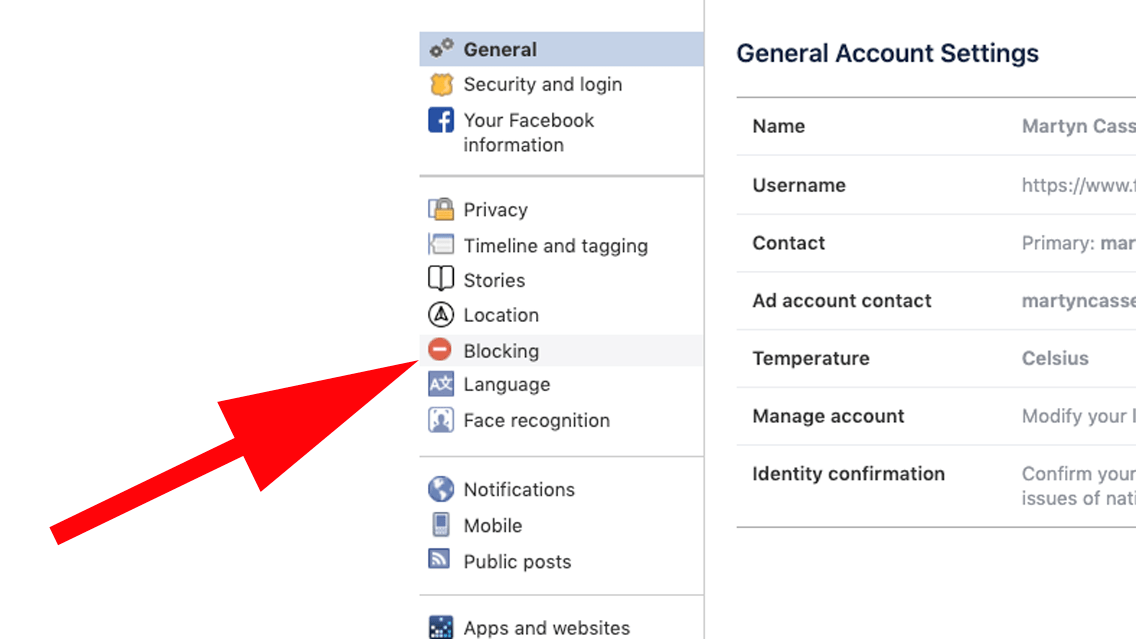
- Block the person you want to unblock by following the settings menu.
How to Unblock Facebook When Access is Blocked on PC And Mobile
If you’re experiencing difficulties accessing Facebook due to parental blocks, DNS restrictions, or other network configurations:
- Check if a VPN can resolve the issue.
- Consider using a browser to access Facebook instead of the app.
Conclusion
Unblocking Facebook might seem like a daunting task, but with this comprehensive guide, you’ll be back on track in no time. Remember to follow official procedures and take steps to protect your account from future hacking attempts. Stay safe online!
Frequently Asked Questions (FAQs)
- Q: Why Was my Account Blocked?
A: Facebook might have blocked your account due to forgetting password, safety suspension, violating terms of service, or unwanted behavior. - Q: How do I Unblock Facebook When Disabled?
A: Access the official website using a browser and log in with previous access credentials. - Q: What if my Account is Hacked?
A: Act quickly to recover your account by requesting assistance from Facebook’s help center. - Q: Can I Still Try to Unblock my Account When Blocked?
A: Yes, follow the official procedures provided by Facebook to appeal the block. - Q: How do I Confirm my Identity Without Documentation?
A: Forward two non-official documents that report your name and include your date of birth or photo. - Q: What if my Account is Infected by a Virus?
A: Check the links on your account for suspicious activity and change your password to secure your account. - Q: How do I Unblock a Facebook Dating Profile?
A: Open the Facebook app, scroll down to the Facebook Dating section, and block the person you want to unblock. - Q: What if I’m Experiencing Difficulties Accessing Facebook on PC And Mobile?
A: Check if a VPN can resolve the issue or consider using a browser to access Facebook instead of the app.
Bonus Tip: Regularly check your account settings and update your password to ensure maximum safety!


