
Unblocking Tiktok: A Step-by-step Guide
Are you tired of seeing a blocked TikTok account? Do you want to regain access to your favorite social media platform? Look no further! In this article, we will guide you through the process of unblocking TikTok on both Android and iOS devices.
Why is my Tiktok Account Blocked?
Before we dive into the solution, it’s essential to understand why your TikTok account might be blocked. The most common reasons include:
- Breach of community guidelines (e.G., Posting explicit content or violating minor age policies)
- Account security concerns
- Spamming or flooding other users with unwanted messages
If you’re unsure about the reason behind the block, don’t worry! We’ll cover how to unblock your account in the next sections.
Unblocking Tiktok on Android Devices
To unblock TikTok on your Android device, follow these steps:
- Open the Settings app on your device.
- Scroll down and select the “Apps” or “Application Manager” option.
- Find the TikTok app and tap on it.
- Select the “Uninstall updates” option.
- Wait for a few seconds, then try opening TikTok again.
If this doesn’t work, you can also try clearing the app’s cache and data:
- Go to Settings > Apps > TikTok
- Tap on the three dots next to the app icon.
- Select “Clear cache” and “Clear data.”
- Wait for a few seconds, then try opening TikTok again.
Unblocking Tiktok on Ios Devices
To unblock TikTok on your iOS device, follow these steps:
- Open the Settings app on your device.
- Scroll down and select the “General” option.
- Tap on “Restrictions.”
- Make sure that “TikTok” is not blocked under the “Allowed Apps” section.
- If it is, tap on the toggle next to TikTok to enable access.
If this doesn’t work, you can also try resetting your iOS device:
- Go to Settings > General > Reset
- Select “Reset all settings.”
- Wait for a few seconds, then try opening TikTok again.
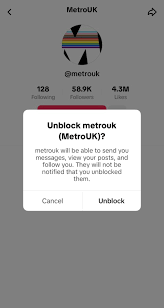
Unblocking an Account Blocked by Error
Sometimes, you might accidentally block someone on TikTok. Don’t worry! You can unblock them easily:
- Open the TikTok app and tap on your profile icon.
- Tap on the three dots next to the person’s name.
- Select “Unblock.”
- Confirm that you want to unblock them.
Conclusion
In conclusion, unblocking TikTok is a straightforward process that can be completed in a few minutes. Whether you’re using an Android or iOS device, following these steps will help you regain access to your favorite social media platform. Remember to always follow community guidelines and respect other users’ boundaries to avoid getting blocked again.
Faqs
Here are some frequently asked questions about unblocking TikTok:
- Q: Why is my Tiktok Account Blocked?
A: Your TikTok account might be blocked due to breach of community guidelines, account security concerns, or spamming other users. - Q: How do I Unblock Tiktok on Android Devices?
A: To unblock TikTok on Android devices, open the Settings app, select “Apps,” find TikTok, and tap on “Uninstall updates.” - Q: How do I Unblock Tiktok on Ios Devices?
A: To unblock TikTok on iOS devices, open the Settings app, scroll down to “General,” tap on “Restrictions,” and make sure that “TikTok” is not blocked. - Q: What if I Accidentally Block Someone on Tiktok?
A: You can easily unblock them by opening the TikTok app, tapping on your profile icon, selecting the three dots next to their name, and choosing “Unblock.”
Stay tuned for more tech-related tips and tricks!


