
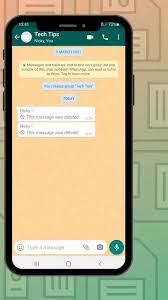
How to Tell if Someone Has Blocked or Unfriended You on Whatsapp
Are you wondering how to determine if someone has blocked or unfriended you on WhatsApp? If so, you’re not alone! Many people have found themselves in this situation, unsure of what’s happened and why they can’t contact their friend or loved one. In this article, we’ll explore the different ways to figure out if someone has blocked or unfriended you on WhatsApp.
Understanding Whatsapp’s Blocking Feature
Before we dive into the specifics, it’s essential to understand how WhatsApp’s blocking feature works. When someone blocks you on WhatsApp, they won’t be able to see your profile picture, status updates, or any messages you send them. They also won’t receive notifications when you try to contact them.
Verifying if Someone Has Blocked You
To determine if someone has blocked you, follow these steps:
- Check The Contact List: Open WhatsApp and go to the Chats screen. Look for the person’s name in your contact list. If they’ve blocked you, their name won’t be visible.
- Verify Profile Picture And Info: Check if the person’s profile picture and info are visible. If not, it might indicate that they’ve blocked you.
Alternative Ways to Determine if Someone Has Blocked You
If the above methods don’t work, try these alternative ways:
- Check Last Seen: Look for the “Last Seen” timestamp on the person’s profile page. If it’s not showing up or is too old, it might indicate that they’ve blocked you.
- Send a Message: Try sending a message to the person. If it doesn’t send or shows a gray checkmark, it could mean that they’ve blocked you.
How to Tell if Someone Has Unfriended You
If someone has unfriended you on WhatsApp, it might be more challenging to determine this. However, here are some signs:
- No Profile Picture: If the person’s profile picture is not visible or is blank, it could indicate that they’ve unfriended you.
- No Status Updates: Check if the person’s status updates are visible. If not, it might be a sign that they’ve unfriended you.
Why People Block or Unfrien You on Whatsapp
People may block or unfriend you for various reasons, including:
- Privacy Concerns: They might feel uncomfortable with their personal info being shared or want to maintain their online anonymity.
- Harassment or Abuse: In some cases, people might block others due to harassment or abuse.
Conclusion
Determining if someone has blocked or unfriended you on WhatsApp can be tricky, but by following the steps outlined in this article, you should be able to figure it out. Remember that people have different reasons for blocking or unfriending others, and it’s essential to respect their boundaries. If you’re unsure about someone’s behavior or want more information on how to handle blocked or unfriended contacts, consider reaching out to a trusted friend or family member.
Frequently Asked Questions (FAQs)
- Q: What Happens When I Block Someone on Whatsapp?
A: When you block someone, they won’t be able to see your profile picture, status updates, or any messages you send them. - Q: Can I Still See Someone’s Profile Picture if They’ve Blocked Me?
A: No, if someone has blocked you, their profile picture and info won’t be visible. - Q: How do I Know if Someone Has Unfriended me on Whatsapp?
A: Look for signs such as no profile picture or status updates being visible. - Q: Can I Still Message Someone Who’s Blocked Me?
A: No, messages sent to someone who has blocked you won’t be delivered. - Q: Why Would Someone Block me on Whatsapp?
A: People may block others due to privacy concerns, harassment, or abuse. - Q: How do I Report Someone Who’s Been Blocking or Harassing me on Whatsapp?
A: Go to the WhatsApp Settings > Account > Report a problem. - Q: Can I Still See Someone’s Status Updates if They’ve Unfriended Me?
A: No, if someone has unfriended you, their status updates won’t be visible. - Q: What Should I do if I’m Unsure About Someone’s Behavior on Whatsapp?
A: Reach out to a trusted friend or family member for guidance.


