
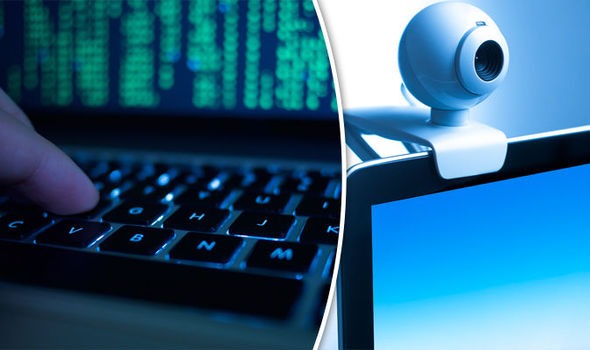
Understanding if Your PC is Being Spied On
As we increasingly rely on our computers and mobile devices, it’s essential to be aware of the potential threats that can compromise our online security. Lately, I’ve noticed strange behaviors around your computer that might make you suspect someone is spying on you. While this might sound like a paranoid notion, there are indeed some programs that can potentially monitor your activities.
What Programs Can Be Spied On Your Pc?
There are various programs that can be used to spy on your PC, including keyloggers, spyware, and malware. These programs can capture your keyboard input, track your online activity, and even communicate with external parties. Some of the most common spyware includes:
- Keyloggers: Capture every keystroke you make, allowing someone to access sensitive information.
- Spyware: Track your online activity, including browsing history, search queries, and email content.
- Malware: Can cause a range of problems, from data theft to system crashes.
How Can You Detect If Your PC is Being Spied On?
To ensure your PC’s security, you need to be aware of the signs that might indicate spyware or malware are present. Some common indicators include:
- Unusual Slow Performance: If your computer is taking longer than usual to start up, shut down, or perform tasks.
- Pop-ups And Ads: Unexpected pop-ups or advertisements while browsing online.
- Unknown Programs Running in The Background: Unfamiliar programs or processes consuming system resources.
Using Antivirus And Antimalware Software
One of the most effective ways to protect your PC from spyware is to use reputable antivirus and antimalware software. These tools can scan your system for potential threats, detect malware, and prevent unauthorized access.
- Antivirus Software: Look for programs that offer real-time protection, scanning, and removal of viruses, Trojans, and other malicious software.
- Antimalware Software: Utilize tools specifically designed to detect and remove spyware, adware, and other types of malware.
Controlling Programs Installed on Your PC
Another crucial step is to monitor the programs installed on your PC. Be aware of any unfamiliar or suspicious applications, especially those related to parental control or monitoring software.
- Parental Control Software: Be cautious of programs like Qustodio, Net Nanny, and Kaspersky Family, which can be used for legitimate purposes but might also compromise your online security.
- Spyware And Malware: Be on the lookout for signs of spyware or malware, such as unusual pop-ups, slow performance, or unknown processes running in the background.
Monitoring Processes Running in The Background
To ensure your PC’s security, you need to be aware of the processes running in the background. Use built-in tools like Task Manager (Windows) or Activity Monitor (macOS) to monitor system resources and detect any suspicious activity.
- Task Manager: In Windows, use Task Manager to view active processes, threads, and services.
- Activity Monitor: On a Mac, utilize Activity Monitor to see currently running processes, threads, and memory usage.
Controlling Connections to The Internet
To maintain your PC’s security, you need to monitor connections to the internet. Be aware of any suspicious or unfamiliar programs attempting to communicate with external parties.
- Windows Firewall Notifier: Utilize this tool to receive notifications when a program tries to connect to the internet.
- Little Snitch: On a Mac, use Little Snitch to control incoming and outgoing connections and block unauthorized access.
By following these steps and using reputable antivirus and antimalware software, you can significantly reduce the risk of your PC being spied on. Remember to stay vigilant and regularly monitor your system for potential threats.
Conclusion
In conclusion, protecting your PC from spyware requires a multi-layered approach. By using reputable antivirus and antimalware software, monitoring programs installed on your PC, controlling connections to the internet, and staying aware of potential threats, you can significantly reduce the risk of your PC being spied on.
Frequently Asked Questions (FAQs)
- Q: What Are Some Common Signs That my PC is Being Spied On?
A: Signs may include slow performance, pop-ups or ads while browsing online, and unknown programs running in the background. - Q: How Can I Detect if my PC Has Spyware or Malware?
A: Utilize reputable antivirus and antimalware software to scan your system for potential threats. - Q: What Are Some Effective Ways to Protect my PC From Spyware?
A: Use antivirus and antimalware software, monitor programs installed on your PC, control connections to the internet, and stay aware of potential threats. - Q: Can I Use Parental Control Software For Legitimate Purposes While Still Protecting my Online Security?
A: Be cautious of these types of programs as they can compromise your online security if not used correctly. - Q: How do I Monitor Processes Running in The Background on my Pc?
A: Utilize built-in tools like Task Manager (Windows) or Activity Monitor (macOS) to monitor system resources and detect any suspicious activity.
Important Considerations
- Regular Software Updates: Ensure you’re running the latest versions of your operating system, browser, and antivirus software.
- Strong Passwords: Use unique, complex passwords for all accounts, especially those related to online banking or sensitive information.
- Firewalls And Network Security: Implement firewalls on both ends (your PC and router) to filter incoming and outgoing connections.
By following these guidelines and staying informed about potential threats, you can significantly enhance your PC’s security and protect yourself from unwanted surveillance.


